
Data4 vs Clicky: Which Real-Time Analytics Tool Wins?
Choosing a web analytics tool often comes down to balancing simplicity, privacy, and real-time insight. Data4 and Clicky both position themselves as privacy-friendly alternatives to Google Analytics, but they approach the problem differently. This comparison examines their core strengths, limitations, and ideal use cases to help you decide which fits your workflow.
What Is Data4?
First viewport screenshot of Affiliates | Clicky.
Data4 is a lightweight website analytics platform designed for simplicity and speed. It focuses on core traffic metrics—unique visitors, pageviews, bounce rate, and session duration—without the steep learning curve of enterprise tools. Key characteristics include:
- Fast setup: Integration takes about 5 minutes, with no complex training required.
- Privacy by default: IP addresses and user identifiers are blocked, aligning with GDPR and CCPA requirements.
- Real-time monitoring: View activity from the last 30 minutes, including referring domains, pageviews, and visitor geography.
- Team collaboration: Create teams, assign roles (Owner/Manager/Viewer), and maintain audit logs.
- Multi-site management: Track multiple websites from a single account.
- Free tier: Sufficient for individual site owners, with a pay-as-you-go Pro plan for higher limits.
- Localization: Native support for English, Chinese, and Japanese, with regional domains.
Data4 is particularly suited for small to mid-sized site owners, content creators, and marketing teams that need actionable insights without configuration overhead. One current limitation: custom event tracking is not yet supported (expected in a future release).
What Is Clicky?
First viewport screenshot of Privacy-friendly Google Analytics alternative | Real-time Web Analytics | Clicky.
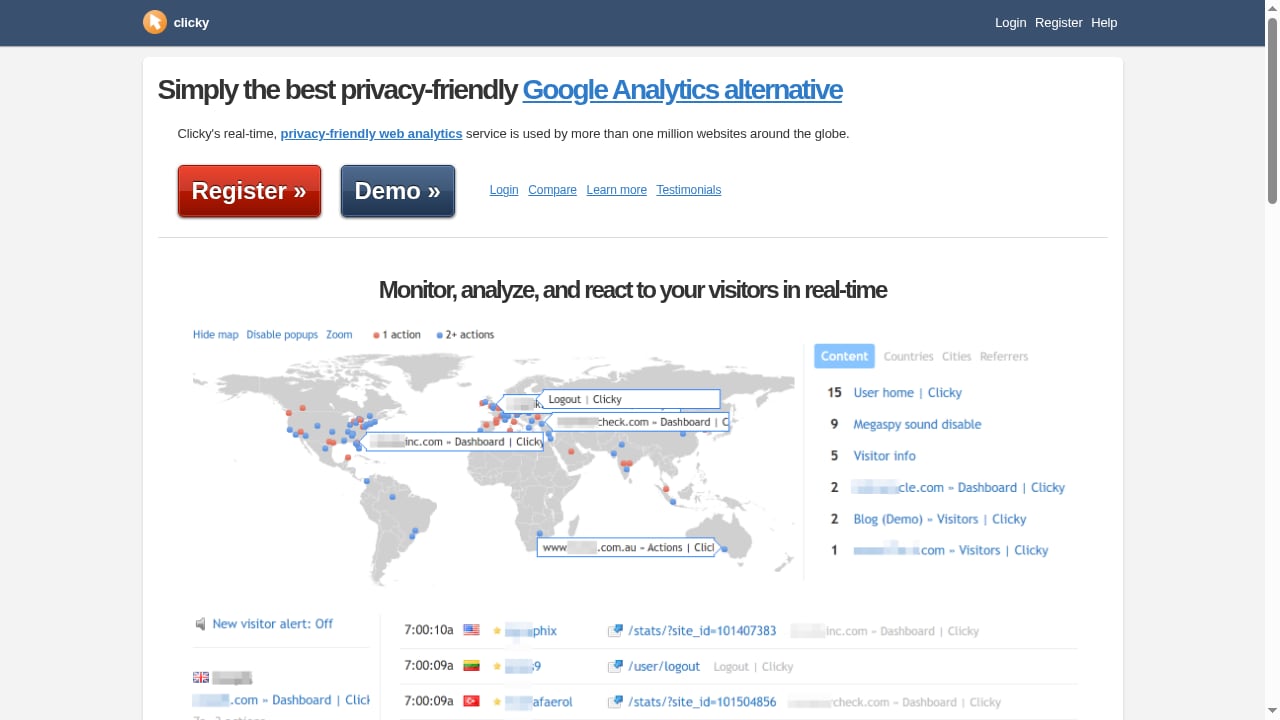
Clicky is a hosted web analytics service known for its real-time dashboard and privacy-friendly stance. It offers live traffic monitoring, heatmaps, and individual visitor tracking. Clicky is often described as a Google Analytics alternative, with a focus on immediate data visibility.
Key features typically include:
- Real-time analytics with a live dashboard
- Visitor-level tracking and session replay (in some plans)
- Heatmaps and on-page analytics
- Privacy controls, including IP anonymization
- Goal tracking and custom events
Clicky's strength lies in its real-time capabilities and detailed visitor-level data. However, its interface and feature set may be more complex than Data4's streamlined approach, and pricing scales with traffic volume.
Head-to-Head Comparison
First viewport screenshot of Pricing | Clicky.
Real-Time Analytics
Both tools emphasize real-time data, but their implementations differ. Data4 shows activity from the last 30 minutes, including current visitors, top pages, and referrers. Clicky provides a live dashboard with similar metrics, often updating in seconds. Clicky may offer more granular real-time detail, such as individual visitor actions, while Data4 focuses on aggregate trends.
Privacy and Compliance
Data4 blocks IP addresses and user identifiers by default, reducing compliance risk out of the box. Clicky also offers privacy features, but may require configuration to achieve similar default protections. For organizations prioritizing zero-config privacy, Data4 has an edge.
Ease of Use
Data4 is designed for quick comprehension: core metrics are displayed directly, and integration is minimal. Clicky, while user-friendly, offers a broader feature set that can take longer to master. If you want to avoid training and setup time, Data4 is the simpler choice.
Team and Multi-Site Management
Data4 includes built-in team management with roles and audit logs, plus multi-site support from one account. Clicky offers multi-site management but may lack the same level of role-based access control and audit trail transparency.
Pricing
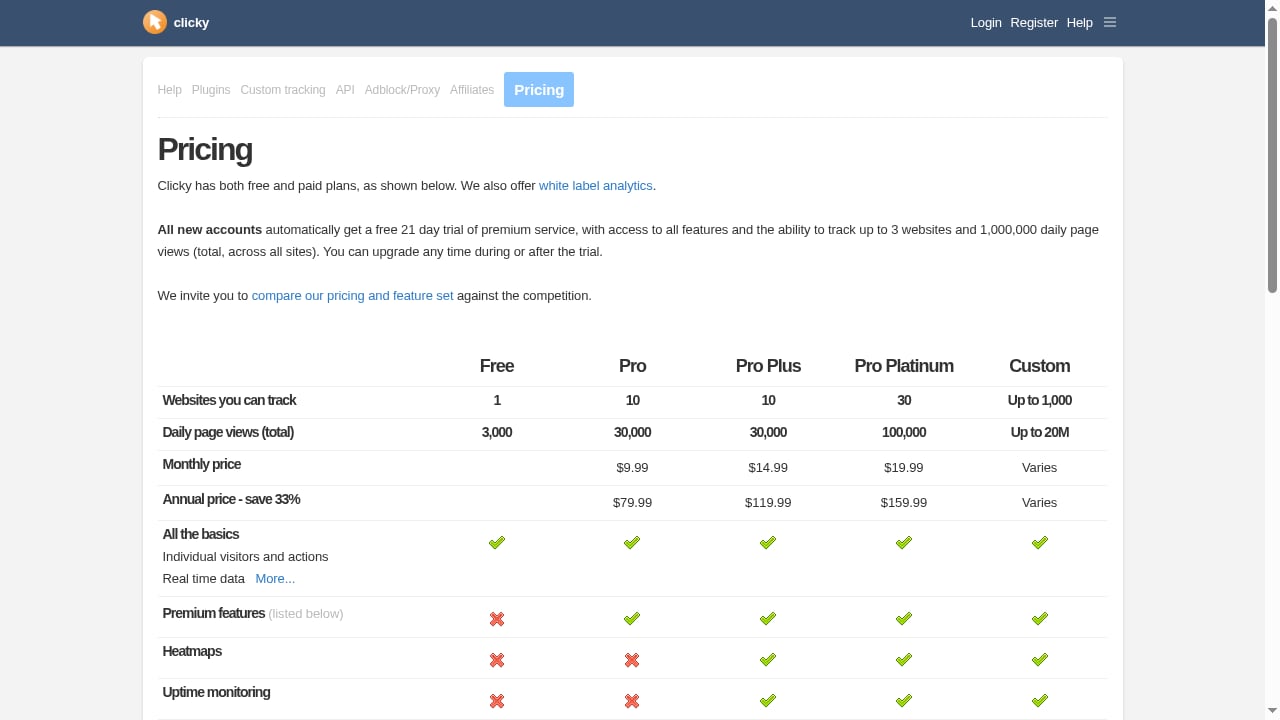
Data4 offers a free tier sufficient for individuals, with a pay-as-you-go Pro plan based on pageviews. Clicky's pricing is tiered by traffic volume, with paid plans starting at a monthly fee. For low-traffic sites, Data4's free tier is more accessible; for high-traffic sites, costs should be compared based on specific needs.
Custom Events and Advanced Tracking
Clicky supports custom event tracking and goal conversions. Data4 does not yet support custom events, which is a notable gap for conversion-focused sites. If granular event tracking is essential, Clicky currently has the advantage.
When to Choose Data4
- You want a fast, no-fuss setup with immediate insights.
- Privacy compliance is a top priority and you prefer default protections.
- You manage multiple sites or teams and need role-based access.
- Your tracking needs are focused on traffic metrics, not custom events.
- You prefer a free tier that covers basic needs without credit card requirements.
When to Choose Clicky
First viewport screenshot of Help & Knowledge base | Clicky.
- You need advanced real-time visitor-level data and session replay.
- Custom event tracking and goal conversions are critical.
- You want heatmaps and on-page analytics integrated.
- Your site has high traffic and you're comfortable with tiered pricing.
Practical Examples
Scenario 1: A personal blog A blogger wants to see which posts are trending in real time and ensure no personal data is stored. Data4's free tier and default IP blocking make it a natural fit.
Scenario 2: An e-commerce store An online store needs to track add-to-cart events and conversions. Clicky's custom event support and visitor-level data provide the necessary depth.
Scenario 3: A marketing agency An agency manages 20 client sites and needs team access with clear permissions. Data4's multi-site management and role-based controls streamline collaboration.
Related reading
- How to Compare Ad Campaign Performance: A Practical Guide - Learn how to compare ad campaign performance with benchmarks, channel-specific metrics, and a repeatable framework that turns data into budget decisions.
- Data4 vs Umami vs Mixpanel: Which Analytics Tool Fits? - Compare Data4, Umami, and Mixpanel on setup, privacy, tracking depth, and pricing to choose the right analytics tool for your website or product.
Sources and further reading
- Data4 - Lightweight, Privacy-Friendly Website Analysis Tool - Data4 is a website analytics platform that helps you track your website traffic and analyze your website data.
- Data4: Lightweight Website Data Analysis Tool, the GA4 Alternative Has Arrived - Every site owner knows that traffic data is the lifeblood of their business. But most small and mid-sized website operators are stuck choosing between two extremes when it comes to web analytics tools
- Web Analytics - Web analytics tools collect and visualize data from website visitors. Learn more on Full Stack Python.
FAQ
Is Data4 a good alternative to Google Analytics?
Yes, Data4 is positioned as a simpler, privacy-friendly alternative to Google Analytics, with a focus on core traffic metrics and ease of use.
Does Clicky offer real-time analytics?
Yes, Clicky is known for its real-time dashboard and live visitor tracking.
Can I use Data4 for free?
Data4 offers a free tier that is sufficient for individual site owners, with no credit card required.
Does Data4 support custom events?
Not currently. Custom event tracking is expected in a future release.
Which tool is more privacy-friendly?
Both are privacy-friendly, but Data4 blocks IP addresses and user identifiers by default, which may reduce compliance configuration.
Conclusion
Data4 and Clicky both serve as privacy-conscious alternatives to Google Analytics, but they cater to different needs. Data4 excels in simplicity, fast setup, default privacy, and team management—ideal for small to mid-sized sites and content creators. Clicky shines in advanced real-time tracking, custom events, and visitor-level insights—better for conversion-focused or high-traffic sites. Evaluate your priorities: if you need straightforward traffic analytics with minimal overhead, Data4 is a strong choice. If you require deep event tracking and granular real-time data, Clicky may be worth the extra complexity.
For more comparisons, see our Clicky similar tools guide and Data4 vs Heap vs Piwik PRO comparison.