
Data4 vs Mixpanel: Which Analytics Tool Fits You?
Choosing between Data4 and Mixpanel comes down to one core question: are you optimizing a website or building a product? Data4 positions itself as a simple, globally accessible website analytics platform and Google Analytics alternative. Mixpanel is an AI-powered product analytics engine built for product, engineering, and growth teams that need deep event-level behavioral insight. Both collect data, but they answer very different questions.
This comparison breaks down what each tool actually does well, where each one struggles, and how to decide which fits your team in 2026.
What Is Data4?
Data4 is a website analytics platform focused on simplicity and global applicability. It tracks website traffic, visitor behavior, traffic sources, and engagement metrics without the complexity that often comes with traditional analytics suites.
The platform is built for website owners, marketers, and analysts who want actionable insight quickly. Its core promise is straightforward: understand who visits your site, where they come from, what they do, and which campaigns drive results. Data4 emphasizes real-time traffic tracking, audience segmentation, conversion analysis, and customizable dashboards.
A notable strength is its international posture. Data4 offers support in multiple languages, including Chinese, English, and Japanese, with domain-specific localization. That makes it a practical choice for teams operating across regions where Google Analytics may be restricted, slow, or legally complicated.
What Is Mixpanel?
Mixpanel product interface.
Mixpanel is an AI-powered digital analytics platform designed for product, engineering, and growth teams. It tracks user behavior at the event level, letting teams measure conversions, analyze retention, segment audiences, and run experiments.
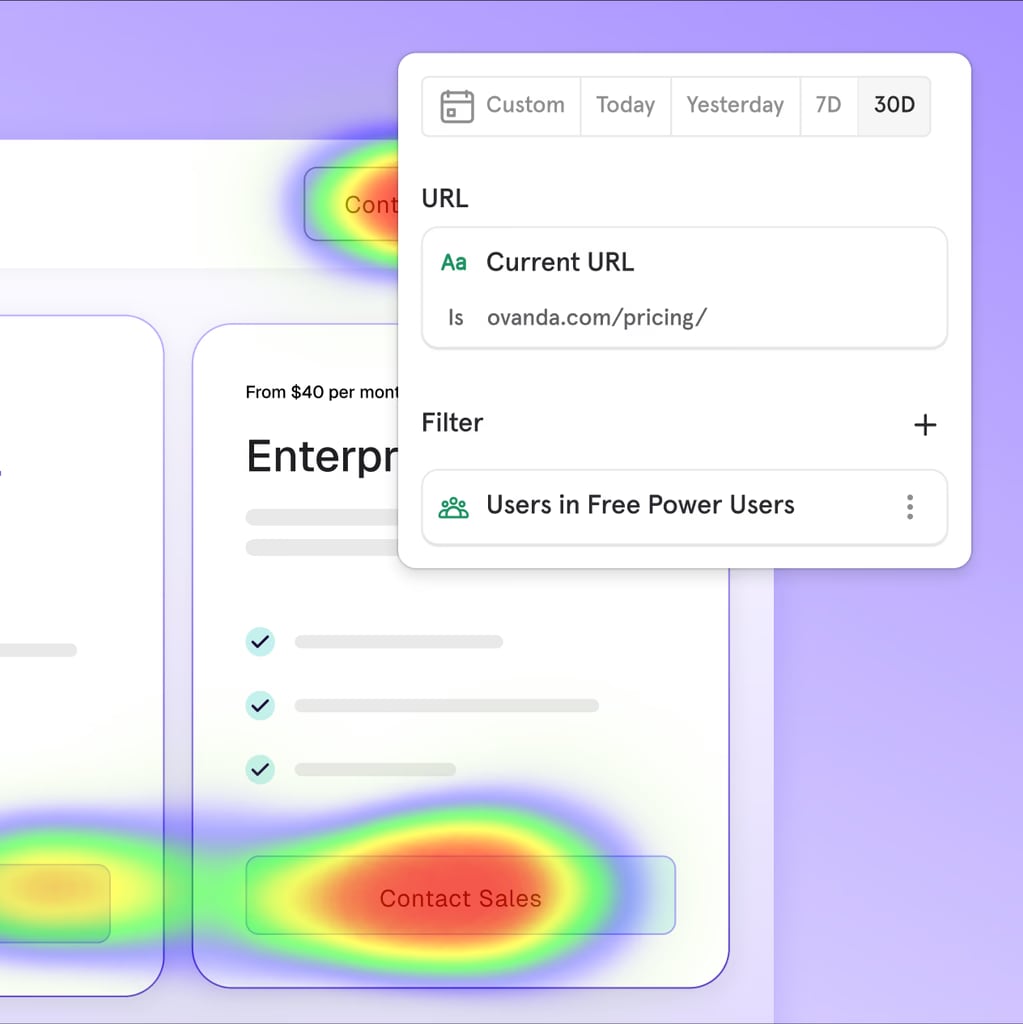
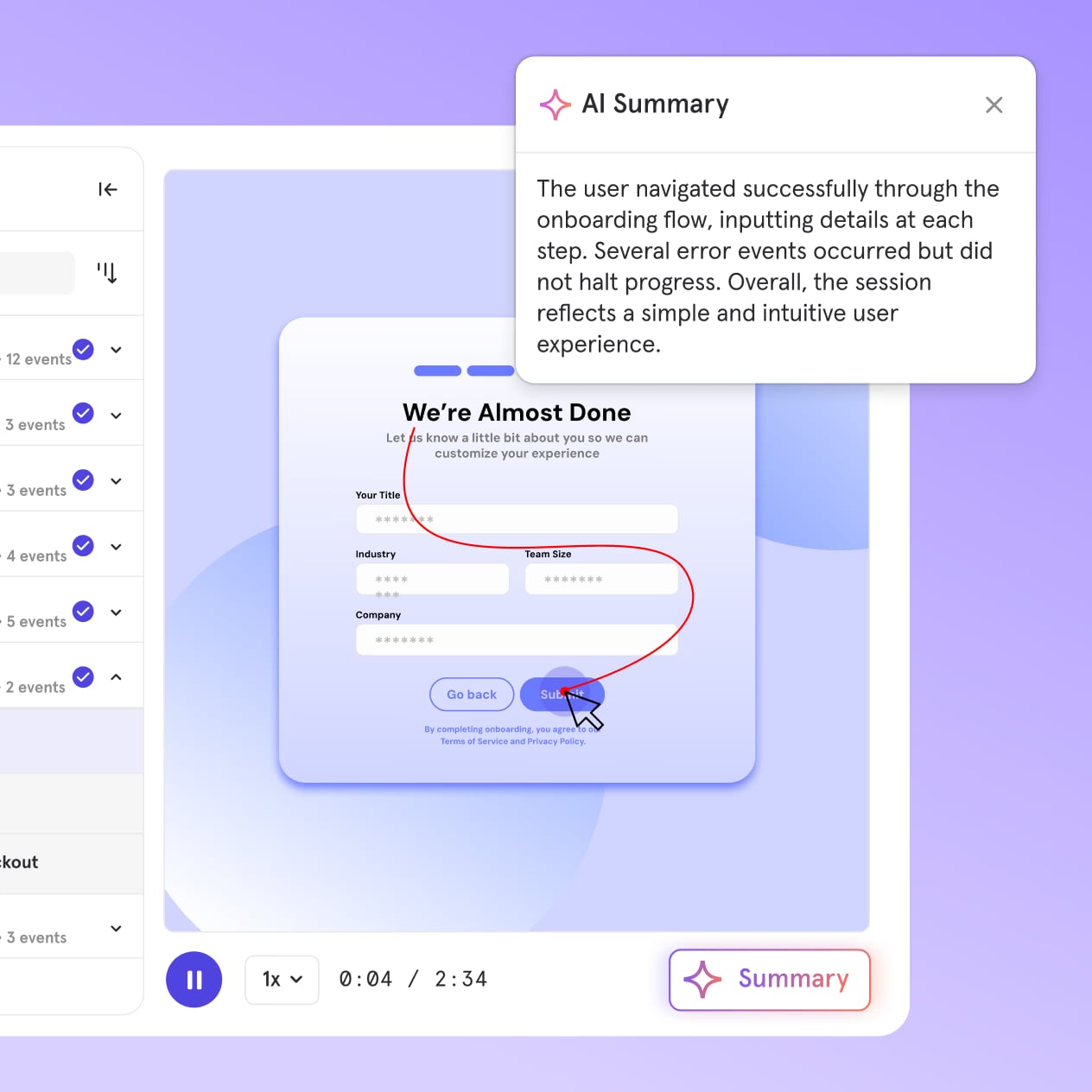
Its feature set is deep: event tracking, funnel analysis, retention analysis, segmentation, session replay, heatmaps, A/B testing, and feature flags. Mixpanel also connects to data warehouses, unifying product and backend data, and uses proactive AI to surface insights. According to its own materials, more than 29,000 companies use Mixpanel across consumer tech, media, financial services, health, and SaaS.
Mixpanel offers a free tier with up to 1 million monthly events. Paid plans start at $0.28 per 1,000 events, with enterprise options for unlimited events and advanced governance.
Data4 vs Mixpanel: Core Differences at a Glance
Mixpanel product interface.
| Dimension | Data4 | Mixpanel |
|---|---|---|
| Primary focus | Website traffic and marketing performance | Product behavior and user journeys |
| Core users | Website owners, marketers, analysts | Product managers, engineers, growth teams |
| Ease of use | Simple, fast setup, low learning curve | Powerful but requires event planning and implementation |
| Key features | Real-time traffic, segmentation, conversion analysis, dashboards | Event tracking, funnels, retention, session replay, A/B testing, feature flags |
| Pricing model | Not publicly detailed; positioned as straightforward | Free tier up to 1M events/month; paid from $0.28 per 1K events |
| Global focus | Multi-language, multi-domain localization | Primarily English-centric product interface |
| Best for | Marketing analytics, traffic optimization, GA replacement | Product analytics, feature adoption, retention optimization |
Where Data4 Has the Advantage
1. Simplicity Without Sacrificing Core Insights
Data4 is designed to be usable from day one. Website owners and marketers do not need to define custom events, instrument code, or learn a query language to see meaningful traffic data. The platform surfaces visitor counts, traffic sources, and engagement metrics directly.
Mixpanel's power comes with a real cost: you must plan and implement event tracking before the tool becomes useful. That requires engineering time and a clear taxonomy. For a small marketing team that just wants to know which landing page converts, Data4 gets there faster.
2. Built as a Google Analytics Alternative
Data4 explicitly positions itself as a replacement for Google Analytics. That matters for businesses that want to move away from GA4's complexity, data sampling, or regional availability issues. Data4's multi-language support, including Chinese and Japanese, signals a deliberate effort to serve international audiences that GA does not always handle well.
Mixpanel, by contrast, is not a GA replacement. It is a product analytics layer that often complements website analytics rather than replacing it. If your primary need is traffic analytics with a familiar dashboard experience, Data4 is the more direct fit.
3. Lower Implementation Burden
Website analytics tools like Data4 typically require a single script or tag installation. Mixpanel requires event instrumentation across your product: tracking signups, clicks, feature usage, and custom properties. That is not a flaw — it is what makes Mixpanel powerful — but it is a meaningful implementation cost that Data4 avoids.
4. Global and Multilingual Readiness
Data4's multi-language interface and domain-specific localization give it an edge for teams operating across language markets. If your organization runs websites in multiple regions and needs analytics accessible to non-English-speaking stakeholders, Data4's localization is a practical advantage. Mixpanel's interface and documentation are primarily English-first.
Where Mixpanel Has the Advantage
Mixpanel product interface.
1. Event-Level Behavioral Depth
Mixpanel tracks individual user actions as events. You can answer questions like: "How many users who signed up last week returned and used feature X three times?" That level of behavioral analysis is outside the scope of most website analytics tools, including Data4.
2. Funnels, Retention, and Cohort Analysis
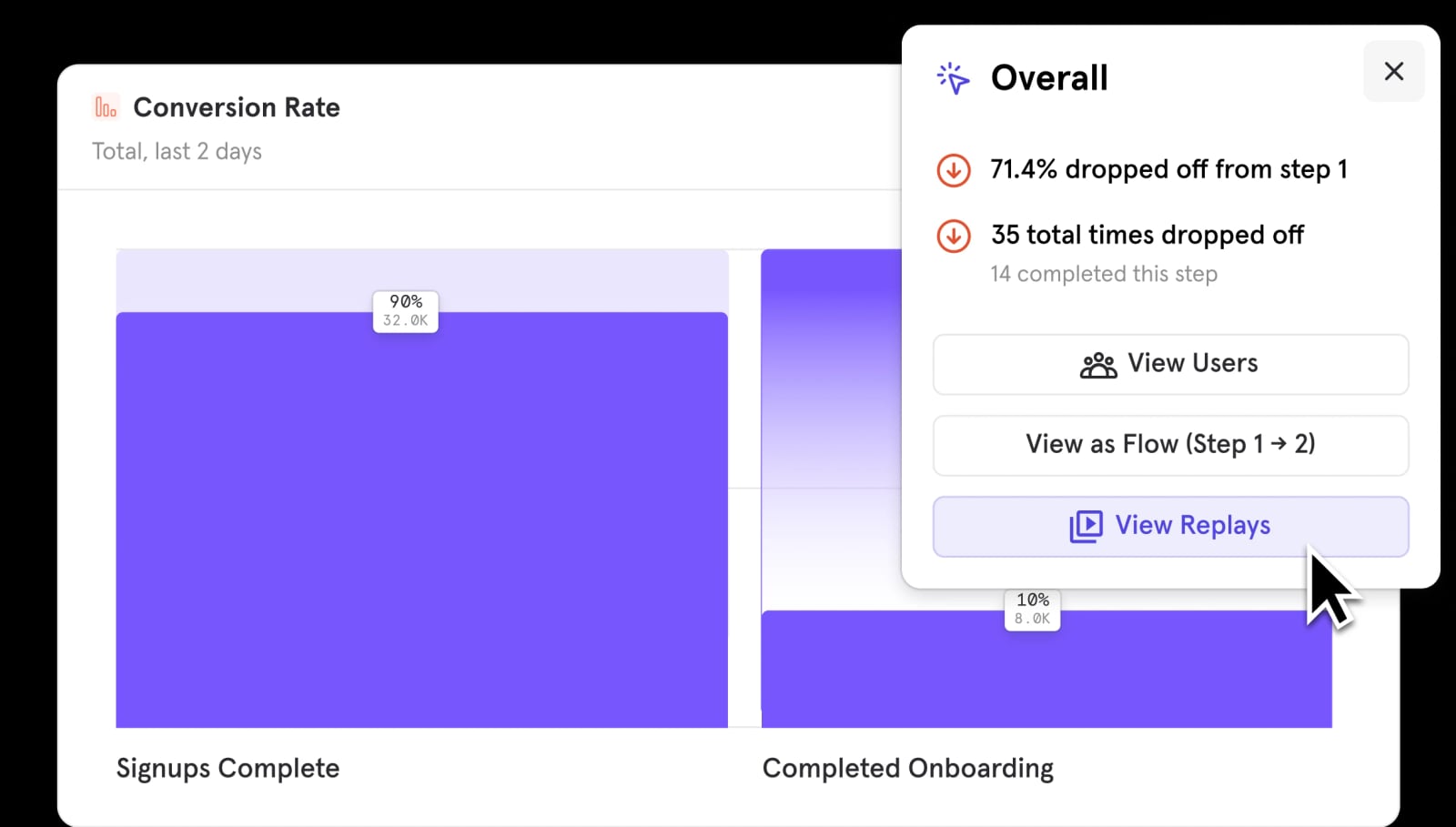
Mixpanel's funnel and retention reports are industry-standard for product teams. You can measure activation, drop-off points, and long-term retention by cohort. Data4 focuses on website conversion analysis, which is valuable but less granular for in-product behavior.
3. Experimentation and Feature Flags
Mixpanel includes A/B testing and feature flags, letting teams run experiments and roll features out gradually while measuring impact. Data4 does not position itself as an experimentation platform. If your workflow includes product experiments, Mixpanel covers that natively.
4. AI-Powered Proactive Insights
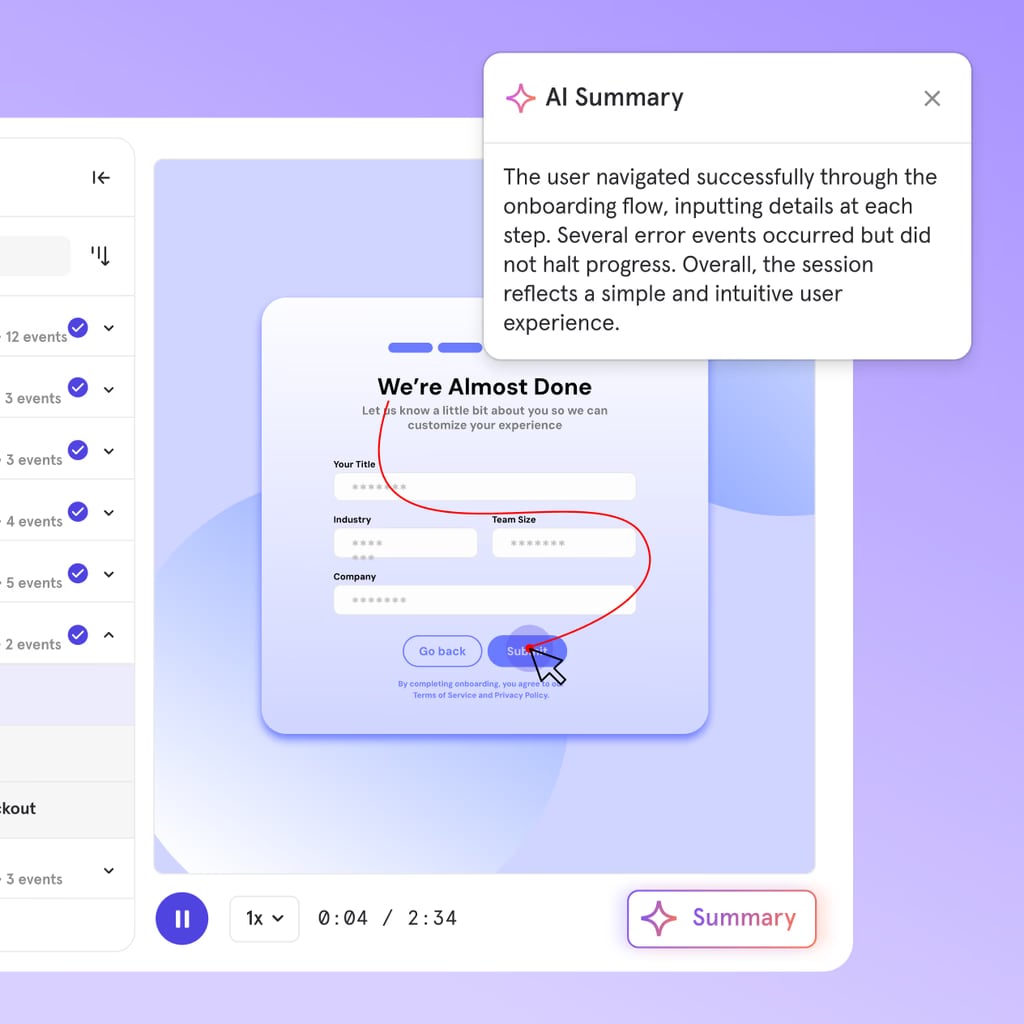
Mixpanel's proactive AI surfaces anomalies, trends, and insights without manual digging. For teams drowning in data, this can shorten the path from raw events to action. Data4's value proposition is different: clear, simple dashboards rather than automated insight generation.
Where Mixpanel Falls Short for Website-Focused Teams
Mixpanel product interface.
Mixpanel's weaknesses are most visible when it is used for tasks it was not primarily designed to solve.
SEO and content analytics are limited. Mixpanel does not prioritize organic search reporting, page-level SEO performance, or content engagement the way website analytics tools do. If your job is to grow organic traffic and understand which pages drive conversions, Mixpanel alone will leave gaps.
Implementation requires planning and engineering. Capterra reviews highlight Mixpanel's scalability and self-service analytics for product, UX, and data teams, but that assumes proper event instrumentation. Teams without engineering support often struggle to get value quickly.
Cost can scale unpredictably. Mixpanel's event-based pricing means high-traffic websites or apps can see costs rise quickly. The free tier of 1 million monthly events sounds generous, but a moderately busy site can exhaust that in days if events are not carefully designed. Data4's pricing model is not publicly detailed, but its positioning as a straightforward website analytics tool suggests a simpler cost structure for traffic-focused use cases.
Dashboards alone do not create decisions. As analytics practitioners note, more dashboards do not automatically produce better outcomes. What matters is whether the tool helps you act. For website marketers, Data4's focused dashboards may drive action faster than Mixpanel's sprawling event explorer.
Practical Example: Choosing the Right Tool
Imagine two teams.
Team A runs a content-heavy marketing site in three languages. They need to know which traffic sources drive signups, which landing pages perform best, and how campaigns convert. They have one marketer and no dedicated data engineer. Data4 fits: fast setup, clear traffic and conversion reporting, multilingual support, and no event taxonomy to design.
Team B runs a SaaS application. They need to know which onboarding steps cause drop-off, which features predict retention, and whether a new checkout flow improves conversion. They have product managers and engineers. Mixpanel fits: event tracking, funnels, retention cohorts, and A/B testing.
The tools are not interchangeable. Choosing the wrong one creates friction: Team A would drown in Mixpanel's implementation requirements, while Team B would find Data4 too shallow for product questions.
Can You Use Both?
Yes, and many organizations do. Data4 can serve as the website analytics layer — tracking traffic, campaigns, and page performance — while Mixpanel handles in-product behavior. This is a common pattern: website analytics for acquisition, product analytics for activation and retention.
The trade-off is cost and maintenance. Two tools mean two implementations, two dashboards, and two sources of truth. Before adding a second tool, clarify which questions each one must answer. If you only need website traffic insight, Data4 alone may be enough. If you only need product behavior, Mixpanel alone may suffice.
Decision Guidance
Choose Data4 if:
- You primarily need website traffic and marketing analytics.
- You want a Google Analytics alternative with a simpler learning curve.
- Your team lacks dedicated engineering resources for event instrumentation.
- You operate multilingual or multi-regional websites.
- You value fast setup and immediate, actionable dashboards.
Choose Mixpanel if:
- You need event-level product behavior tracking.
- Funnels, retention, and cohort analysis are central to your workflow.
- You run A/B tests and need feature flags.
- You have engineering support for event planning and implementation.
- Your primary question is "how do users behave inside my product?" rather than "where does my traffic come from?"
For a broader look at how Data4 compares with other tools in the same category, see our Data4 vs Matomo comparison and the Data4 vs Microsoft Clarity vs Matomo breakdown. If you are evaluating lightweight, privacy-first options, our GoatCounter review covers a different end of the spectrum.
Related reading
- Heap Review 2026: Features, Pricing, and Honest Verdict - In-depth Heap review covering autocapture, retroactive analysis, pricing signals, setup, limitations, and who should actually use Heap in 2026.
- Matomo Pricing Explained: Cloud vs On-Premise Costs in 2026 - Understand Matomo pricing for Cloud and On-Premise plans, hit-based billing, free self-hosted options, and how costs compare for growing websites.
- Data4 vs Visitors: Which Analytics Tool Fits You? - Compare Data4 and Visitors for website analytics. See simplicity, privacy, real-time tracking, pricing, and which tool fits your team in 2026.
Sources and further reading
- 13 product and behavioral analytics tools to help you understand your users - Which product or behavioral analytics tool should you choose? We took a close look at 13 of the most popular and promising options.
- "We need more (aka better) dashboards!" | John Cook - LinkedIn - "We need more (aka better) dashboards!"
No, you probably don
- Mixpanel Reviews 2026. Verified Reviews, Pros & Cons | Capterra - Senior QA AnalystBanking, 201 - 500 employeesUsed the software for: 1-2 years. “Mixpanel enables scalable, self-service analytics across Product, UX, and Data ...
Frequently Asked Questions
Is Data4 a direct replacement for Mixpanel?
Not exactly. Data4 focuses on website traffic and marketing analytics, while Mixpanel focuses on product behavior and event-level analysis. They solve different problems. Data4 can replace Mixpanel only if your needs are limited to website traffic, campaigns, and page-level conversion.
Is Mixpanel good for website analytics?
Mixpanel can track website events, but it is not designed as a full website analytics platform. It lacks the SEO, content, and traffic-source depth that dedicated website analytics tools provide. For marketing-focused website analysis, Data4 is the more natural fit.
How much does Mixpanel cost compared to Data4?
Mixpanel offers a free tier up to 1 million monthly events and paid plans starting at $0.28 per 1,000 events. Data4 does not publicly disclose detailed pricing in the available sources, but positions itself as a straightforward website analytics option. Cost comparison depends heavily on your event volume and feature needs.
Which tool is easier to set up?
Data4 is generally easier to set up for website analytics, requiring minimal configuration. Mixpanel requires event planning, instrumentation, and ongoing taxonomy management, which demands more time and technical resources.
Can I use Data4 and Mixpanel together?
Yes. Many teams use Data4 for website traffic and marketing analytics while using Mixpanel for in-product behavior, funnels, and retention. Just be mindful of maintaining two implementations and two reporting systems.
Conclusion
Data4 and Mixpanel are both capable analytics platforms, but they serve different masters. Data4 wins when the goal is simple, fast, globally accessible website analytics — especially for marketers who want a Google Analytics alternative without the complexity. Mixpanel wins when the goal is deep product understanding: event tracking, funnels, retention, and experimentation.
The right choice depends on your questions. If you ask "where does my traffic come from and what converts?" choose Data4. If you ask "what do users do inside my product and why do they leave?" choose Mixpanel. Match the tool to the question, and the decision becomes straightforward.