
Visitor Tracking: How to Track Website Visitors
Visitor tracking is the practice of monitoring how people interact with your website — from the pages they view to the actions they take. It goes beyond counting traffic: it shows you which channels bring engaged visitors, where people drop off, and what turns a browser into a customer. Whether you run a small business site or a multi-site portfolio, understanding visitor behavior is the foundation for better marketing and a smoother user experience.
This guide explains how visitor tracking works, the metrics that matter, the different tracking methods, and how to choose a tool that fits your privacy and reporting needs.
What Is Visitor Tracking?
Visitor Tracking: How to Track Website Visitors - What Is Visitor Tracking?.
Visitor tracking is the process of collecting and analyzing data about the people who visit your website. It captures actions such as page views, clicks, scrolls, form submissions, and session duration. The goal is to build a clear picture of how visitors move through your site and where they encounter friction.
Unlike basic hit counters that only tally page loads, visitor tracking connects behavior to outcomes. For example, you can see that visitors from a specific campaign view your pricing page but rarely complete a purchase. That insight lets you test a different offer or simplify the checkout flow. If you want to understand the difference between raw page hits and actual visitor sessions, our guide on hit counters explains the distinction.
How Visitor Tracking Works

Visitor Tracking: How to Track Website Visitors - How Visitor Tracking Works.
Most visitor tracking tools work by placing a small JavaScript snippet on your site. When a visitor loads a page, the script sends data back to the analytics platform. That data is then processed and displayed in dashboards, reports, or real-time streams.
Key technical components include:
- Tracking script or pixel: The code that runs in the visitor's browser and collects events.
- Cookies or local storage: Used to recognize returning visitors and maintain session state.
- Server-side collection: Some tools send data directly from your server to avoid ad blockers and improve accuracy.
- Data processing and reporting: The backend that aggregates events and generates metrics.
Modern tools often offer both client-side and server-side tracking. Server-side tracking can be more reliable because it is less affected by browser restrictions and ad-blocking extensions. It also gives you more control over what data is collected, which helps with privacy compliance.
Key Visitor Tracking Metrics to Monitor
Visitor Tracking: How to Track Website Visitors - Key Visitor Tracking Metrics to Monitor.
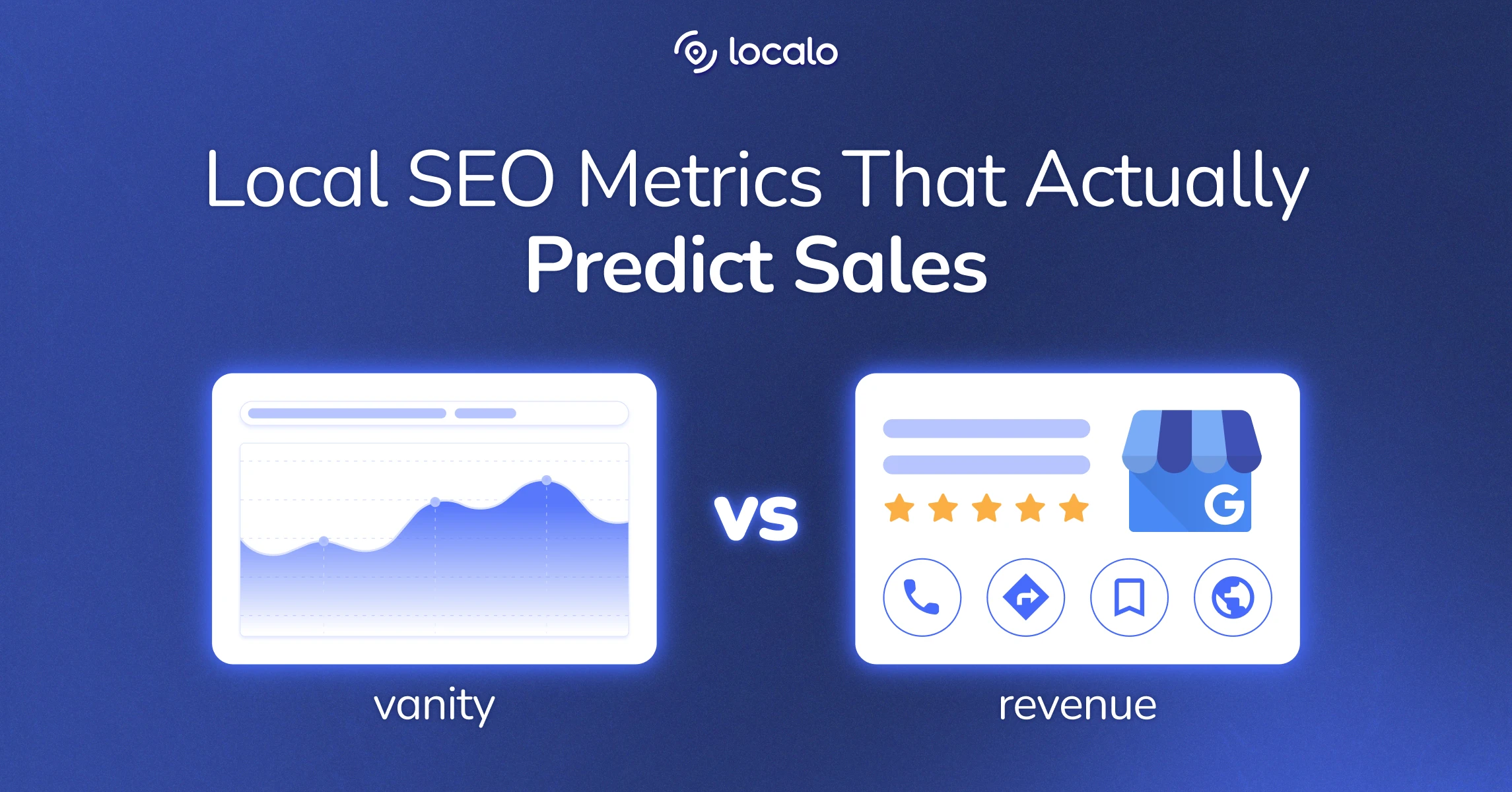
Not all metrics are equally useful. Focus on the ones that connect to your business goals.
Traffic Sources
Knowing where your visitors come from — organic search, social media, email, paid ads, or referrals — helps you allocate budget and effort. UTM parameters let you tag campaigns so you can compare performance across channels.
Engagement Metrics
Session duration, pages per session, and scroll depth indicate how interested visitors are in your content. A high bounce rate on a landing page might signal a mismatch between the ad and the page content.
Conversion Events
Track actions that matter: form submissions, demo requests, purchases, or newsletter sign-ups. Conversion tracking ties visitor behavior to revenue and lets you calculate ROI for each channel.
Audience Segmentation
Break down visitors by device, location, browser, or new vs. returning. Segmentation reveals patterns that averages hide. For example, mobile visitors might convert at a lower rate because of a slow-loading page.
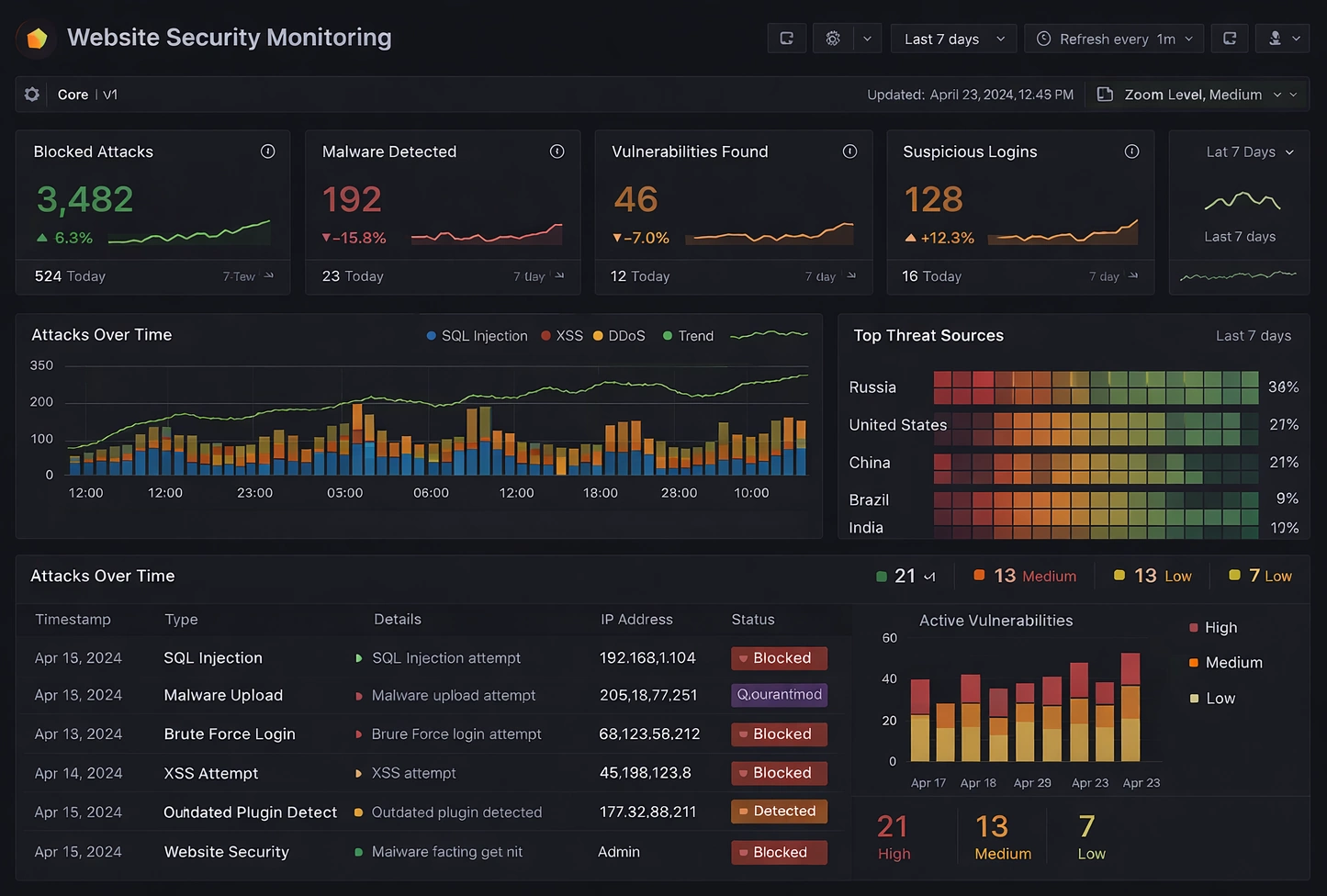
Real-Time Activity
Real-time visitor tracking shows who is on your site right now and what they are viewing. It is useful for monitoring campaign launches, testing new content, or spotting sudden traffic spikes.
Types of Visitor Tracking
Visitor Tracking: How to Track Website Visitors - Types of Visitor Tracking.
Different tracking methods answer different questions. Most teams combine several approaches.
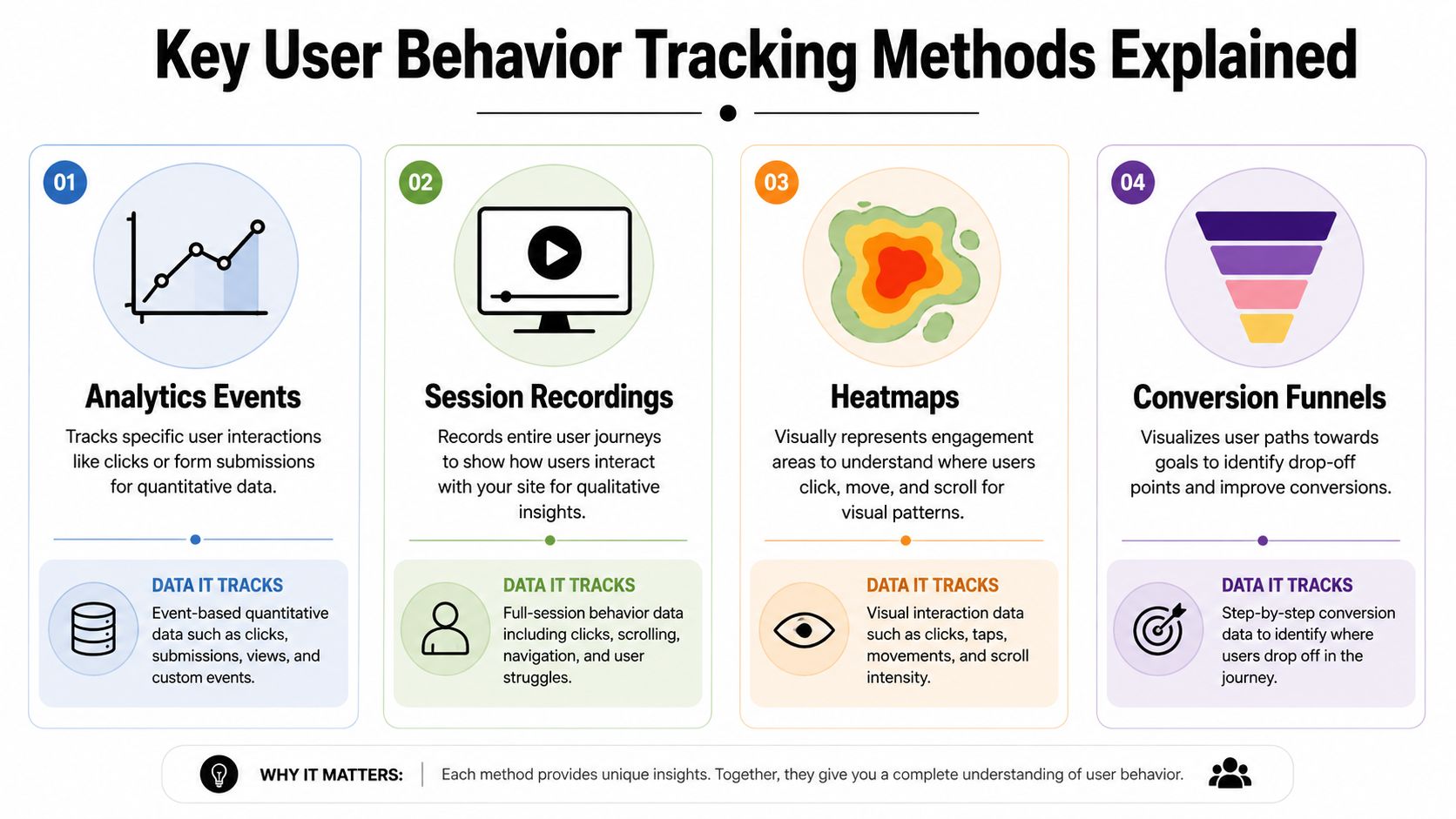
Aggregate Analytics
This is the classic dashboard view: total visitors, page views, average session duration, and conversion rate. It is best for understanding overall trends and comparing time periods.
Behavioral Mapping
Heatmaps, click maps, and scroll maps overlay visitor activity on a page. They show which elements attract attention and which are ignored. This is ideal for optimizing page layout and calls to action.
Session Recordings
Session recordings let you watch individual visits as a video. They are powerful for diagnosing usability issues, such as a confusing form or a broken button. Because recordings can capture sensitive information, choose a tool that masks personal data by default.
User Journey Mapping
Journey maps visualize the paths visitors take between pages. They help you identify drop-off points in a funnel and design more effective sequences.
Benefits of Visitor Tracking
Visitor tracking delivers value across marketing, product, and sales.
- Improve conversion rates: Identify friction points and remove them.
- Optimize marketing spend: Double down on channels that drive engaged visitors.
- Refine content strategy: See which pages hold attention and which need improvement.
- Personalize experiences: Use behavioral data to show relevant content or offers.
- Validate design changes: Measure the impact of a redesign or new feature.
For teams running experiments, visitor tracking provides the data needed to measure results. If you are new to experimentation, our A/B testing guide covers how to set up tests and interpret statistical significance.
Privacy and Compliance Considerations
Visitor tracking must respect user privacy and comply with regulations like GDPR and CCPA. Key practices include:
- Obtain consent: Use cookie banners and clear privacy policies.
- Anonymize data: Avoid collecting personally identifiable information unless necessary.
- Offer opt-outs: Give visitors a way to decline tracking.
- Choose privacy-friendly tools: Some analytics platforms are designed to work without cookies or personal data.
Privacy-friendly analytics tools are becoming popular because they reduce legal risk and build trust. They often provide essential metrics without invasive tracking.
How to Choose a Visitor Tracking Tool
When evaluating tools, consider these factors:
- Ease of setup: Look for a simple script installation and intuitive interface.
- Real-time reporting: Check if data appears instantly or with a delay.
- Segmentation and filtering: Can you drill down by source, device, and behavior?
- Conversion tracking: Does it support goals, events, and funnels?
- Privacy features: Does it offer cookie-less tracking or data anonymization?
- Scalability: Can it handle multiple websites and high traffic volumes?
- Pricing: Is it affordable for your team size and traffic?
If you are comparing options, our comparison of Data4 vs Statcounter vs GoatCounter breaks down setup, real-time reporting, privacy, and pricing. For teams that need API access to pull data into custom dashboards, see our guide on analytics API access.
Data4 is a website analytics platform designed as a simple, efficient alternative to Google Analytics. It focuses on ease of use, real-time traffic tracking, audience segmentation, and actionable insights. It supports multiple languages and domains, making it suitable for global teams. If you are looking for a straightforward tool that prioritizes clarity over complexity, Data4 is worth considering.
Common Visitor Tracking Mistakes to Avoid
Even with good tools, teams often fall into traps:
- Tracking everything but acting on nothing: Collect only metrics you will use.
- Ignoring mobile behavior: Mobile and desktop visitors behave differently.
- Neglecting privacy: Non-compliance can lead to fines and lost trust.
- Not segmenting: Averages can hide important differences.
- Forgetting to test: Always validate tracking setup before relying on data.
Related reading
- Data4 vs Statcounter vs GoatCounter: Which Fits? - Compare Data4, Statcounter, and GoatCounter on setup, real-time reporting, privacy, script weight, and pricing to pick the right analytics tool.
- Analytics API Access: Auth, Keys, and Setup Explained - Learn how analytics API access works: authentication methods, API keys, scopes, rate limits, and how to pull metrics into dashboards and tools.
- Data4 vs Microsoft Clarity vs Clicky: Which Analytics Fits? - Compare Data4, Microsoft Clarity, and Clicky on setup, traffic reporting, behavior depth, privacy, and pricing to pick the right analytics tool.
Sources and further reading
- Visitor Tracking - Monitor Website Traffic at the Visitor Level - Gain valuable insights into your audience and boost website conversions. Sign up FREE to start tracking website performance.
- Website Visitor Tracking: Benefits & Types - Salesforce - Discover how website visitor tracking reveals buyer intent, optimizes the user experience, and identifies real leads.
- Website visitor tracking: What it is and how it works - Website visitor tracking uncovers how individual visitors engage with your site. Learn how such tracking helps you optimise your navigation and conversions.
FAQ
What is visitor tracking?
Visitor tracking is the collection and analysis of data about how people interact with your website, including pages viewed, time spent, and actions taken.
How does visitor tracking work?
A tracking script on your site sends data to an analytics platform, which processes it into reports and dashboards. Some tools also use server-side tracking for better accuracy.
Is visitor tracking legal?
Yes, but you must comply with privacy laws like GDPR and CCPA. This typically means obtaining consent, providing a privacy policy, and allowing users to opt out.
What metrics should I track?
Focus on traffic sources, engagement (session duration, pages per session), conversions, and audience segments. These metrics connect directly to business outcomes.
Can I track visitors without cookies?
Yes. Some analytics tools offer cookie-less tracking that uses anonymized data to provide insights without storing personal information.
How do I choose a visitor tracking tool?
Consider ease of use, real-time reporting, segmentation, conversion tracking, privacy features, scalability, and pricing. Match the tool to your team's technical skills and goals.
Conclusion
Visitor tracking turns raw traffic into actionable insight. By understanding how visitors find you, what they do on your site, and where they drop off, you can make informed decisions that improve conversions and user experience. Start with clear goals, choose a tool that respects privacy and fits your workflow, and focus on the metrics that drive your business forward. Whether you use a full-featured platform or a lightweight alternative like Data4, the key is to act on the data you collect.