
Data4 vs Google Analytics vs Mixpanel: Which Analytics Platform Fits Your Team?
Choosing an analytics tool feels harder than it should. One platform promises simplicity, another offers deep marketing integrations, and a third focuses on product behavior. Data4, Google Analytics, and Mixpanel each solve real problems, but they solve different ones. This comparison breaks down what each tool does well, where it falls short, and how to match the right option to your actual workflow.
Search Intent: What Buyers Actually Want to Know
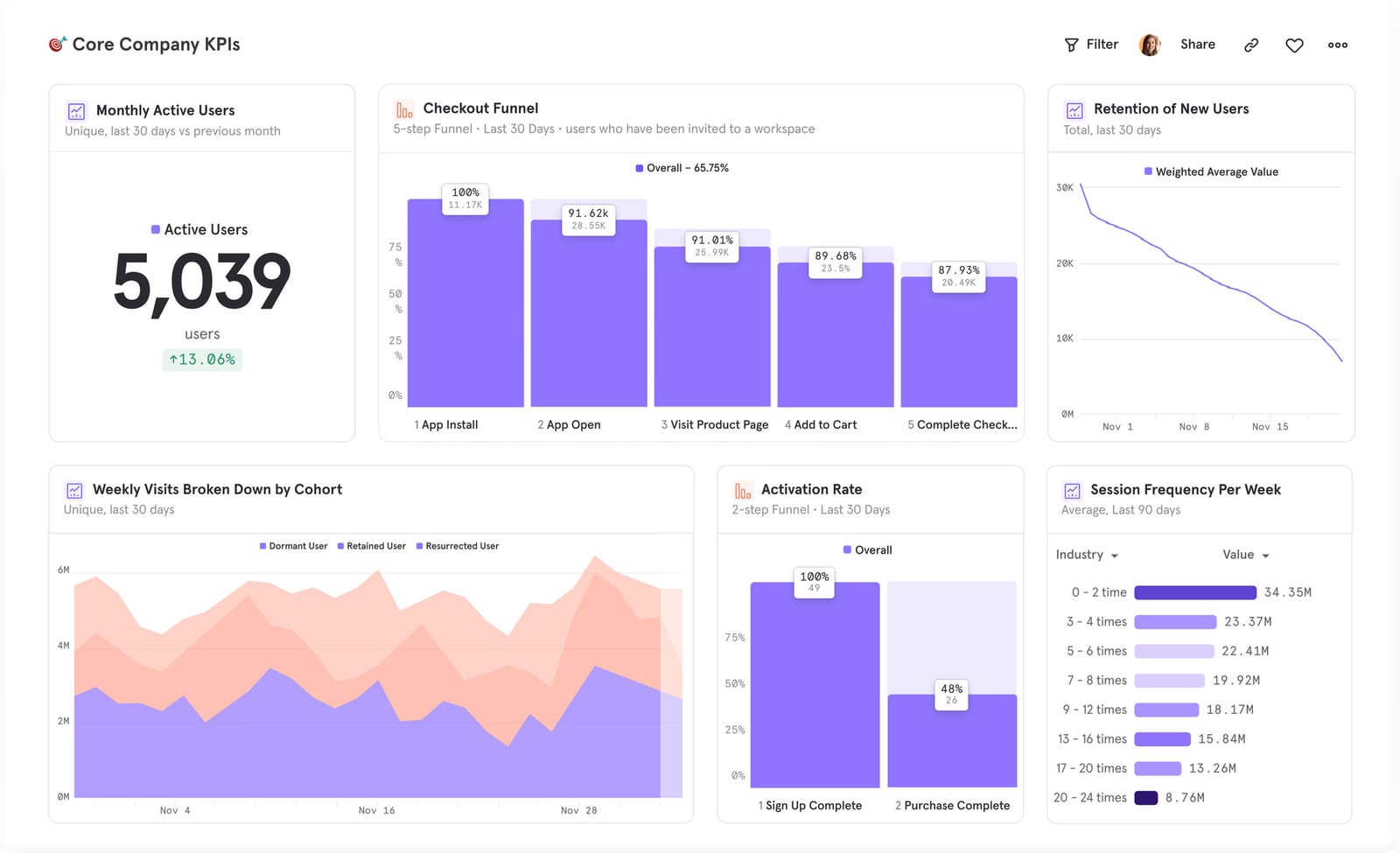
Mixpanel product interface.
People searching for "Data4 vs Google Analytics vs Mixpanel" are usually evaluating a switch. They may be frustrated with Google Analytics complexity, curious about a simpler website analytics alternative, or deciding whether their team needs product analytics at all. The core questions are practical: What does each tool measure? How hard is setup? What will it cost? Which one fits my team size and goals?
This article answers those questions without forcing a single winner. The right choice depends on whether you optimize a marketing website, a web app, or both.
Data4: A Straightforward Website Analytics Platform
Data4 positions itself as a simple, globally accessible alternative to Google Analytics. It focuses on website traffic, visitor behavior, traffic sources, and engagement metrics without the layers of configuration that larger platforms require.
Where Data4 Fits Best
Data4 suits website owners, marketers, and analysts who need clear answers fast. Its value proposition centers on ease of use and actionable insights. If your team spends more time interpreting dashboards than acting on them, a simpler interface can reduce that friction.
Data4 also emphasizes multi-language support, including Chinese, English, and Japanese, with domain-specific localization. For businesses serving international audiences across multiple regions, that localization can make reporting more accessible to local teams.
Practical Data4 Use Case
A content marketing team running a multi-language blog could use Data4 to track traffic by region, monitor top landing pages, and compare engagement across localized domains. Instead of configuring complex custom reports, the team sees traffic sources and visitor behavior in a dashboard designed for quick interpretation.
Google Analytics: The Comprehensive Marketing Analytics Standard
Google Analytics remains the most widely adopted web analytics service. It tracks website traffic, user demographics, campaign performance, user journeys, and conversions. Its integration with Google Ads makes it especially valuable for paid marketing teams.
Where Google Analytics Excels
Google Analytics shines when marketing attribution matters. Teams running Google Ads, display campaigns, or cross-channel promotions get a unified view of how those efforts drive traffic and conversions. Goal tracking and e-commerce tracking provide measurable outcomes tied directly to revenue.
The free tier covers most small and mid-sized businesses, while Google Analytics 360 serves enterprises with higher data limits and advanced governance. That scalability means a team can start free and grow into the premium tier without switching platforms.
Practical Google Analytics Use Case
An e-commerce store running Google Ads and email campaigns can use Google Analytics to see which channels drive the most revenue, where users drop off in the checkout funnel, and which audience segments convert best. The Google Ads integration lets the team optimize bids based on actual conversion data rather than clicks alone.
Where Google Analytics Creates Friction
Google Analytics' power comes with complexity. Setting up meaningful reports often requires understanding dimensions, metrics, events, and custom configurations. Smaller teams without dedicated analysts may find the learning curve steep. Privacy regulations and cookie consent requirements also add compliance overhead in some regions.
Mixpanel: Product Analytics for Behavior-Driven Teams
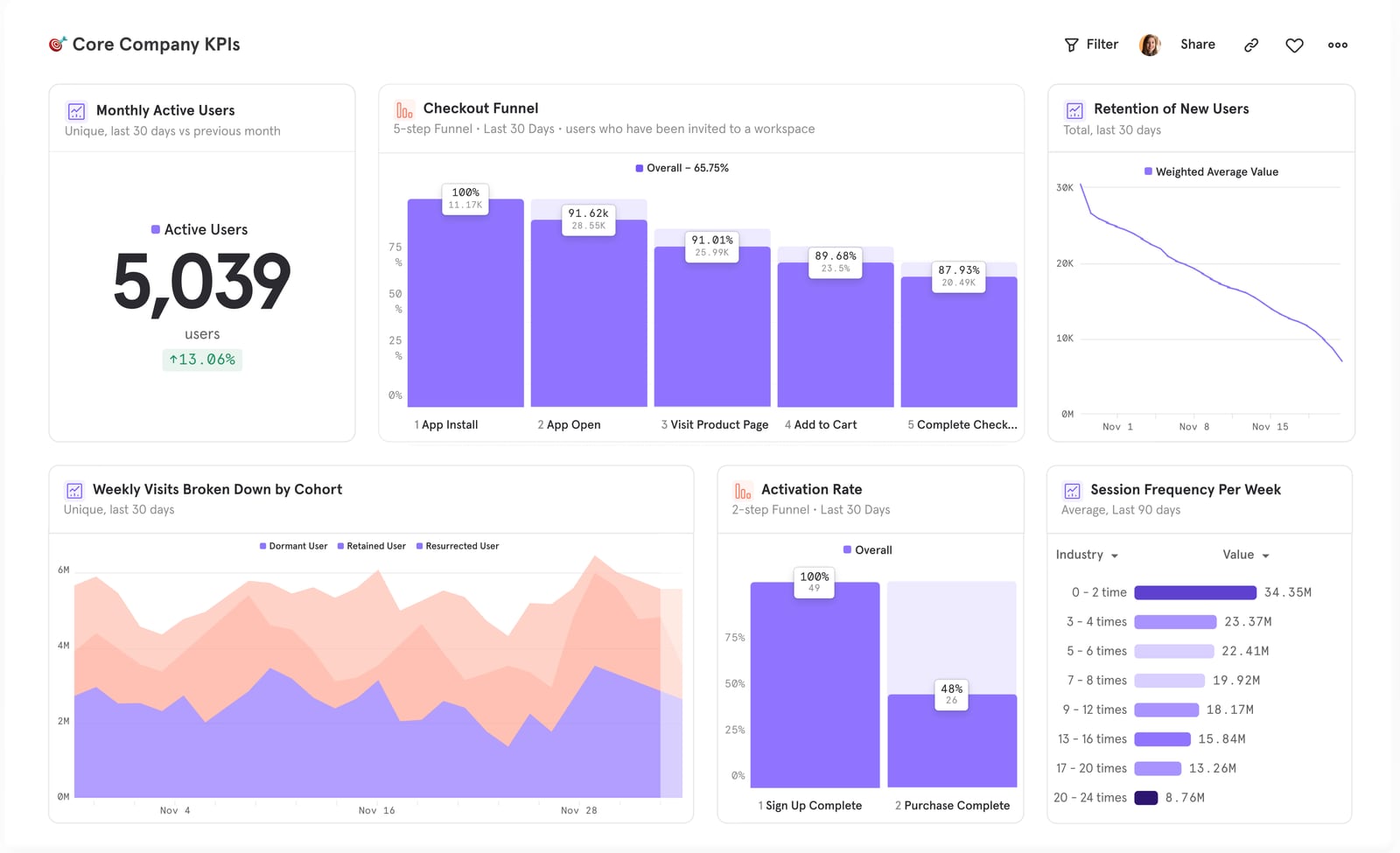
Mixpanel product interface.
Mixpanel takes a different approach. Instead of treating pageviews as the primary unit, Mixpanel tracks events: signups, feature usage, upgrades, shares, and any other action a user takes. That event-based model makes it a strong fit for product, engineering, and growth teams.
Where Mixpanel Excels
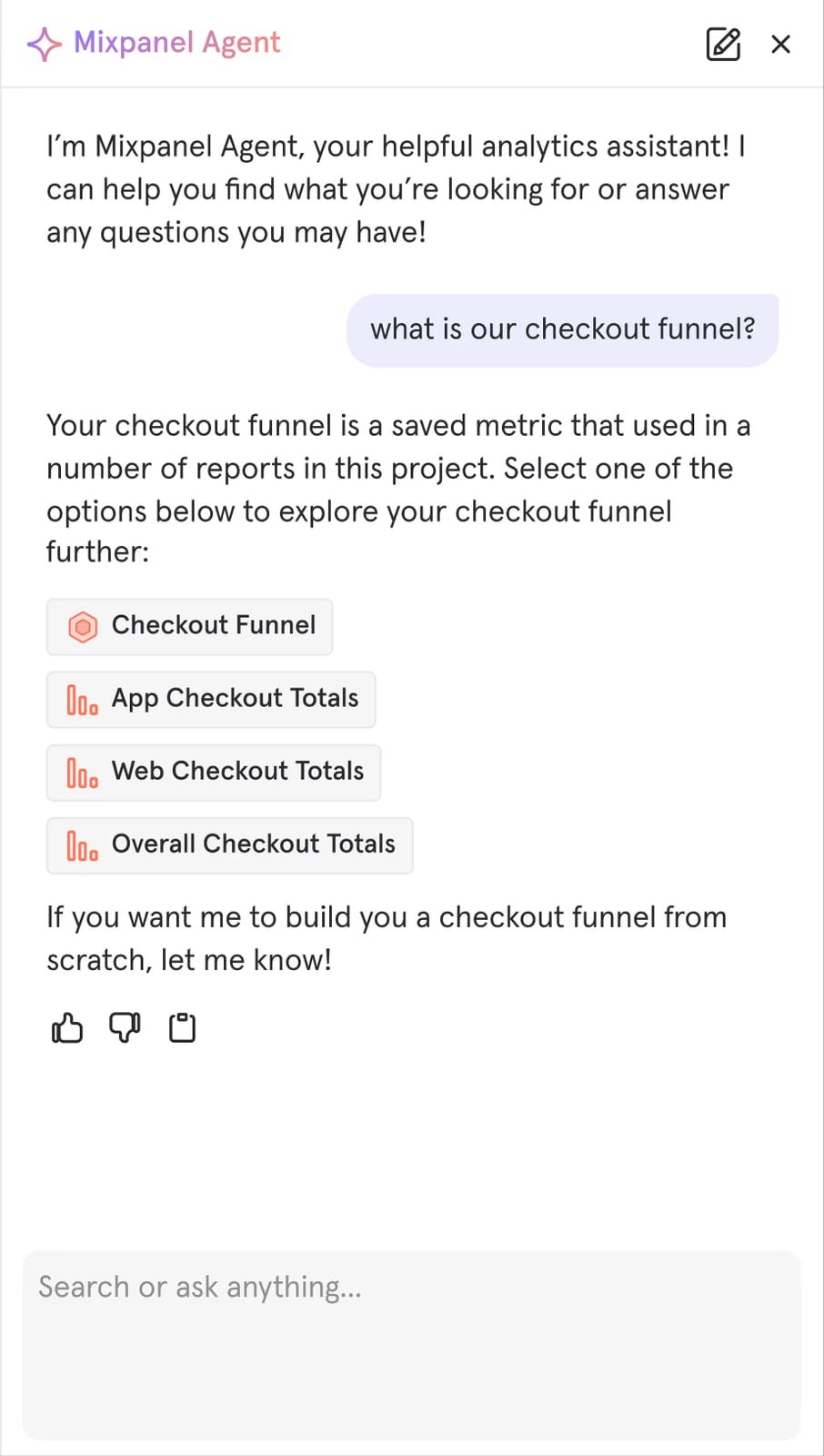
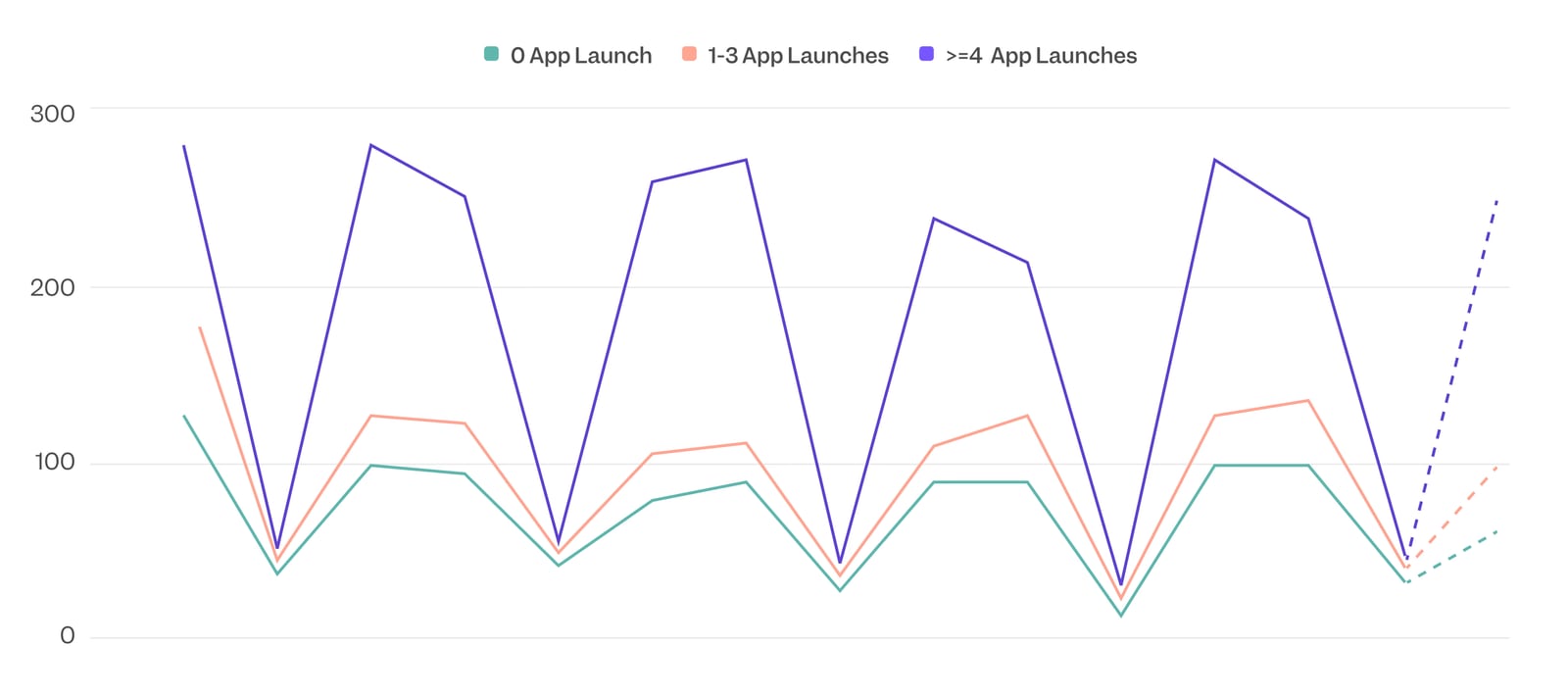
Mixpanel's core strengths are funnel analysis, retention analysis, segmentation, and session replay. Teams can see exactly where users drop off in an onboarding flow, which features drive long-term retention, and how different user segments behave over time. A/B testing and feature flags let teams experiment and measure impact in the same platform.
Mixpanel also integrates with data warehouses, unifying product and backend data for deeper analysis. Its AI-powered insights surface trends proactively, which helps teams spot issues before they become obvious in dashboards.
Practical Mixpanel Use Case
A SaaS product team can use Mixpanel to track the signup-to-activation funnel, identify the step where most trial users abandon, and run an A/B test on a revised onboarding flow. Retention cohorts show whether the change improves week-four engagement. Session replay reveals exactly where users get confused.
Where Mixpanel Creates Friction
Mixpanel requires deliberate event planning. You must define which events matter, instrument them in your code, and maintain that taxonomy over time. For a simple marketing website, that overhead may be unnecessary. Mixpanel also focuses less on traditional traffic metrics like pageviews and referral sources, which remain important for content and SEO teams.
Head-to-Head Comparison
Mixpanel product interface.
| Criterion | Data4 | Google Analytics | Mixpanel |
|---|---|---|---|
| Primary focus | Website traffic and engagement | Marketing analytics and attribution | Product and user behavior |
| Core data model | Pageviews and sessions | Pageviews, sessions, events | Events and user profiles |
| Learning curve | Low | Moderate to high | Moderate |
| Best for | Content sites, marketing teams, multi-language sites | Marketing teams, e-commerce, paid media | Product, engineering, growth teams |
| Free tier | Varies by plan | Yes | Yes (up to 1M monthly events) |
| Multi-language support | Strong (Chinese, English, Japanese) | Limited | Limited |
| Funnel and retention analysis | Basic | Available with configuration | Core strength |
| A/B testing and feature flags | Not a core focus | Not a core focus | Built in |
| Google Ads integration | Not a core focus | Native | Not a core focus |
How to Choose: A Decision Framework
Mixpanel product interface.
Start with the question your team asks most often.
Choose Data4 if...
- You run a content or marketing website and need clear traffic insights without heavy configuration.
- Your team serves audiences in multiple languages and needs localized reporting.
- You want a simpler alternative to Google Analytics without losing essential website metrics.
- Your team lacks a dedicated analyst and needs dashboards anyone can interpret.
Choose Google Analytics if...
- Paid marketing and attribution are central to your strategy.
- You run an e-commerce store and need revenue tracking tied to campaigns.
- You already use Google Ads and want native conversion tracking.
- Your organization has the resources to manage a more complex setup.
Choose Mixpanel if...
- You build a web or mobile product and need to understand feature usage.
- Retention, activation, and funnel drop-off are your key metrics.
- Your team runs experiments and needs A/B testing built into analytics.
- You have engineering resources to instrument events properly.
Can You Use More Than One?
Many teams combine tools. A marketing site might use Data4 or Google Analytics for traffic and acquisition metrics while the product team uses Mixpanel for in-app behavior. The key is avoiding duplicate instrumentation and agreeing on a single source of truth for each metric.
For a deeper look at how Data4 compares with other privacy-focused and product analytics options, see our Data4 vs Piwik PRO comparison and Data4 vs Similarweb vs PostHog comparison. If you are evaluating product analytics more broadly, our PostHog review covers a strong Mixpanel alternative with a generous free tier.
Related reading
- Contentsquare Review 2026: Features, Pricing, and Limits - Evidence-based Contentsquare review covering experience analytics, AI insights, pricing signals, setup, limitations, and which teams benefit most.
- Data4 vs Fathom Analytics: Which Simple Analytics Fits? - Compare Data4 and Fathom Analytics for website analytics. See why Data4's global simplicity and multi-language support challenge Fathom's privacy-first model.
Sources and further reading
- 13 product and behavioral analytics tools to help you understand your users - Which product or behavioral analytics tool should you choose? We took a close look at 13 of the most popular and promising options.
- "We need more (aka better) dashboards!" | John Cook - LinkedIn - "We need more (aka better) dashboards!"
No, you probably don
- Web Analytics - Web analytics tools collect and visualize data from website visitors. Learn more on Full Stack Python.
FAQ
Is Data4 a direct replacement for Google Analytics?
Data4 covers core website analytics needs such as traffic tracking, traffic sources, and engagement metrics with a simpler interface. It may not replicate every advanced Google Analytics feature, especially deep Google Ads integration, but it works well for teams that prioritize ease of use and multi-language reporting.
Does Mixpanel replace Google Analytics for marketing teams?
Not fully. Mixpanel excels at product behavior and funnels but provides less depth for traditional marketing attribution, paid campaign tracking, and SEO-focused traffic analysis. Marketing teams often keep Google Analytics or a website analytics tool alongside Mixpanel.
Which tool is easiest to set up?
Data4 generally requires the least configuration for basic website analytics. Google Analytics setup is straightforward for basic tracking but becomes complex with custom events and goals. Mixpanel requires deliberate event planning and code instrumentation before it delivers value.
What is the main difference between web analytics and product analytics?
Web analytics focuses on pageviews, sessions, traffic sources, and visitor demographics. Product analytics focuses on user actions, funnels, retention, and feature adoption. Google Analytics and Data4 lean toward web analytics, while Mixpanel is built for product analytics.
Can small teams use Mixpanel effectively?
Yes. Mixpanel offers a free tier with up to 1 million monthly events, which is enough for many early-stage products. The main requirement is engineering capacity to instrument events correctly. Without that, the data will be incomplete or misleading.
Conclusion
Data4, Google Analytics, and Mixpanel are not direct competitors in every sense. They overlap on basic metrics but diverge sharply in philosophy. Data4 prioritizes simplicity and global accessibility for website analytics. Google Analytics dominates marketing attribution and paid media workflows. Mixpanel leads in product behavior, funnels, and experimentation.
Choose based on the decisions you need to make. If you need clear website traffic insights across languages, Data4 is a strong fit. If marketing ROI drives your business, Google Analytics remains hard to beat. If product engagement and retention are your focus, Mixpanel earns its place. Many growing teams will use two of the three, each serving a distinct purpose in the analytics stack.