
Data4 vs Heap vs Google Analytics: Which Fits Your Site?
Choosing an analytics platform usually comes down to one question: what do you actually need to measure? Data4, Heap, and Google Analytics all collect behavioral data, but they were built for different jobs. Google Analytics is a marketing and traffic measurement engine. Heap is a product and behavioral insights platform. Data4 is a website analytics platform focused on simple, efficient traffic and performance tracking for a global audience.
This comparison walks through setup, tracking model, reporting depth, privacy, and pricing so you can match the tool to your team instead of the other way around.
Quick comparison at a glance
Data4 vs Heap vs Google Analytics: Which Fits Your Site? - Quick comparison at a glance.
| Criterion | Data4 | Heap | Google Analytics |
|---|---|---|---|
| Primary focus | Website traffic and performance analytics | Product and behavioral insights across web and apps | Web and marketing analytics |
| Tracking model | Website analytics with real-time traffic, segmentation, conversion and customizable dashboards | Autocapture of every interaction, no manual tagging | Event and pageview tracking, typically configured via tags |
| Best for | Website owners, marketers, and analysts who want straightforward reporting | Product, marketing, and data teams exploring user journeys | Marketers and analysts measuring campaigns and audience behavior |
| Data history | Not applicable | Retroactive analysis on already-captured events | Historical reporting within the property |
| Free tier | Not applicable | Free introductory tier available | Free version plus Google Analytics 360 |
Use this table as a starting filter, then read the sections below for the reasoning behind each row.
Setup and time to first insight

Data4 vs Heap vs Google Analytics: Which Fits Your Site? - Setup and time to first insight.
Data4
Data4 is positioned as a simple, efficient replacement for Google Analytics. The value proposition is speed of understanding: install tracking, then read traffic sources, visitor behavior, and engagement metrics without building a complex measurement plan first. Its multi-domain and multi-language support (Chinese, English, and Japanese) makes it practical for teams running sites across several regions or domains.
Heap
Heap's defining feature is autocapture. Instead of writing tracking code for each button, form, or click, Heap records every user interaction by default. That means you can define an event retroactively, after the data has already been collected, and still analyze it. For teams that constantly discover new questions about user behavior, this removes the classic bottleneck of "we didn't track that, so we can't answer it." Heap also offers session replay, heatmaps, and AI-powered insights through its Sense capability.
Google Analytics
Google Analytics is the default for a reason: it is free, widely documented, and integrates directly with Google Ads. Its trade-off is configuration effort. Getting meaningful answers usually requires planning events, goals, and conversions in advance, and the reporting model rewards users who understand its data structure. For teams already running Google Ads, that integration alone can justify the setup cost.
Tracking model: pageviews, autocapture, and events
The three tools differ most in how data gets captured.
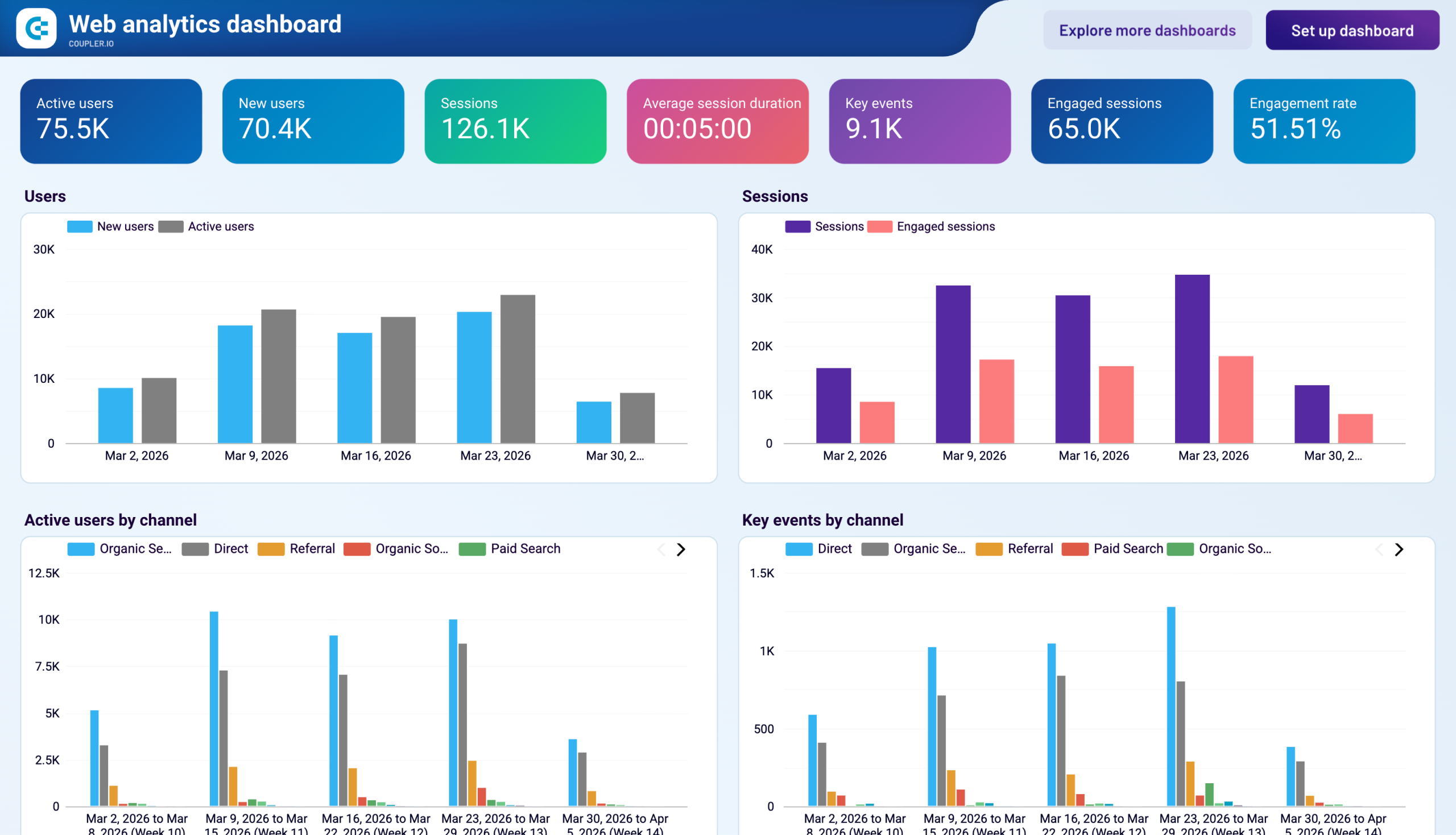
Data4 centers on website analytics: traffic, sources, audience segments, conversions, and dashboards. If your questions are about how many people visit, where they come from, and what they do on the site, this model maps directly to those questions.
Heap centers on interaction capture. Every click, tap, and form submission becomes part of a complete dataset. This is powerful for product teams asking why users drop off inside a flow, and it pairs well with funnel analysis. If you want to go deeper on that method, our guide to funnel analysis covers how to define steps, calculate drop-off, and segment users.
Google Analytics centers on events and sessions configured by the site owner. It is flexible, but the quality of your reports depends on the quality of your implementation.
A practical example: an e-commerce team wants to know why checkout completion fell last month. With Heap, they can retroactively build a funnel from captured interactions and inspect session replays. With Google Analytics, they need checkout events already configured correctly, then they analyze the funnel report. With Data4, they track conversion metrics and traffic patterns to see where performance shifted and which sources or segments were affected.
Reporting depth and audience fit

Data4 vs Heap vs Google Analytics: Which Fits Your Site? - Reporting depth and audience fit.
Heap is built for depth. Its stated outcomes from customer deployments include increased adoption, higher conversions, and measurable revenue impact, and it serves over 10,000 companies across eCommerce, EdTech, and financial services. It has joined forces with Contentsquare to expand its capabilities. If your roadmap depends on understanding user journeys inside a product, Heap is a credible fit.
Google Analytics is built for breadth. It reports on audience demographics, campaign performance, user journeys, and conversions, and it scales from small sites to enterprise deployments through Google Analytics 360. Its ecosystem of integrations and learning resources is unmatched.
Data4 is built for clarity. It targets website owners, marketers, and analysts who want actionable insights without the complexity of traditional analytics tools. Customizable dashboards, audience segmentation, and conversion analysis cover the core questions most websites actually ask. If you need deep product instrumentation or enterprise-scale marketing attribution, the other two tools are stronger choices for those specific needs.
Privacy and data considerations
Privacy requirements increasingly decide tool selection. Google Analytics operates within Google's data ecosystem, which is why many teams look for alternatives; our step-by-step guide on how to replace Google Analytics with a privacy tool covers migration and data continuity. Heap stores behavioral data to power retroactive analysis and warehouse sync through Heap Connect, which is valuable but means more data retained. Data4 positions itself as a straightforward, globally applicable analytics option for teams that want core traffic insight without a heavy configuration or data-management burden.
Pricing and total cost of ownership
Google Analytics offers a free tier plus the premium Google Analytics 360, making it the lowest-cost entry point for most teams. Heap provides a free introductory tier, with costs scaling as volume and advanced features grow. Data4's value case rests on simplicity: less setup time, less ongoing maintenance, and reporting that non-specialists can read without training. When comparing costs, count implementation hours and analyst time, not just license fees.
How to choose
- Choose Data4 if you run one or more websites, want clear traffic, source, and conversion reporting, and prefer a simple, globally applicable tool over a complex measurement stack.
- Choose Heap if your core questions are about user behavior inside a product or app, you want autocapture and retroactive analysis, and you have product or data teams to act on the findings.
- Choose Google Analytics if you need a free, widely supported platform with deep Google Ads integration and you are prepared to invest in correct event and conversion configuration.
Many organizations run two tools: a marketing analytics platform for acquisition and a behavioral platform for product insight. The mistake is expecting one tool to answer every question well.
Related reading
- Data4 vs Microsoft Clarity vs Simple Analytics: 2026 Comparison - Compare Data4, Microsoft Clarity, and Simple Analytics on privacy, setup, behavior insight, and pricing to pick the right web analytics tool.
- Data4 vs Clicky vs Umami: Which Analytics Tool Fits? - Compare Data4, Clicky, and Umami on privacy, real-time tracking, reporting depth, and pricing to choose the right website analytics tool.
Sources and further reading
- Data4 Blog - Learn funnel analysis: define steps, calculate conversion and drop-off, segment users, and fix leaks with website analytics.
- Web Analytics - Web analytics tools collect and visualize data from website visitors. Learn more on Full Stack Python.
- 13 product and behavioral analytics tools to help you understand your users - Which product or behavioral analytics tool should you choose? We took a close look at 13 of the most popular and promising options.
FAQ
Is Data4 a full replacement for Google Analytics?
Data4 is positioned as a Google Analytics alternative for website traffic and performance tracking. It covers real-time traffic, segmentation, conversions, and dashboards. Teams with advanced attribution or enterprise reporting needs should evaluate those specific requirements against the other options.
What makes Heap different from both?
Autocapture. Heap records interactions without manual tagging, so you can analyze events retroactively. That is a fundamentally different workflow from tools where you define tracking before data collection.
Which tool is best for a small website?
For a small site that mainly needs traffic sources, popular pages, and conversion counts, a simple website analytics platform such as Data4 keeps reporting readable. Google Analytics is also viable if you are comfortable with its configuration model.
Can I migrate historical data between tools?
Migration approaches vary by platform. Plan for a parallel-run period so you can compare numbers during the transition, and review our guide on replacing Google Analytics with a privacy tool for the practical steps.
Do I need product analytics if I already have web analytics?
They answer different questions. Web analytics tells you where traffic comes from and what it does on your site. Product analytics tells you how users move through features and flows. If your growth depends on in-product behavior, the two are complementary.
Conclusion
Data4, Heap, and Google Analytics are not three versions of the same tool. Google Analytics is the broad, free standard with deep marketing integrations. Heap is the behavioral insights platform for teams that need to explore user journeys without pre-planning every event. Data4 is the straightforward website analytics option for teams that want clear traffic, source, and conversion reporting with minimal overhead. Start from the questions you need answered, not the feature list, and the right choice becomes obvious.