
Data4 vs Heap vs Mixpanel: Which Analytics Tool Fits?
Choosing an analytics platform often comes down to one question: do you need to understand website traffic, product behavior, or both? Data4, Heap, and Mixpanel overlap in some areas, but they were built for different jobs. This comparison breaks down where each tool is strong, where it falls short, and how to decide.
Quick comparison

Data4 vs Heap vs Mixpanel: Which Analytics Tool Fits? - Quick comparison.
| Criteria | Data4 | Heap | Mixpanel |
|---|---|---|---|
| Primary focus | Website analytics | Digital insights (web + product) | Product analytics |
| Setup effort | Low | Low (autocapture) | Moderate (event tracking) |
| Best for | Website owners, marketers, analysts | Product, marketing, data teams | Product, engineering, growth teams |
| Real-time dashboards | Yes | Yes | Yes |
| Session replay | Not a core feature | Yes | Yes |
| Free tier | Not specified | Not specified | Up to 1M monthly events |
| Starting paid price | Not specified | Not specified | $0.28 per 1K events |
Pricing and feature details are based on publicly available information at the time of writing. Verify with each vendor before purchasing.
Data4: simple website analytics with global reach

Data4 vs Heap vs Mixpanel: Which Analytics Tool Fits? - Data4: simple website analytics with global reach.
Data4 is a website analytics platform designed for tracking and analyzing website traffic and performance. It positions itself as a straightforward alternative to Google Analytics, with a focus on ease of use and actionable insights.
Where Data4 stands out:
- Simple setup and a clean interface for monitoring traffic, sources, and engagement.
- Real-time traffic tracking and audience segmentation.
- Conversion analysis and customizable dashboards.
- Multi-language support (Chinese, English, Japanese) and domain-specific localization for international teams.
- Suitable for website owners, marketers, and analysts who want core web analytics without the complexity of enterprise tools.
Where Data4 may not fit:
- If you need deep product analytics like autocaptured event streams, session replay, or feature flags, Heap or Mixpanel will be a better match.
- If you need advanced experimentation or warehouse-native product data, Data4 is not positioned for that use case.
Data4 is best understood as a focused website analytics tool. For teams that mainly need to know where traffic comes from, which campaigns convert, and how visitors behave on the site, it covers the essentials without the overhead.
Heap: autocapture and retroactive analysis
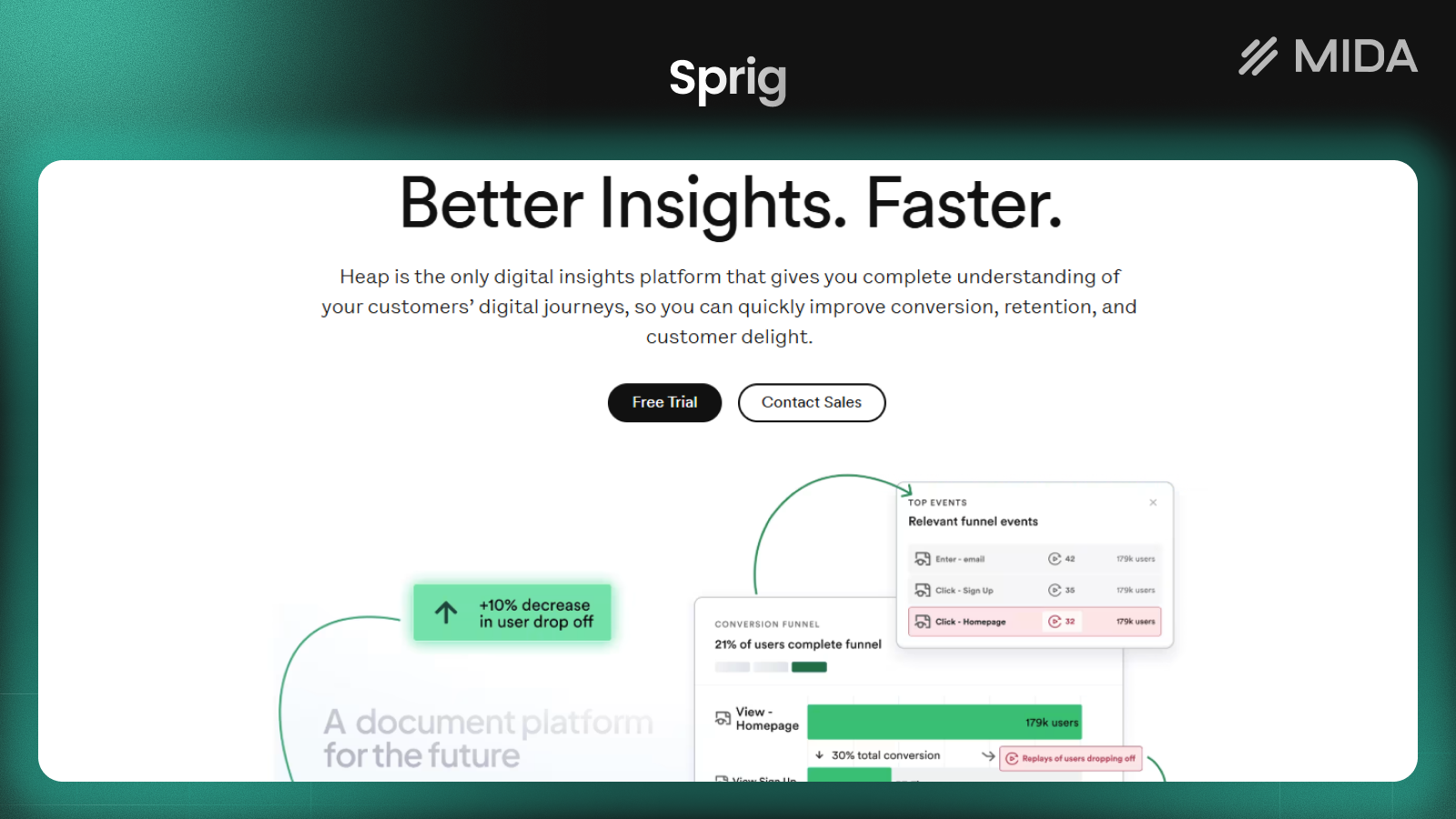
Data4 vs Heap vs Mixpanel: Which Analytics Tool Fits? - Heap: autocapture and retroactive analysis.
Heap is a digital insights platform that automatically captures every user interaction on websites, products, and mobile apps. Its core promise is that you don't need to manually tag events — Heap collects everything, and you can analyze it retroactively.
Where Heap stands out:
- Autocapture: every click, tap, and form submission is recorded without manual instrumentation.
- Retroactive analysis: you can define events after the fact, which is useful when you didn't know what to track upfront.
- AI-powered insights via Sense, plus session replay and heatmaps.
- Heap Connect for syncing data to your warehouse.
- Trusted by over 10,000 companies, with reported outcomes like 20% increased adoption, 30% increased conversions, and $1M+ increased loan volume.
- Heap has joined forces with Contentsquare to enhance its capabilities.
Where Heap may not fit:
- If you only need website traffic and campaign reporting, Heap's product analytics depth may be more than you need.
- Pricing is not publicly listed, so budget planning requires a sales conversation.
Heap is a strong choice for teams that want to explore user behavior without a heavy tracking plan. The trade-off is that autocapture can generate a large volume of data, which may require governance to keep analysis focused.
Mixpanel: event-based product analytics with AI

Data4 vs Heap vs Mixpanel: Which Analytics Tool Fits? - Mixpanel: event-based product analytics with AI.
Mixpanel is an AI-powered digital analytics platform built for product, engineering, and growth teams. It focuses on tracking user behavior, measuring conversions, and improving retention.
Where Mixpanel stands out:
- Event tracking with funnel analysis, retention analysis, and segmentation.
- Session replay, heatmaps, A/B testing, and feature flags in one platform.
- Data warehouse connectors to unify product and backend data.
- Proactive AI that surfaces insights without waiting for manual queries.
- Trusted by over 29,000 companies across consumer tech, media, financial services, health, and SaaS.
- Free tier with up to 1M monthly events; paid plans start at $0.28 per 1K events, with enterprise options for unlimited events and advanced governance.
Where Mixpanel may not fit:
- It requires a deliberate event tracking plan, which means more setup effort than autocapture tools.
- If your primary need is website traffic and marketing campaign reporting, Mixpanel's product analytics focus may be overkill.
Mixpanel is a strong fit for product-led teams that want to understand funnels, retention, and feature adoption in detail. The free tier makes it easy to start, and the pricing scales with event volume.
How to choose: a practical decision framework
Use these questions to narrow down the right tool:
- What are you measuring? Website traffic and campaigns → Data4. Product behavior and retention → Mixpanel. Both, with minimal tagging → Heap.
- How much setup effort can you invest? Low effort → Heap (autocapture) or Data4 (simple setup). Moderate effort → Mixpanel (event tracking plan).
- Do you need session replay and heatmaps? Heap and Mixpanel include these; Data4 does not position them as core features.
- What is your budget model? Mixpanel offers a free tier and transparent per-event pricing. Heap and Data4 require a sales conversation for pricing details.
- Do you need multi-language support? Data4 supports Chinese, English, and Japanese with domain-specific localization.
When Data4 is the better fit
- You run a content site, marketing site, or business website and need clear traffic, source, and conversion reporting.
- You want a simple Google Analytics alternative without a steep learning curve.
- You serve an international audience and value multi-language support.
- You don't need product analytics features like feature flags or autocaptured event streams.
When Heap is the better fit
- You want to capture all user interactions without writing tracking code.
- You need to analyze behavior retroactively because your questions change over time.
- You want AI-powered insights and session replay alongside autocapture.
When Mixpanel is the better fit
- You have a product team focused on funnels, retention, and feature adoption.
- You want a free tier to start and transparent pricing as you scale.
- You need A/B testing, feature flags, and warehouse connectors in one platform.
Can you use more than one?
Yes. Many companies run a hybrid stack: a lightweight website analytics tool for marketing reporting and a product analytics tool for in-app behavior. For example, Data4 can handle website traffic and campaign tracking, while Mixpanel or Heap covers product funnels and retention. If you go this route, plan your event taxonomy and consent setup carefully — see our guide to consent management platforms for keeping analytics compliant.
For teams tracking marketing campaigns specifically, our marketers campaign tracking guide covers UTM parameters, pixels, and dashboard reporting in more detail.
Related reading
- Data4 vs Pirsch vs Google Analytics: Which Fits Your Site? - Compare Data4, Pirsch, and Google Analytics on setup, privacy, reporting depth, and pricing to pick the right website analytics tool for your team.
Sources and further reading
- 13 product and behavioral analytics tools to help you understand your users - Which product or behavioral analytics tool should you choose? We took a close look at 13 of the most popular and promising options.
- The analytics quickstart guide - Twilio - Master analytics with our quickstart guide! Learn to track signups, engagement, and revenue using real-time dashboards and retention charts. Get started now!
- Web analytics solutions catalog 2026 - 8 platforms - Browse GA4, Piwik PRO, Matomo, Amplitude, Mixpanel, Adobe Analytics, PostHog and Plausible. Search, filter and read profiles.
FAQ
Is Data4 a replacement for Google Analytics?
Data4 positions itself as a simple, efficient alternative to Google Analytics, focused on website traffic and performance. It is designed for website owners, marketers, and analysts who want actionable insights without the complexity of traditional analytics tools.
Does Heap require manual event tracking?
No. Heap automatically captures every user interaction on websites, products, and mobile apps, so you don't need to manually tag events. You can define events retroactively.
How much does Mixpanel cost?
Mixpanel offers a free tier with up to 1M monthly events. Paid plans start at $0.28 per 1K events, with enterprise options for unlimited events and advanced governance.
Can Data4 track product analytics like funnels and retention?
Data4 is a website analytics platform. Its core use cases are monitoring website performance, optimizing marketing campaigns, and improving user experience. For deep product analytics like funnels and retention, Heap or Mixpanel are more appropriate.
Which tool is best for a small business website?
For a small business website that mainly needs traffic, source, and conversion reporting, Data4 is a strong fit due to its simplicity and focus on website analytics. Heap and Mixpanel are better suited to product teams with more complex behavioral questions.
Conclusion
Data4, Heap, and Mixpanel serve different needs. Data4 is a straightforward website analytics platform for traffic, campaigns, and engagement. Heap excels at autocaptured behavioral insights without manual tagging. Mixpanel is built for product teams that need event-based funnels, retention, and experimentation.
The right choice depends on what you're measuring and how much setup effort you can invest. If your priority is understanding website traffic with minimal complexity, Data4 is worth evaluating. If you need to explore product behavior in depth, Heap or Mixpanel will take you further.
For more comparisons, see our guides on Data4 vs Umami vs KISSmetrics and Data4 vs Plausible Analytics vs Simple Analytics.