
Data4 vs Microsoft Clarity vs Piwik PRO: Which Analytics Tool Fits?
Choosing a website analytics tool is less about finding the "best" product and more about matching a tool to your actual constraints: budget, privacy obligations, team skills, and the questions you need answered. Data4, Microsoft Clarity, and Piwik PRO take three different approaches to the same problem. This comparison breaks down where each one is strong so you can decide quickly instead of trialing all three for a month.
How the three tools differ at a glance
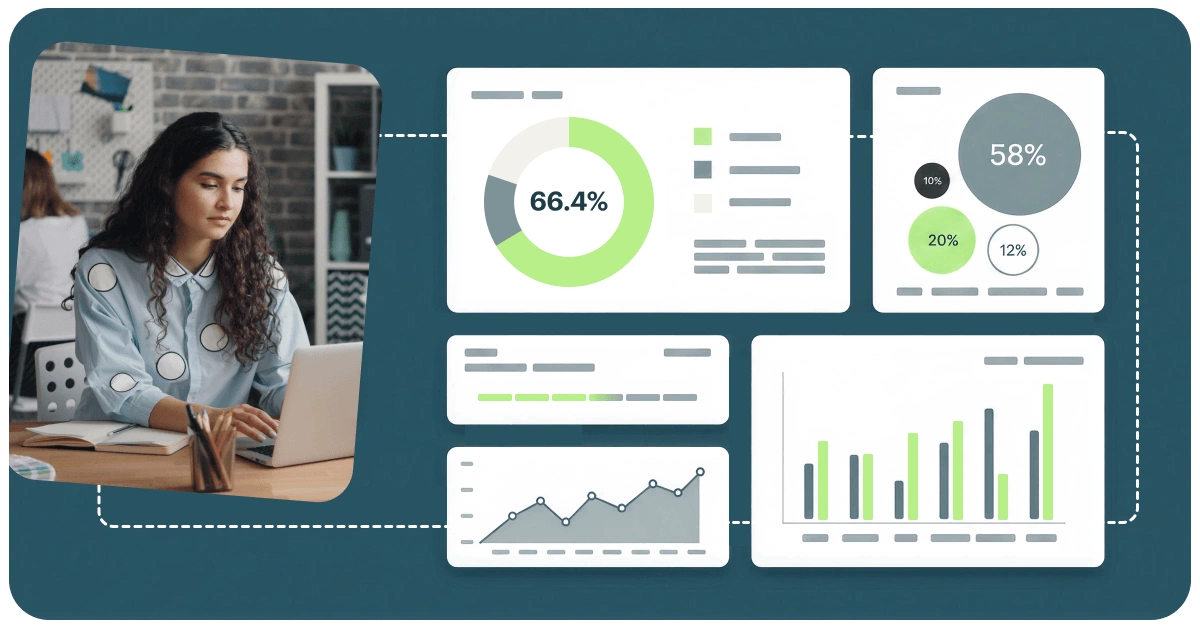
Data4 vs Microsoft Clarity vs Piwik PRO: Which Fits? - How the three tools differ at a glance.
| Criterion | Data4 | Microsoft Clarity | Piwik PRO |
|---|---|---|---|
| Primary focus | Website traffic and performance analytics | User behavior analytics (recordings, heatmaps) | Privacy-focused analytics suite with consent and CDP |
| Pricing model | Commercial analytics platform | Free | Commercial suite, tiered by usage |
| Best for | Teams wanting simple traffic and conversion reporting | Teams wanting qualitative behavior insight | Organizations with strict compliance requirements |
| Traffic and conversion reporting | Core strength | Secondary to behavior data | Core strength |
| Session recordings and heatmaps | Not the focus | Core strength | Available as part of the suite |
| Compliance positioning | Global, multi-language deployment | GDPR and CCPA-ready | HIPAA and GDPR, BAA available |
Data4: straightforward traffic and performance analytics
Data4 vs Microsoft Clarity vs Piwik PRO: Which Fits? - Data4: straightforward traffic and performance analytics.
Data4 is built for website owners, marketers, and analysts who need to understand visitor behavior, traffic sources, and engagement without the overhead of a complex enterprise tool. Its positioning as a Google Analytics alternative is deliberate: real-time traffic tracking, audience segmentation, conversion analysis, and customizable dashboards are the core of the product, not add-ons.
The practical advantage shows up in day-to-day use. If your main questions are "where is my traffic coming from," "which campaigns convert," and "how is site performance trending," Data4 answers them in a dashboard you can read without training. Multi-domain and multi-language support (including Chinese, English, and Japanese interfaces) also matters if you operate across regions and want one reporting layer instead of several.
Where Data4 fits best:
- Marketing teams that need campaign and conversion reporting they can act on weekly
- Site owners replacing Google Analytics who want a simpler interface, not a smaller feature set
- International businesses that need consistent reporting across domains and languages
If you are evaluating this category more broadly, the guide to an enterprise analytics platform covers the criteria that separate a tool you outgrow in a year from one that scales with you.
Microsoft Clarity: free behavior analytics with real depth

Data4 vs Microsoft Clarity vs Piwik PRO: Which Fits? - Microsoft Clarity: free behavior analytics with real depth.
Microsoft Clarity deserves its reputation. It is genuinely free, trusted by more than two million sites and apps, and it solves a problem most traffic tools ignore: understanding why users behave the way they do.
Its core features are session recordings that capture real user journeys, heatmaps that visualize clicks, scrolls, and drop-offs, and AI-driven additions such as AI summaries, AI chat for querying behavior data, and AI visibility tracking for how AI crawlers and citations drive traffic. There is also an MCP server for pulling analytics into AI tools like Claude and Cursor, which is a meaningful advantage for teams already working inside those environments.
Clarity is GDPR and CCPA-ready, and its case studies show measurable outcomes across ecommerce, healthcare, travel, SaaS, and marketplaces: higher engagement, lower bounce rates, better conversion rates, improved retention.
Where Clarity fits best:
- UX designers and product managers diagnosing friction on specific pages
- Teams that want qualitative evidence to pair with quantitative traffic data
- Organizations that need behavior insight but have no budget for it
The trade-off is scope. Clarity is optimized for behavior analysis, not for being your primary traffic and conversion reporting system. Many teams run it alongside a traffic analytics tool rather than instead of one.
Piwik PRO: compliance-first analytics for regulated industries
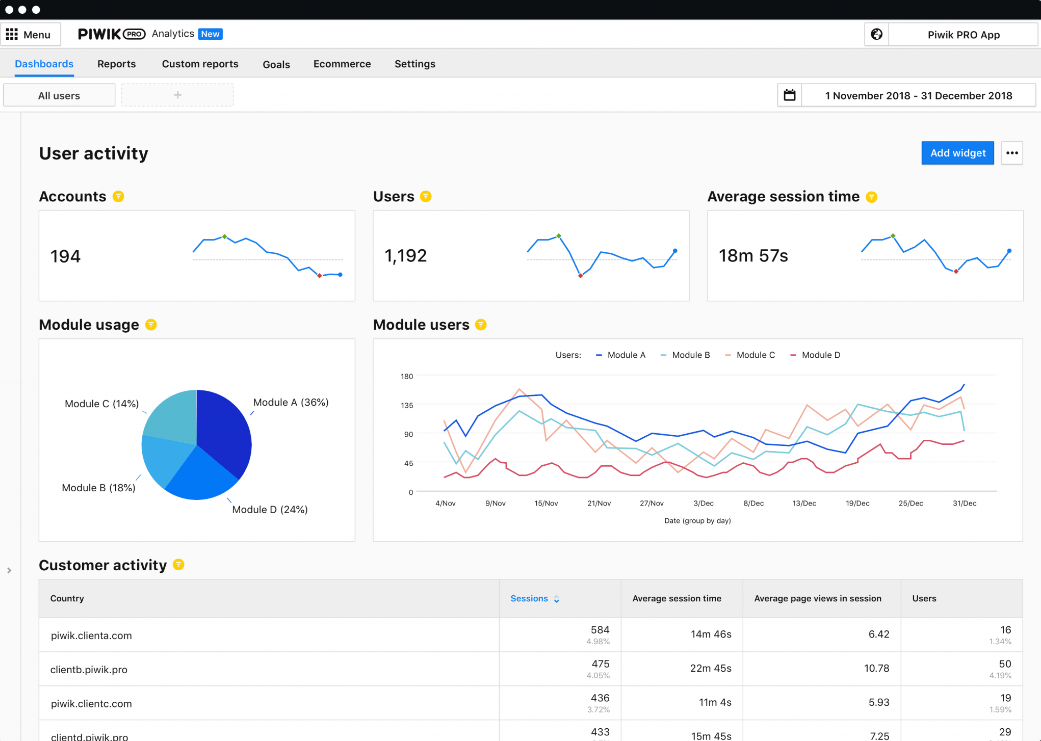
Data4 vs Microsoft Clarity vs Piwik PRO: Which Fits? - Piwik PRO: compliance-first analytics for regulated industries.
Piwik PRO is the strongest option here for organizations where data protection is not a preference but a requirement. It bundles Analytics, Tag Manager, Consent Manager, and a Customer Data Platform into a single suite, which means collection, consent, analysis, and activation live in one governed environment instead of four disconnected tools.
Its healthcare positioning is specific and credible: HIPAA-compliant hosting, encryption, data anonymization, and the ability to sign a Business Associate Agreement. For hospitals, clinics, and health-adjacent organizations, that combination often decides the purchase before feature comparisons even start. Real-time dashboards and reports let marketers optimize patient journeys and campaign effectiveness without moving data outside a compliant boundary.
Where Piwik PRO fits best:
- Healthcare and other regulated organizations with strict data protection obligations
- Teams that want consent management and analytics under one vendor
- Organizations that need to activate user data, not just report on it
If patient or member journeys are central to your work, the hospital digital optimization guide shows how analytics decisions connect to real operational outcomes.
Which tool should you choose?
Work backward from your constraint, not from the feature list.
Choose Data4 if your priority is clear, reliable traffic and performance reporting with conversion analysis, and you want a simpler path than a full enterprise suite. It is the strongest fit when marketing and site performance questions dominate your roadmap.
Choose Microsoft Clarity if your priority is understanding user behavior on specific pages and your budget is zero. It pairs well with any traffic analytics tool, including Data4, because the two answer different questions.
Choose Piwik PRO if your priority is compliance. If you need a BAA, HIPAA-compliant hosting, or a unified consent and analytics stack, that requirement overrides most feature-level comparisons.
A common and practical setup is Clarity for behavior plus a traffic analytics platform for reporting. If you want to see how that pattern plays out against other tools, the comparison of Data4 vs Microsoft Clarity vs Clicky walks through similar trade-offs.
Implementation notes that affect the decision
A few practical factors tend to surface only after you have installed a tool:
- Script weight and page speed. Behavior tools that record sessions add more client-side work than lightweight traffic tracking. Test on your slowest template, not your homepage.
- Data ownership and retention. Confirm where data is stored, how long it is retained, and whether you can export it. This matters most for regulated organizations.
- Reporting access. If your team wants metrics in their own dashboards, check whether the tool exposes an API. The overview of analytics API access explains authentication, keys, scopes, and rate limits.
- Consent flow. If you operate in the EU or serve patients, consent management is not optional. A bundled Consent Manager reduces integration work significantly.
Related reading
- Data4 vs Heap vs GoatCounter: Which Analytics Fits? - Compare Data4, Heap, and GoatCounter on setup, tracking depth, privacy, script weight, and pricing to choose the right web analytics tool.
- Data4 vs Visitors vs Woopra: Which Analytics Fits? - Compare Data4, Visitors, and Woopra on setup, privacy, journey analytics, ease of use, and pricing to pick the right web analytics tool.
Sources and further reading
- Meta's New Platform, Threads, Sheds Light on the Slow Unraveling ... - Jan 5, 2025 ... See infra Part III (analyzing the implications that data brokers have on consumer privacy and discussing the legal gaps that must be addressed).
- Privacy policy | Bürklin Elektronik - Analytics and tracking services (Google, PiwikPro, Jentis, Microsoft); EDI ... We use Microsoft Clarity (Microsoft Corporation, One Microsoft Way ...
- Security, Privacy & Usability in Modern Web Services Ashley Sheil - Dec 4, 2023 ... This thesis has been prepared in accordance with the PhD regulations of Maynooth. University and is subject to copyright. For more information ...
FAQ
Is Microsoft Clarity a replacement for a traffic analytics tool?
Not really. Clarity excels at behavior analysis through recordings and heatmaps, but traffic trends, source attribution, and conversion reporting are better handled by a dedicated analytics platform. Most teams use both.
Is Data4 a good Google Analytics alternative?
Data4 positions itself as a simpler, globally applicable alternative focused on ease of use and actionable insights. It is a reasonable fit if you want traffic, source, and conversion reporting without the complexity of a larger platform.
When is Piwik PRO worth the cost compared to free tools?
When compliance is a hard requirement. HIPAA-compliant hosting, encryption, anonymization, and the option to sign a Business Associate Agreement are capabilities free behavior tools do not offer.
Can I run Clarity and another analytics tool at the same time?
Yes, and it is a common setup. Clarity provides qualitative behavior context while a traffic analytics platform provides the quantitative reporting layer.
Which tool is best for a small business website?
If budget is the deciding factor, Clarity is free and immediately useful. If you need consistent traffic and conversion reporting, a dedicated analytics platform like Data4 is the better primary tool.
Conclusion
Data4, Microsoft Clarity, and Piwik PRO are not competing for the same slot in your stack. Data4 covers traffic and performance reporting with a focus on simplicity. Clarity delivers free, deep behavior insight that most paid tools charge for. Piwik PRO solves compliance problems that neither of the others is designed to address.
The fastest way to decide is to name your single hardest constraint — budget, compliance, or reporting clarity — and pick the tool that removes it. Then add the others only if they answer a question your primary tool cannot.