
Data4 vs PostHog: Which Analytics Platform Actually Fits Your Team?
Choosing between a streamlined website analytics tool and an all-in-one developer platform is a common dilemma. Data4 positions itself as a simple, globally applicable Google Analytics alternative built for clarity. PostHog is an AI-powered product OS that combines analytics with session replay, feature flags, and error tracking. This comparison helps you decide based on your real needs, not just feature lists.
What Is Data4? A Focus on Simplicity and Global Reach
Data4 is a website analytics platform designed for straightforward traffic and performance tracking. It targets website owners, marketers, and analysts who want actionable insights without the complexity of traditional tools. Its core value is simplicity, making it a reliable replacement for Google Analytics.
Key characteristics include:
- Ease of use: Dashboards are built for quick interpretation, not deep technical configuration.
- Global applicability: The platform supports multiple languages, including Chinese, English, and Japanese, and offers domain-specific localization.
- Core metrics: Real-time traffic tracking, audience segmentation, conversion analysis, and customizable dashboards are standard.
- Privacy-friendly approach: As a non-Google tool, it inherently avoids some of the GDPR and data ownership concerns tied to the Google ecosystem.
Data4 is ideal for teams that need to monitor website performance, optimize marketing campaigns, and improve user experience without hiring a data engineer.
What Is PostHog? An All-in-One Developer Platform
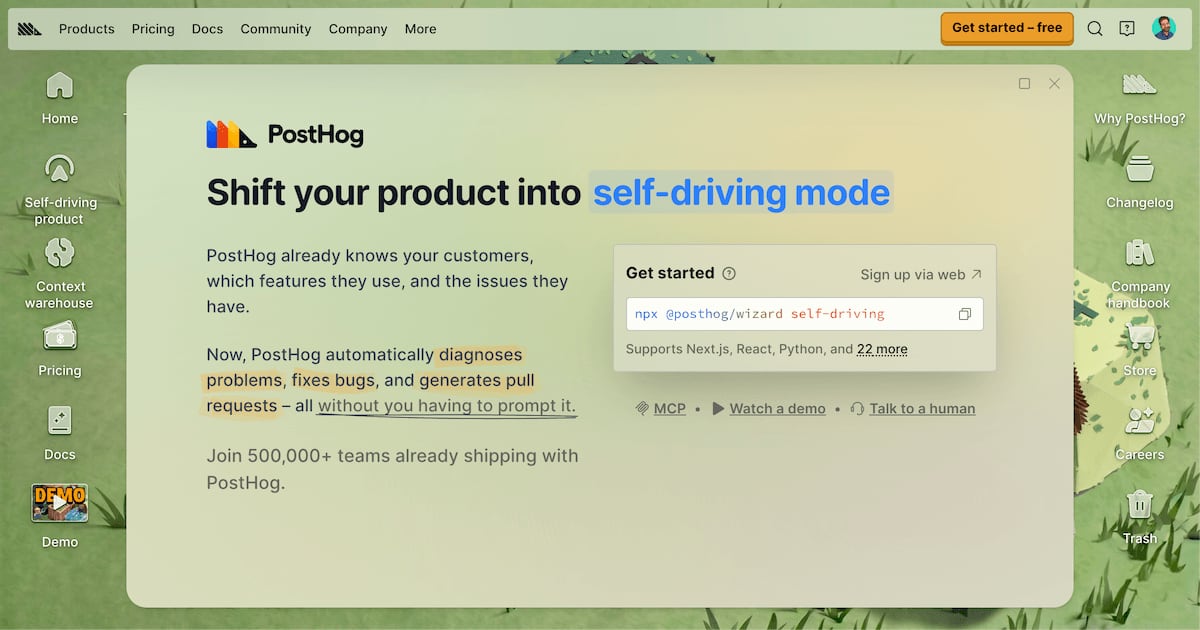
PostHog product interface.
PostHog is fundamentally different. It is an all-in-one product analytics and AI-powered platform built for engineers and product teams. According to its own documentation, PostHog acts as a "self-driving" product OS that diagnoses problems, fixes bugs, and generates pull requests. It serves over 500,000 teams.
PostHog’s feature set extends far beyond web analytics:
- Product analytics with SQL access and group analytics for B2B SaaS.
- Session replay, heatmaps, and scrollmaps.
- Feature flags and A/B testing experiments.
- Error tracking, logs, and AI observability.
- A managed data warehouse and customer data platform (CDP) capabilities.
- Surveys and feedback tools.
PostHog offers a generous free tier with 1 million events per month and transparent usage-based pricing. It integrates with 120+ external sources and provides EU or US hosting options for compliance.
Data4 vs PostHog: A Detailed Feature Comparison

PostHog product interface.
The core difference is scope. Data4 focuses on website analytics for marketing and content teams. PostHog is a full product development stack. Here is how they compare across critical dimensions.
User Identification and Data Ownership
Data4 operates similarly to classic web analytics. It tracks visitors anonymously, focusing on aggregated metrics like sessions, pageviews, and traffic sources. It does not create unified person profiles that merge anonymous and identified user histories by default. This is a strength for privacy and simplicity but a limitation if you need individual-level behavioral analysis.
PostHog treats every visitor as a potential person profile. When a user identifies (e.g., submits a form), all previous anonymous activity merges into a single profile tied to their email. This gives a complete timeline of events across sessions and devices. For product teams that need to know exactly who did what, PostHog is much more effective. However, this capability introduces complexity that a marketer simply tracking page performance does not need.
Reporting and Ease of Use
Data4 wins on immediate clarity. Its dashboards are designed for users who find Google Analytics 4 overwhelming. You get real-time traffic, source attribution, and engagement metrics in a clean interface. There is no need to learn SQL, build complex funnels, or manage event schemas. For a content site or small business, this is a major advantage.
PostHog uses Insights and Dashboards. Insights cover funnels, retention, paths, and trends. Dashboards group these for different teams. While powerful, this structure requires a learning curve. Users on Reddit praise PostHog’s usability compared to GA4, but that comparison is between two complex tools. Data4 is intentionally simpler than both.
Privacy, Compliance, and Adblock Resilience
Data4 is a privacy-conscious alternative by nature. It does not feed data into an advertising ecosystem. For teams concerned about GDPR and user trust, this is a supported advantage. Many lightweight analytics tools also recover traffic data lost to adblockers, an area where Google Analytics struggles. If you need to measure the tracking gap from adblockers, a privacy-first approach is more effective. Learn more about recovering lost data in our guide on adblock visitor tracking.
PostHog offers strong compliance features, including EU-only hosting, cookieless tracking, and HIPAA readiness. However, its broad data collection (session replays, person profiles) can raise more internal privacy questions than a simple analytics tool. You own your data, but you also manage more of it.
Pricing and Total Cost of Ownership
Data4 is positioned as a cost-effective solution for straightforward analytics. While exact pricing is not detailed in the provided context, the platform targets users seeking an affordable Google Analytics alternative without hidden costs.
PostHog offers a generous free tier (1 million events/month) and transparent usage-based pricing. For 30 million events, costs might stay under $1,000 per month. However, costs scale with usage, and the platform’s breadth can lead to tracking more events than intended. PostHog allows you to downsample noisy events to control costs. For a simple website, Data4 likely remains the cheaper and more predictable option.
Integrations and Ecosystem
Data4 focuses on core website analytics. It does not aim to replace your CRM, error tracker, or feature flag system. This is a supported weakness if you need an all-in-one platform, but a strength if you prefer specialized tools that do one job well.
PostHog integrates with over 120 external sources and acts as a lightweight CDP. It connects to Slack, Zapier, HubSpot, Snowflake, and more. For product-led teams, this unification is valuable. For a marketing team that only needs to connect analytics to Google Search Console or ads, PostHog’s ecosystem is overkill.
When to Choose Data4 Over PostHog

PostHog product interface.
Data4 is the better choice when:
- You are a marketer, content manager, or small business owner. You need traffic sources, page performance, and conversion data without technical overhead.
- Simplicity is your top priority. You want a dashboard you can understand in minutes, not days.
- You need a true Google Analytics alternative. Data4 explicitly positions itself as a straightforward replacement for GA4, especially for users frustrated by GA4’s complexity. See how it stacks up in our Data4 vs Piwik PRO vs Google Analytics comparison.
- You operate a multilingual, global site. Data4’s multi-language support and domain-specific localization are unique advantages.
- You do not need product analytics. If you are not building funnels, tracking retention cohorts, or running experiments, PostHog’s extra features add unnecessary complexity.
When PostHog Might Be the Better Fit

PostHog product interface.
PostHog excels when:
- You are an engineering-led product team. You need SQL access, error tracking, and AI observability alongside analytics.
- You need an all-in-one platform. Combining analytics, session replay, feature flags, and experiments in one tool reduces vendor sprawl.
- You are a B2B SaaS company. Group analytics allows account-level behavioral analysis, which is critical for sales and customer success.
- You have the resources to manage a complex tool. PostHog’s power requires dedicated time to configure events, dashboards, and integrations correctly.
For a broader look at how different platforms fit various needs, explore our top 10 website analytics platforms for 2026.
Data4 vs PostHog: Quick Comparison Table
| Dimension | Data4 | PostHog |
|---|---|---|
| Primary Audience | Marketers, website owners, analysts | Engineers, product teams, PMs |
| Core Focus | Simple website analytics | All-in-one product OS |
| Ease of Use | High – built for clarity | Moderate – powerful but complex |
| User Identification | Anonymous, aggregated | Person profiles with history merge |
| Session Replay | Not a core feature | Included |
| Feature Flags / A/B Tests | Not included | Included |
| Error Tracking | Not included | Included |
| SQL Access | No | Yes (ClickHouse-based) |
| Pricing Model | Cost-effective, simple | Generous free tier, usage-based |
| Global / Multilingual | Strong (Chinese, English, Japanese) | Standard |
| Compliance | Privacy-friendly by design | EU hosting, HIPAA, cookieless |
Making the Final Decision
Your choice depends entirely on who will use the tool and what questions they need to answer.
If your daily workflow involves checking pageviews, traffic sources, and campaign performance, Data4’s simplicity is a supported advantage. You will spend less time configuring and more time acting on insights.
If your daily workflow involves debugging user flows, analyzing retention cohorts, and shipping features behind flags, PostHog’s unified platform justifies its complexity.
For many organizations, the tools are not mutually exclusive. A marketing site might use Data4 for clean, privacy-friendly web analytics, while the product team uses PostHog for in-app behavioral analysis. This avoids forcing a complex developer tool onto marketers who just need a simple dashboard.
Sources and further reading
- PostHog Vs Google Analytics: Complete Comparison 2025 | Vision Labs - PostHog vs GA4 compared across six key areas: user identification, data flows, reporting, documentation, pricing, and more.
- Why would you use Plausible or PostHog over Google Analytics for a Next.js project? : r/nextjs - Thank you all! So I’ll keep using Posthog then.
- PostHog vs Google Analytics 4 in-depth tool comparison - Looking for the best web analytics tool? Compare PostHog vs GA4 on analytics, integrations, compliance, pricing, and more to find the right fit.
Frequently Asked Questions
Is Data4 a good Google Analytics alternative?
Yes. Data4 explicitly positions itself as a simple, efficient replacement for Google Analytics. It focuses on actionable insights without the complexity of GA4, making it a strong choice for users overwhelmed by Google’s platform.
Does PostHog replace Google Analytics?
PostHog can replace Google Analytics for web analytics, but it is primarily a product analytics platform. It includes web analytics dashboards with traffic sources, pageviews, and UTM tracking. However, its strength is in product analytics, session replay, and feature flags, which go far beyond what GA4 offers.
Which tool is better for privacy?
Both tools offer privacy advantages over Google Analytics. Data4 is privacy-friendly by design, avoiding the advertising ecosystem entirely. PostHog provides EU hosting, cookieless tracking, and HIPAA readiness. Data4 is simpler to manage from a privacy perspective because it collects less granular user data.
Can I use Data4 and PostHog together?
Yes. Many teams use a lightweight web analytics tool for their marketing site and a product analytics tool for their application. This gives marketers a simple dashboard while providing engineers with deep behavioral data.
Is PostHog really free?
PostHog offers a generous free tier with 1 million events per month, 5,000 session replays, and 1 million feature flag requests. Over 90% of companies use it for free. Costs only apply when you exceed these limits.
Conclusion
Data4 and PostHog solve fundamentally different problems. Data4 delivers simple, globally accessible website analytics for teams that need clarity without complexity. PostHog provides an all-in-one developer platform for teams that need product analytics, session replay, feature flags, and AI-powered debugging in a single tool.
Choose Data4 if you want a straightforward Google Analytics alternative that your entire marketing team can use immediately. Choose PostHog if you are an engineering-led team that needs a full product OS and has the resources to configure it. For many businesses, the smartest approach is using Data4 for your public website and PostHog for your application, giving each team the right tool for their job.
For another perspective on lightweight analytics, read our Statcounter review to see how it compares for real-time visitor tracking and small business needs.