
Burst Statistics Review: Privacy-First WordPress Analytics
Burst Statistics is a WordPress analytics plugin that keeps your traffic data inside your own database, tracks visitors without cookies by default, and shows a single dashboard instead of a maze of reports. It is built by Team Updraft, the group behind UpdraftPlus, WP-Optimize, and All-In-One Security, and the plugin page reports more than 200,000 active installs. This review walks through what it actually does well, where it falls short, how pricing is structured, and how to decide whether it belongs on your site.
What Burst Statistics actually is
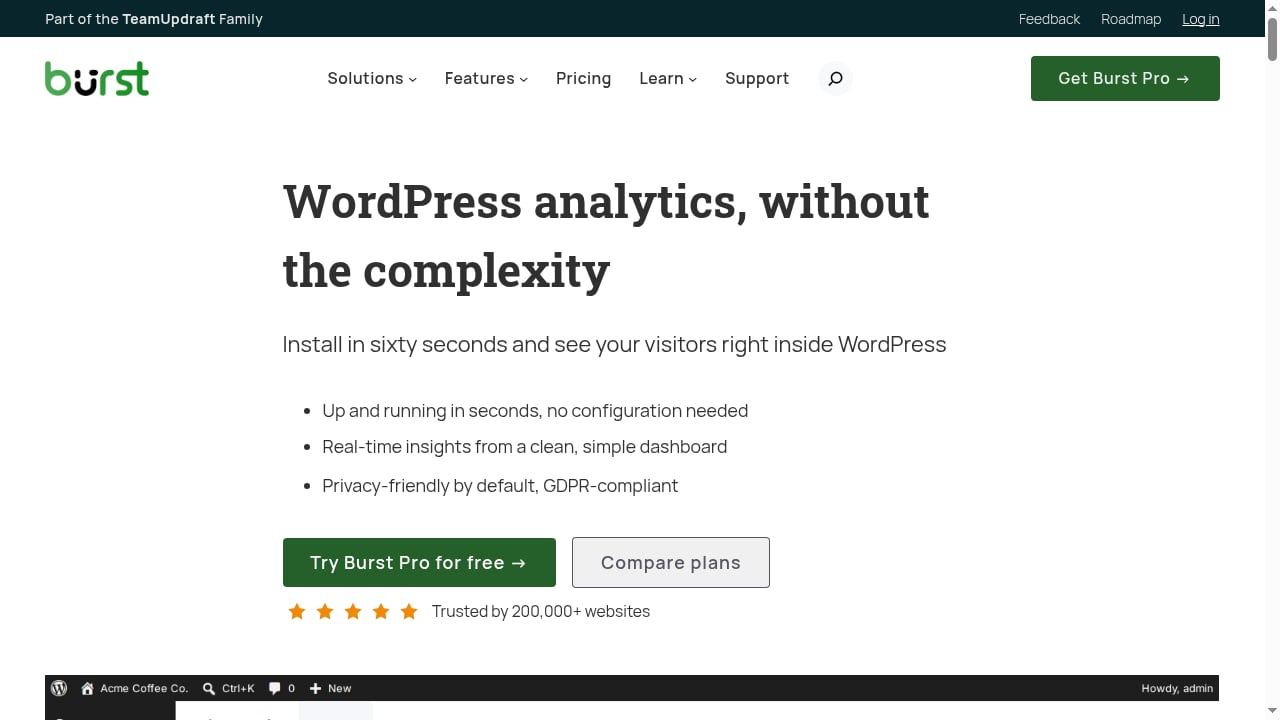
First viewport screenshot of Privacy-Friendly WordPress Analytics Plugin.
Burst is not a hosted analytics service. It is a plugin you install from the WordPress plugin directory, activate, and use. There is no external account, no tracking snippet to paste into a theme, and no third-party server receiving your visitor data. Metrics are written to your WordPress database and rendered inside wp-admin.
The tracking script is small, and the plugin is built specifically for WordPress rather than ported from another platform. That matters for caching setups: Burst is designed to keep counting accurately even when aggressive page caching is in place.
If you want a wider view of how this class of tool compares, see our roundup of privacy-first web analytics software.
Who Burst Statistics is built for
First viewport screenshot of You've searched for: - Burst Statistics.
The plugin page names five audiences, and they map cleanly onto real use cases:
- Bloggers and content creators who want to know which posts get read and which referrers send traffic.
- Small business owners and entrepreneurs who need campaign and conversion numbers without a data analyst.
- WooCommerce stores that want product and revenue context attached to traffic sources.
- Agencies and freelancers managing reporting across multiple client sites.
- Privacy-conscious owners who would rather not run a cookie consent banner for analytics.
If your job is attribution modeling across dozens of channels, Burst is not that tool. If your job is understanding your own website, it is a strong fit.
Core features worth knowing
Real-time and traffic reporting
You get live visitor counts, current pages being viewed, and the real-time source of those visitors. Standard reporting covers visitors, sessions, pageviews, bounce rate, device breakdown, top pages and posts, referrers, and date-range comparisons.
Goal and conversion tracking
Burst can track views, clicks, and WordPress hooks as goals. That covers form submissions, button clicks, and custom events without needing a separate tag manager. Step-by-step goal setup is documented on the plugin's own learn hub.
Engagement tracking
Pro adds outgoing link clicks, form fills, reading engagement, 404 errors, and internal site search tracking. These are the metrics that explain why a page underperforms, not just that it did.
UTM and campaign tracking
Pro includes UTM parameter tracking, so you can see which campaigns actually drive sessions rather than guessing from a spreadsheet.
Geographic and referral insights
Country and city-level visitor data plus referral source analysis are Pro features. The free version gives you referrers but not the geographic layer.
WooCommerce and revenue tracking
Burst Pro Business adds a WooCommerce sales dashboard, funnel analytics, and revenue attribution that connects sales back to traffic sources. For stores, this is the feature that justifies the upgrade.
Automated reporting and alerts
Pro can build custom reports and schedule them daily, weekly, or monthly by email, with PDF export. Slack notifications are available for reports and alerts, and the plugin can notify you when tracking breaks.
Search Console integration
You can view Google Search queries inside the Burst dashboard, which reduces the need to keep a separate Search Console tab open.
Privacy and data ownership
This is Burst's central claim, and it holds up under inspection:
- Self-hosted storage. All statistics live in your WordPress database. Nothing is sent to Burst's servers unless you explicitly opt in.
- Cookieless by default. No cookies means no consent banner required for analytics in many jurisdictions.
- Compliance framing. The plugin is designed to support GDPR, CCPA, DSGVO, AVG, RGPD, and PECR requirements.
- No ad-network sharing. Data is not passed to Google, Facebook, or other third parties.
The trade-off is honest: you own the data, so you also own the backups, retention, and database hygiene. Burst Pro includes data archiving settings to keep the database lean automatically, which is a practical answer to that responsibility.
Setup: how long it really takes
- In your WordPress dashboard, go to Plugins → Add New.
- Search for Burst.
- Click Install Now, then Activate.
- Open Statistics → Dashboard.
That is the whole process. No account creation, no property configuration, no verification step. Tracking begins immediately, and live visitors should appear within minutes on a site with normal traffic.
After activation, the sensible next steps are: set your first goal, connect Search Console if you want query data, and configure email reports if you want a weekly summary without logging in.
Free vs Pro: what you actually pay for
The free version covers visitors, pageviews, referrers, top content, device stats, goal tracking, and email reports. For a blog or brochure site, that may be all you ever need.
Pro is sold in three tiers, with annual pricing shown in euros on the pricing page and a 14-day free trial plus a 30-day money-back guarantee:
| Plan | Sites | Reported annual price | Best for |
|---|---|---|---|
| Creator | 1 site | €43.61/year (~€3.63/month) | Bloggers and small business sites |
| Business | 1 site | €88.11/year (~€7.34/month) | WooCommerce stores and marketers |
| Agency | Unlimited sites | €177.11/year (~€14.76/month) | Freelancers and agencies |
Multi-site variants exist: Creator for up to 5 sites at €70.31/year, and Business for up to 5 sites at €105.91/year. Agency remains unlimited at €177.11/year. Prices are displayed in EUR and a currency switcher is available on the pricing page, so check the current figure in your own currency before buying.
What unlocks at Pro level: geographic insights, referral source analysis, UTM and campaign tracking, engagement tracking, revenue and sales tracking, WooCommerce funnel analytics, and automated reporting. All Pro plans include priority support with direct developer contact.
Decision shortcut: if you only need traffic counts, stay free. If you need to connect traffic to money or campaigns, you need Pro. If you manage client sites, the Agency tier pays for itself quickly.
How Burst compares to alternatives
First viewport screenshot of Comparisons Archive.
- Google Analytics 4 — far more powerful for advertising attribution, far more complex to configure, and it sends data to Google. Burst trades depth for clarity and local storage.
- MonsterInsights — a connector that pipes data into Google Analytics. If your goal is keeping data on your own server, it solves the opposite problem.
- Independent Analytics — a respectful competitor with a similar privacy-first, WordPress-native approach. Burst leans harder into UTM, goals, WooCommerce revenue, and agency reporting.
- Koko Analytics — clean and lightweight, focused on basics. Burst goes further with real-time data, goals, campaigns, and email reports.
- WP Statistics — long-standing and feature-rich, but frequently described as cluttered. Burst optimizes for a single clear dashboard.
- Matomo — self-hostable and deep, but heavier to run and maintain. Burst is the lighter, WordPress-native option.
For a closer look at how self-hosted tools stack up, see our Data4 vs Matomo vs PostHog comparison and our Fathom Analytics review if you are weighing hosted privacy-first options.
Strengths
- Genuinely fast setup with no external account or tracking code.
- Cookieless tracking reduces consent-banner friction in many regions.
- Data stays on your server, which simplifies data sovereignty questions.
- Dashboard is focused rather than exhaustive, which is the point.
- WooCommerce revenue attribution at the Business tier is unusually complete for this price band.
- Automated email and PDF reporting plus Slack alerts fit agency workflows.
- Lightweight script and caching-aware tracking avoid the page-speed penalty common to heavier analytics stacks.
Limitations
- No cross-site or cross-device identity. Cookieless tracking means you cannot follow a user across sessions or domains the way a cookie-based platform can.
- Self-hosting means self-maintenance. Database growth, backups, and retention are your responsibility, though Pro's archiving settings help.
- Less depth than GA4 for paid media. If you run complex multi-channel paid campaigns, Burst will feel thin.
- Geographic and campaign data are Pro-only. Free users get traffic basics, not location or UTM breakdowns.
- Security hygiene matters. Any plugin that adds endpoints to WordPress should be kept updated. A critical vulnerability in the plugin was publicly reported and actively exploited in mid-2026, which is a reminder to patch promptly and audit administrator accounts. Check the Wordfence advisory and confirm you are on a patched version.
- No native mobile app. Reporting happens in wp-admin or via email.
Who should choose Burst Statistics
First viewport screenshot of Documentation Archive.
Choose Burst if:
- You run a WordPress site and want analytics you will actually open.
- Privacy, GDPR posture, or data residency is a real constraint.
- You want WooCommerce revenue tied to traffic sources without a separate stack.
- You manage client sites and need scheduled, branded reporting.
Skip Burst if:
- You need deep multi-touch attribution or paid-media modeling.
- You require cross-domain user journey tracking.
- You want a hosted service with zero maintenance and a mobile app.
Related reading
- AEO Tools and Website Analytics: How Data4 Fits - AEO tools track AI search visibility. Learn how website analytics like Data4 provides the first-party data your AEO strategy needs.
- Data4 vs Microsoft Clarity vs Matomo: Which Analytics Fits? - Compare Data4, Microsoft Clarity, and Matomo on privacy, session recordings, heatmaps, traffic accuracy, and setup to pick the right analytics tool.
- Data4 vs Fathom Analytics: Privacy-First GA Alternative - Compare Data4 and Fathom Analytics as privacy-first Google Analytics alternatives. See setup, reporting depth, pricing signals, and which tool fits your team.
Sources and further reading
- Burst Statistics – Simple WordPress Analytics (Google Analytics Alternative) - Simple, lightweight WordPress analytics with privacy-friendly visitor tracking. Cookieless and GDPR-ready. Setup in seconds, no cookie banner needed.
- Pricing - Explore Burst Pro Pricing and discover advanced features for tracking campaigns and insights while prioritizing privacy.
FAQ
Is Burst Statistics really cookieless? Yes. Cookieless tracking is the default configuration, which is why the plugin states that a consent banner is not required for analytics in many countries. You should still confirm your own legal position, since consent rules vary by jurisdiction and by what else your site loads.
Does Burst Statistics slow down my website? The tracking script is under 4 KB and the plugin is designed to work with server-side caching. The plugin maintains documentation specifically addressing performance concerns, and user reviews on the pricing page report page-speed improvements after removing heavier analytics scripts.
Is the free version enough? For blogs and simple business sites, often yes. Visitors, pageviews, referrers, top content, device data, goals, and email reports are all included. Geographic data, UTM tracking, engagement metrics, and WooCommerce revenue require Pro.
How much does Burst Pro cost? The pricing page lists Creator at €43.61/year, Business at €88.11/year, and Agency at €177.11/year for single-site or unlimited-site configurations respectively, with multi-site variants available. A 14-day free trial and 30-day money-back guarantee apply.
Can I migrate away from Google Analytics? You can remove GA4 and run Burst instead, but historical GA4 data does not transfer. Most users run both briefly, confirm Burst covers their reporting needs, then remove the GA4 tag.
Does Burst work with WooCommerce? Yes. WooCommerce analytics, funnel tracking, and revenue attribution are available in Burst Pro Business and above.
Conclusion
Burst Statistics does one thing deliberately: it gives WordPress owners clear, private, self-hosted traffic data without the setup tax of Google Analytics 4. The free tier is genuinely usable, the Pro tiers are priced for individuals and small agencies rather than enterprises, and the WooCommerce revenue layer is the strongest argument for upgrading.
The honest caveats are that cookieless tracking limits cross-session identity, self-hosting shifts maintenance onto you, and plugin security requires the same patch discipline as any other WordPress extension. If those trade-offs match how you work, Burst is one of the more sensible analytics choices available for WordPress today.