
Clicky Review 2026: Features, Pricing, and Real-World Limits
Clicky is a privacy-friendly, real-time web analytics platform that has quietly served more than one million websites. Unlike Google Analytics 4, which often buries simple answers under layers of reports and event modeling, Clicky focuses on showing you exactly who is on your site right now, what they are doing, and where they came from. This review breaks down who Clicky works best for, what it does well, where it falls short, and how to decide if it belongs in your analytics stack.
What Is Clicky?
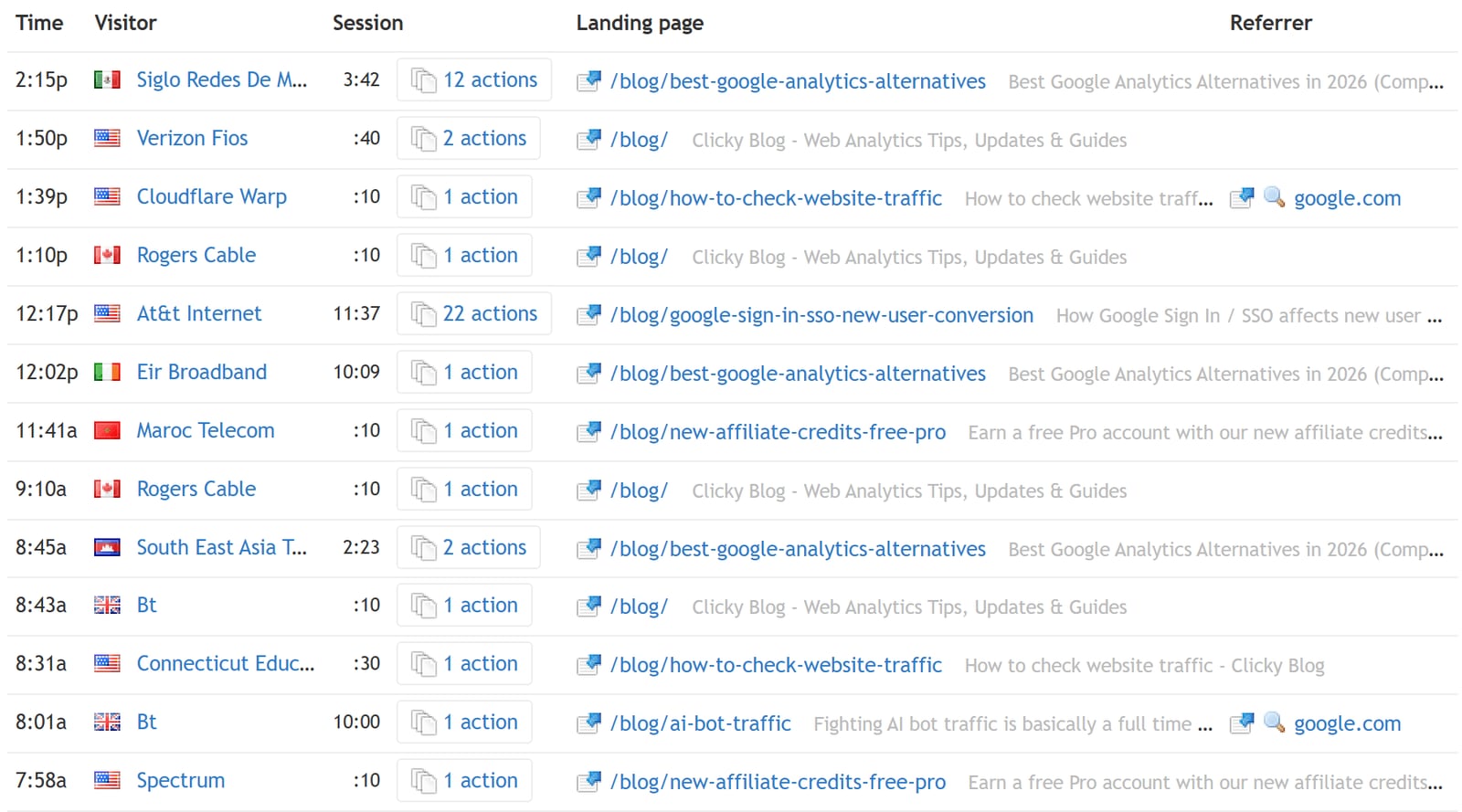
Monitor, analyze, and react to your visitors in real-time.
Clicky is a hosted web analytics service built around real-time visitor tracking and privacy-conscious data collection. It launched long before privacy regulations became a mainstream concern, and its default configuration reflects that history: anonymized data, no cross-site profiling, and aggressive filtering of bots and referrer spam.
The product positions itself as a direct alternative to Google Analytics for website owners who want actionable traffic data without the complexity of GA4. Instead of forcing you through dozens of reports to find basic answers, Clicky surfaces individual visitor sessions, live action logs, and straightforward content and referrer breakdowns.
Who Clicky Is For
Clicky is not a one-size-fits-all analytics suite. It is deliberately narrow in scope, which makes it excellent for some teams and frustrating for others.
Best-Fit Users
- Bloggers and content publishers who want to see which articles are being read right now and which referrers are sending traffic.
- Small business owners who need a simple dashboard without a data science team.
- Privacy-conscious site operators who want GDPR-friendly tracking by default and do not want to manage consent complexity.
- Developers and technical marketers who value API access, custom data logging, and accurate tracking even when visitors use ad blockers.
- Agencies managing multiple client sites who need white-label reporting and quick access to per-site stats.
Poor-Fit Users
- Ecommerce teams requiring deep funnel analysis, cohort retention, or revenue attribution tied to product catalogs.
- Product teams needing event-based product analytics, feature adoption tracking, or A/B testing integrations.
- Enterprise marketing organizations that depend on multi-touch attribution, CRM syncing, or predictive modeling.
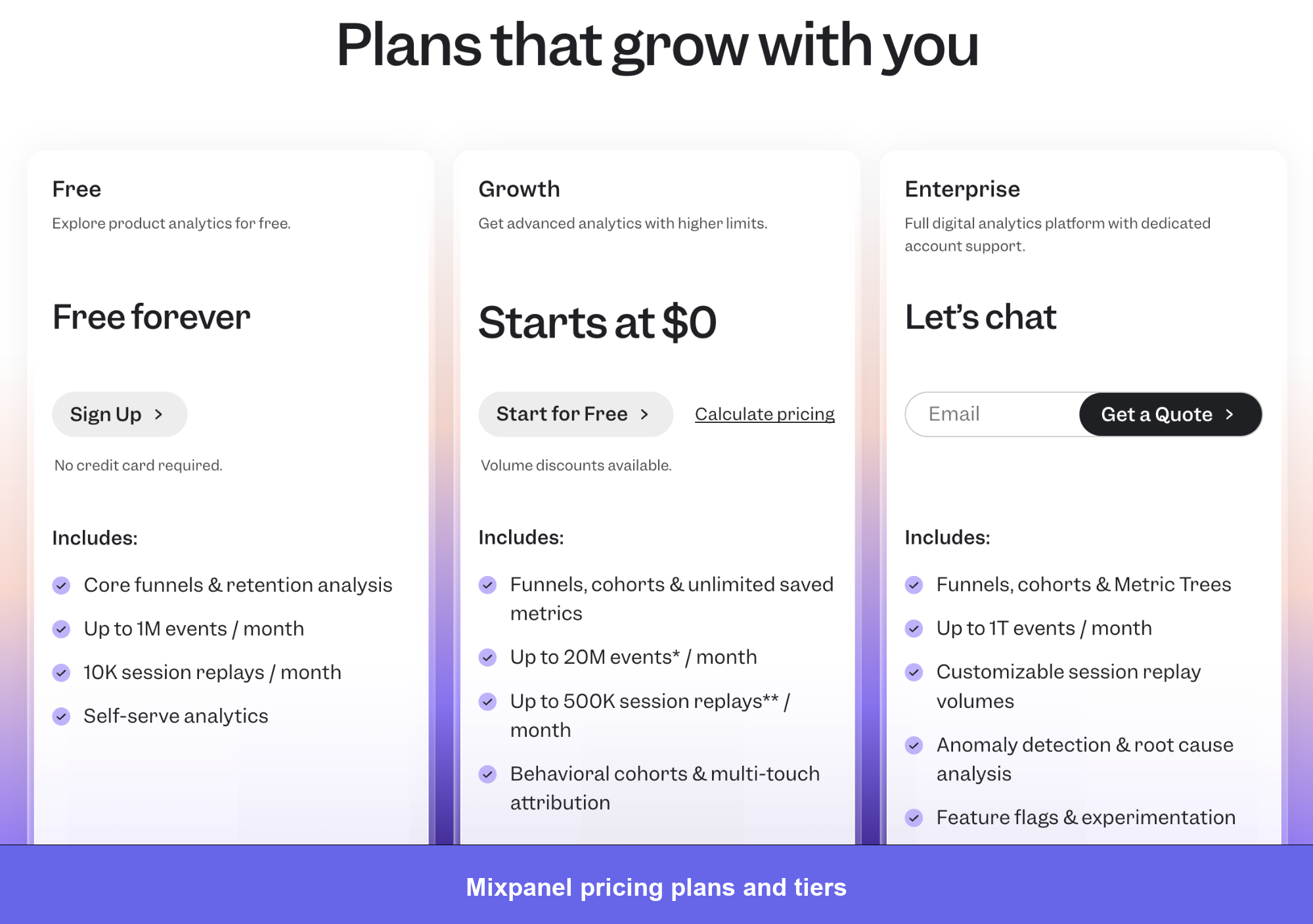
If you fall into the poor-fit group, tools like Mixpanel, Matomo, or Woopra may be more appropriate. Our Woopra review covers customer journey analytics and identity resolution for teams that need person-level behavior tracking.
Key Strengths
Real-Time Visitor Logs
Clicky's core differentiator is its live visitor log. You can watch individual sessions unfold as they happen: the page a visitor is viewing, their referrer, their geographic location, and the actions they take. For a blogger who just published a post and wants to see immediate traction, this is far more satisfying than waiting for GA4's delayed reporting.
Individual Visitor and Action Tracking
Beyond aggregate numbers, Clicky lets you drill into a specific visitor's session history. You can see every page they visited, how long they stayed, and what they clicked. This level of granularity is rare among privacy-focused analytics tools and is especially useful for debugging user journeys on smaller sites.
Adblock-Resistant Tracking via Reverse Proxy
One of Clicky's most technically impressive features is its reverse proxy tracking option. By routing tracking requests through your own domain, Clicky can capture data from visitors who use ad blockers that would normally block third-party analytics scripts. This gives a more accurate picture of total traffic than many competitors can provide.
Custom Data Logging
Clicky allows you to attach custom data to sessions, such as usernames, email addresses, or membership levels. This is a powerful feature for membership sites, SaaS dashboards, or any platform where you want to tie analytics data back to known users. The implementation requires some technical setup, but the payoff is meaningful for user-level analysis.
AI Traffic Categorization
As AI chatbots and crawlers increasingly visit websites, Clicky has added analytics that categorize AI-generated traffic separately from human visitors. This helps you understand how much of your "traffic" is actually bots scraping content for training data versus real people reading your pages.
Aggressive Bot and Spam Filtering
Referrer spam and bot traffic can inflate your numbers and distort your decisions. Clicky applies aggressive filtering by default, which means the numbers you see are closer to genuine human activity. This is a meaningful advantage over analytics tools that leave spam filtering as an afterthought.
Key Limitations
Clicky Review 2026: Features, Pricing, and Real-World Limits - Key Limitations.
Limited Funnel and Conversion Analysis
Clicky offers basic segmentation and goal tracking, but it does not compete with dedicated product analytics platforms for funnel visualization, cohort retention, or behavioral segmentation. If your primary question is "where do users drop off in my onboarding flow?" Clicky will only get you partway there.
No Built-In Session Replay or Heatmaps
Unlike Microsoft Clarity or Hotjar, Clicky does not include session replay, heatmaps, or click maps as native features. If visual behavior analysis is a priority, you will need a separate tool. Our comparison of Microsoft Clarity competitors covers tools that combine analytics with replay and heatmap functionality.
Dated Interface
Clicky's dashboard is functional but visually dated compared to modern analytics platforms. The interface prioritizes information density over polish, which some users appreciate, but new users accustomed to sleek SaaS dashboards may find it clunky. The learning curve is low, but the aesthetic is not a selling point.
Limited Multi-Channel Attribution
Clicky tracks referrers and traffic sources effectively, but it does not offer sophisticated multi-touch attribution modeling. For content sites and small businesses, first-touch or last-touch attribution is usually sufficient. For performance marketers managing complex campaigns, this will feel limiting.
Custom Data Requires Technical Setup
While the custom data logging feature is powerful, it requires you to modify tracking code or use the API. Non-technical users will not be able to take advantage of this capability without developer help.
Pricing Signals
Clicky uses a freemium model with a generous free tier and several paid plans.
| Plan | Approximate Positioning | Best For |
|---|---|---|
| Free | One website, limited page views | Personal blogs, testing the platform |
| Pro | Single site, moderate traffic | Small business sites, portfolios |
| Pro Plus | Multiple sites, higher limits | Growing content sites |
| Pro Platinum | High-volume tracking | Established publishers, agencies |
| Custom | Enterprise-level needs | Large organizations, white-label requirements |
Clicky also offers a 21-day free trial of premium features without requiring a credit card. This is a low-friction way to test advanced capabilities before committing.
The pricing signals are clear: Clicky is positioned as an affordable alternative to enterprise analytics suites, not as a premium enterprise product itself. The free plan is genuinely usable for small sites, which is not always true of freemium analytics tools.
Setup and Implementation
Getting started with Clicky is straightforward:
- Create an account with an email address.
- Add your website and get a tracking code snippet.
- Paste the snippet into your site's header or use a plugin if you are on WordPress or another popular CMS.
- Verify installation and start seeing real-time data within minutes.
For the reverse proxy tracking feature, setup is more involved. You will need to configure your server or CDN to route tracking requests through a subdomain on your own site. Clicky provides documentation, but this is not a point-and-click configuration for most users.
Custom data logging requires modifying the tracking snippet to pass additional parameters, such as a username or email address. If you are not comfortable editing code, you will need a developer for this step.
Clicky vs. Google Analytics 4
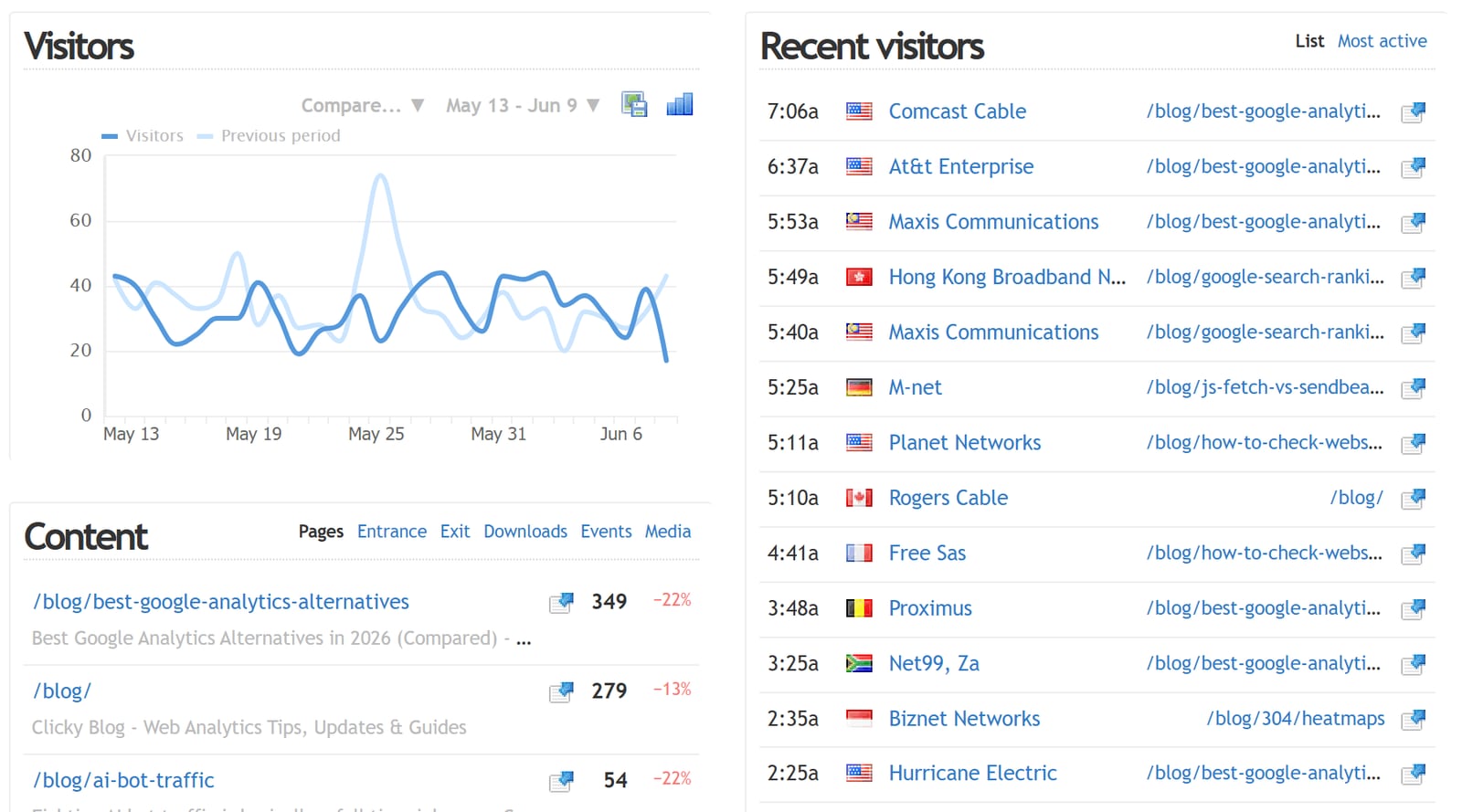
Monitor, analyze, and react to your visitors in real-time.
The most common question about Clicky is how it compares to GA4. The short answer: they solve different problems.
Clicky wins on:
- Real-time visibility into individual visitors
- Simplicity of reporting and navigation
- Privacy-friendly defaults and GDPR compliance
- Adblock-resistant tracking options
- Bot and spam filtering quality
GA4 wins on:
- Depth of event-based reporting and exploration
- Integration with Google Ads and other Google products
- Machine learning insights and predictive metrics
- Scalability for large, complex websites
- Free unlimited page views (with data retention limits)
For many small and medium websites, Clicky provides the answers GA4 makes difficult to find. For large ecommerce operations or sophisticated marketing teams, GA4 remains the default choice despite its complexity. If you are evaluating alternatives to GA4, our guide to Google Analytics alternatives compares privacy-first and simplicity-focused options.
Decision Criteria: Should You Choose Clicky?
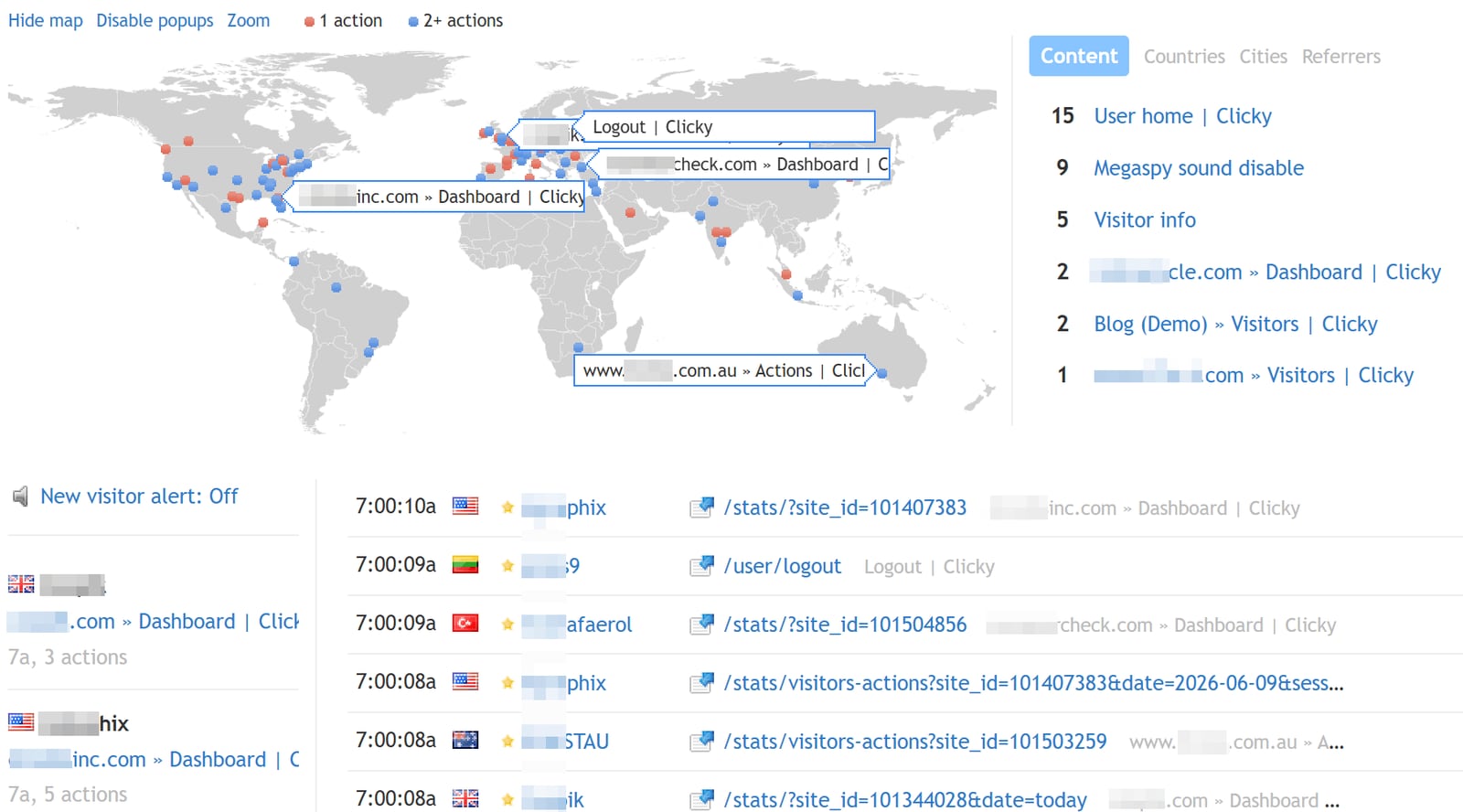
Monitor, analyze, and react to your visitors in real-time.
Choose Clicky if you answer yes to most of these questions:
- Do you run a content site, blog, or small business website?
- Do you need real-time visibility into who is visiting right now?
- Is privacy compliance a priority for you or your audience?
- Do you prefer simple, direct reports over complex exploration tools?
- Are you willing to accept limited funnel and attribution capabilities?
Consider alternatives if you answer yes to these instead:
- Do you need session replay, heatmaps, or visual behavior analysis?
- Are you running a large ecommerce operation with complex funnels?
- Do you require deep integration with advertising platforms?
- Is multi-touch attribution essential to your marketing decisions?
- Does your team need enterprise-grade collaboration and permissions?
Related reading
- Data4 vs Similarweb: Which Analytics Tool Fits You? - Compare Data4 and Similarweb for website analytics. See how Data4's simple, first-party tracking stacks up against Similarweb's competitive intelligence.
Sources and further reading
- Clicky Web Analytics Reviews - Trustpilot - Clicky Web Analytics is simply the best way to monitor, analyze, and react to your blog or web site's traffic in real time. Contact info. Southeast Main Street ...
- Has anyone tried "Clicky"? : r/macapps - Reddit - Apr 21, 2026 ... Not my review, but see review of Clicky here: https://lifehacker.com/tech/clicky-macos-companion Sounds like it runs on screen recordings ...
- Clicky Review: The AI Co-pilot That Lives Where You Work - In the crowded landscape of AI productivity tools, most solutions force you to context-switch—moving from your workspace to a browser tab or a dedicated chat ap...
Frequently Asked Questions
Is Clicky really GDPR-compliant?
Clicky anonymizes visitor data by default and does not use cookies for tracking in the traditional sense. The company positions its data collection as privacy-friendly and GDPR-compliant, but as with any analytics tool, you should review your specific obligations and consult legal guidance if needed.
Can Clicky track visitors who use ad blockers?
Yes, if you implement Clicky's reverse proxy tracking feature. By routing tracking requests through your own domain, Clicky can capture data that third-party scripts would miss. This requires additional technical setup.
Does Clicky offer a free plan?
Yes. Clicky's free plan supports one website with a limited number of daily page views. It is sufficient for small personal sites and a good way to evaluate the platform before upgrading.
Can I use Clicky on multiple websites?
Paid plans support multiple websites, with higher tiers allowing more sites and higher page view limits. The free plan is limited to a single site.
Does Clicky have an API?
Yes. Clicky provides API access for retrieving analytics data programmatically, which is useful for custom dashboards, integrations, and automated reporting.
Is Clicky a good replacement for Google Analytics?
For small and medium websites that prioritize simplicity and privacy, yes. For large ecommerce sites or teams that need deep event analysis and Google Ads integration, Clicky will likely feel insufficient on its own.
Conclusion
Clicky is a focused, privacy-conscious analytics tool that excels at real-time visitor tracking and straightforward reporting. It is not trying to be everything to everyone, and that is precisely its strength. For bloggers, small business owners, and developers who want to see what is happening on their site without navigating GA4's complexity, Clicky delivers genuine value.
Its limitations are real: no session replay, limited funnel analysis, and a dated interface. But for the right user, those trade-offs are acceptable in exchange for speed, clarity, and privacy-friendly defaults.
If you are comparing Clicky against other lightweight analytics options, our comparison of Data4 vs Statcounter and Data4 vs Piwik PRO vs GoatCounter may help you evaluate additional privacy-focused alternatives before making a decision.