
Clicky Similar Tools: 9 Best Web Analytics Alternatives
Clicky has earned a loyal following among site owners who want real-time traffic data in a lightweight, privacy-conscious package. But it is not the only option, and depending on your budget, hosting preferences, or reporting needs, another tool may fit better. This guide compares nine Clicky similar tools, explains what separates them, and helps you pick the right one for your site.
A quick note before the list: there are two unrelated products called Clicky. One is an AI screen assistant; the other, at clicky.com, is the web analytics platform this article covers. If you arrived here looking for a screen copilot, this is not the right comparison.
What to Look for in a Clicky Alternative
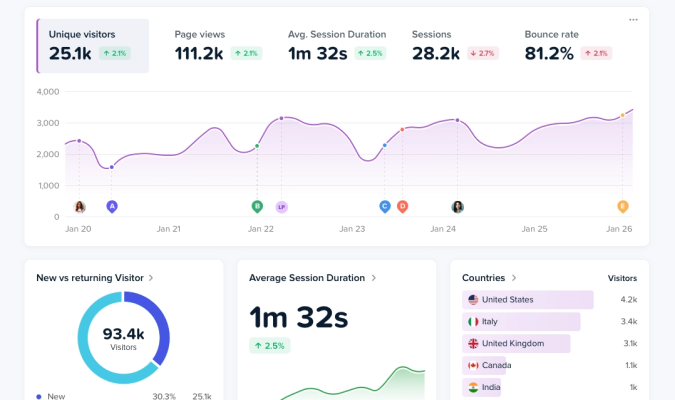
Clicky Similar Tools: 9 Best Web Analytics Alternatives - What to Look for in a Clicky Alternative.
Before comparing names, decide which criteria matter most to you. Most Clicky users care about a few things:
- Real-time reporting. Clicky's dashboard updates live, so you can see who is on your site right now.
- Privacy and data ownership. Clicky is known for a privacy-friendly stance, and many alternatives lean even further into cookieless or self-hosted models.
- Setup effort. Some tools install with a single script tag; others require server access or a container.
- Pricing model. Costs range from free and open source to per-site subscriptions to usage-based enterprise plans.
- Depth of analysis. Basic traffic stats are table stakes. Session replay, funnels, heatmaps, and visitor-level journeys separate the tiers.
Keep those five dimensions in mind as you read the list below.
1. Data4
Clicky Similar Tools: 9 Best Web Analytics Alternatives - 1. Data4.
Data4 is a website analytics platform positioned as a simple, globally applicable alternative to Google Analytics. It focuses on ease of use and actionable insights rather than the complexity of traditional analytics suites.
Why consider it: Data4 covers real-time traffic tracking, audience segmentation, conversion analysis, and customizable dashboards. It supports multiple languages and domains, which suits international teams running several sites. If your main frustration with Clicky is limited reporting depth, Data4 is worth a look.
Best for: Website owners, marketers, and analysts who want straightforward analytics without a steep learning curve.
Watch out for: If you need deep product analytics like event-level funnels tied to user accounts, a dedicated product analytics tool may go further.
2. Matomo
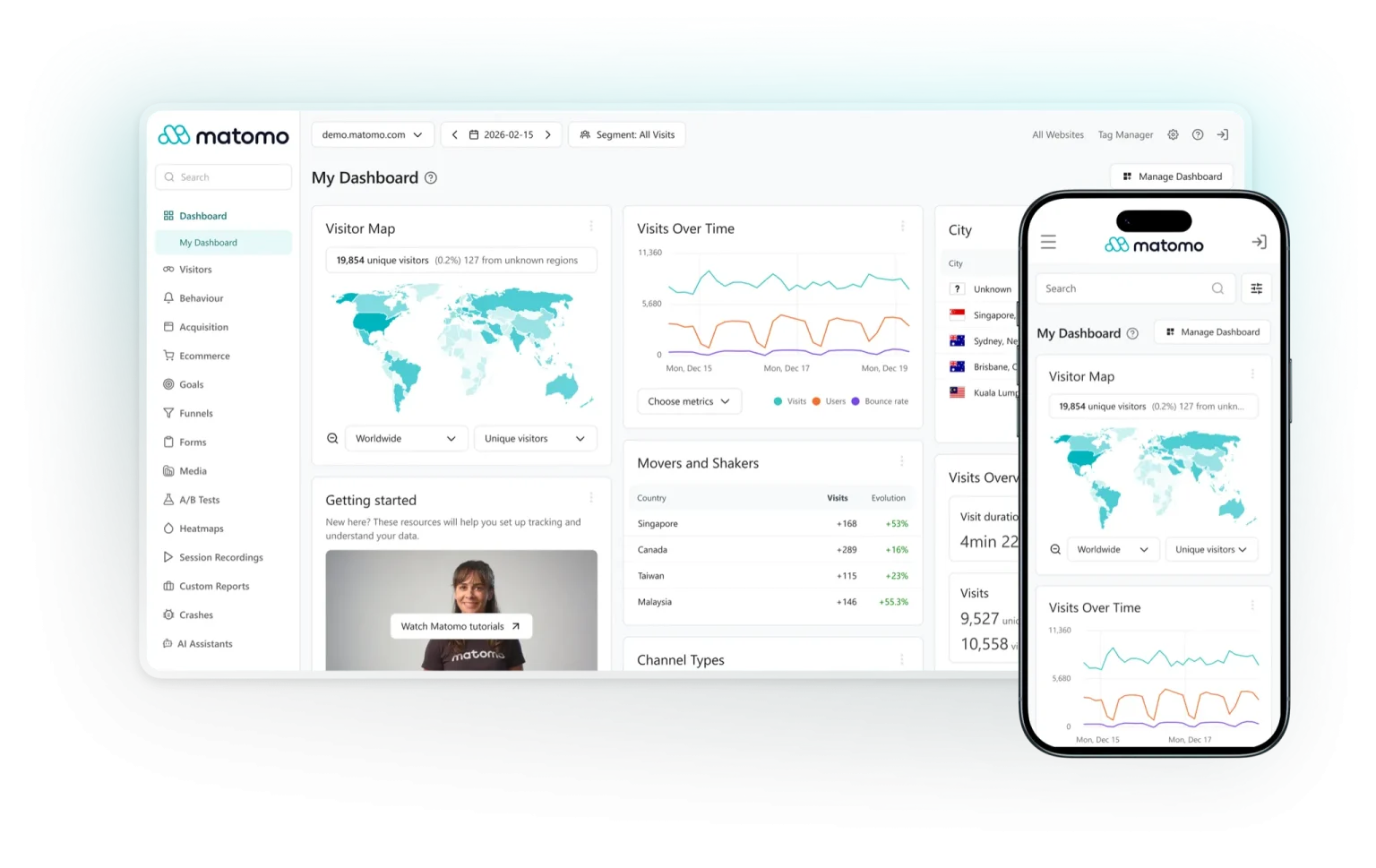
Clicky Similar Tools: 9 Best Web Analytics Alternatives - 2. Matomo.
Matomo is one of the most established open-source analytics platforms. You can self-host it for full data ownership or use its cloud version.
Why consider it: Matomo offers heatmaps, session recordings, A/B testing, and goal tracking in one package. Because you can host it yourself, it appeals to organizations with strict data residency rules.
Best for: Teams that want control over where their data lives and are comfortable managing a server.
Watch out for: Self-hosting requires maintenance, and the cloud tier costs more than lightweight alternatives.
3. Plausible

Clicky Similar Tools: 9 Best Web Analytics Alternatives - 3. Plausible.
Plausible is a lightweight, cookieless analytics tool with a deliberately minimal dashboard.
Why consider it: The script is tiny, the interface is fast, and setup takes minutes. It is a common choice for bloggers and small businesses that want simple traffic numbers without cookie banners.
Best for: Users who value speed and simplicity over deep segmentation.
Watch out for: Advanced features like funnels and visitor-level journeys are limited compared with Clicky or Data4.
4. Fathom Analytics
Fathom is another privacy-first, cookieless platform with a clean interface and a strong focus on compliance.
Why consider it: Fathom emphasizes GDPR, CCPA, and PECR compliance, and its dashboard is easy for non-technical stakeholders to read. It also offers uptime monitoring on higher plans.
Best for: Small to mid-sized sites that want privacy compliance without configuration work.
Watch out for: Pricing is per-site and can add up if you run many domains.
5. Umami
Umami is an open-source, self-hostable analytics tool known for its minimal footprint.
Why consider it: It is free to self-host, easy to deploy on platforms like Vercel or Railway, and supports multiple websites from one instance. The interface is clean and fast.
Best for: Developers and technical users who want a free, self-managed option.
Watch out for: You handle hosting, updates, and backups yourself, and the feature set is intentionally basic.
6. Simple Analytics
Simple Analytics lives up to its name: a single dashboard, no cookies, and a focus on the metrics most people actually check.
Why consider it: It is one of the easiest tools to set up and read, and it includes features like events and goal tracking without overwhelming you.
Best for: Solo site owners and small teams who want zero friction.
Watch out for: If you need session replay or granular visitor journeys, look elsewhere.
7. Microsoft Clarity
Clarity is a free analytics and behavior tool from Microsoft, built around session recordings and heatmaps.
Why consider it: It is completely free, integrates with Google Analytics and other platforms, and gives you qualitative insight into how visitors actually interact with your pages.
Best for: Teams that want behavior analytics without paying for a separate tool.
Watch out for: It is not a full traffic analytics replacement, and data is processed by Microsoft.
8. Piwik PRO
Piwik PRO is an enterprise-oriented analytics suite with strong privacy and compliance features.
Why consider it: It offers tag management, consent management, and customer data platform capabilities alongside analytics, which suits regulated industries.
Best for: Enterprises and organizations in healthcare, finance, or the public sector.
Watch out for: It is heavier and more expensive than the tools above, and overkill for small sites.
9. GoatCounter
GoatCounter is a lightweight, open-source analytics tool designed for simplicity and accessibility.
Why consider it: It is free for non-commercial use, can be self-hosted, and produces clear, readable reports. It also works without JavaScript for basic tracking.
Best for: Personal sites, nonprofits, and developers who want a no-frills option.
Watch out for: The feature set is narrow, and commercial hosting has a modest fee.
How the Tools Compare
| Tool | Hosting | Privacy focus | Real-time | Best for |
|---|---|---|---|---|
| Data4 | Cloud | Strong | Yes | Simple, global analytics |
| Matomo | Self-host or cloud | Strong | Yes | Full data ownership |
| Plausible | Cloud or self-host | Strong | Yes | Lightweight simplicity |
| Fathom | Cloud | Strong | Yes | Compliance-first sites |
| Umami | Self-host | Strong | Yes | Developers on a budget |
| Simple Analytics | Cloud | Strong | Yes | Zero-friction setup |
| Microsoft Clarity | Cloud | Moderate | Yes | Free behavior analytics |
| Piwik PRO | Cloud or private | Strong | Yes | Regulated enterprises |
| GoatCounter | Self-host or cloud | Strong | Yes | Personal and nonprofit sites |
How to Choose the Right Clicky Alternative
Work through these questions in order:
- Do you need to own your data? If yes, prioritize Matomo, Umami, or GoatCounter, which you can self-host.
- How many sites do you run? Per-site pricing (Fathom, Simple Analytics) gets expensive at scale. Data4 and Matomo handle multiple domains more gracefully.
- Do you need behavior analytics? Session replay and heatmaps point to Clarity or Matomo rather than lightweight traffic tools.
- How technical is your team? Self-hosted tools save money but cost maintenance time.
- What is your compliance context? Regulated industries should shortlist Piwik PRO and Fathom.
If you want to go deeper on specific pairings, these comparisons may help:
- Data4 vs Umami vs Mixpanel: Which Analytics Tool Fits?
- Data4 vs Microsoft Clarity vs Piwik PRO: Which Fits?
- Data4 vs Heap vs GoatCounter: Which Analytics Fits?
Practical Example: Migrating from Clicky
Suppose you run a content site with 50,000 monthly visits and you are leaving Clicky because you want deeper segmentation without a big price jump. A sensible path:
- Install Data4 alongside Clicky for two weeks and compare traffic numbers.
- Set up segments for your top traffic sources and landing pages.
- Build a dashboard that mirrors the Clicky reports you actually used.
- Once the numbers align, remove the Clicky script.
Running both tools in parallel is the safest way to catch tracking gaps before you commit. For a broader look at how visitor-level data works, see Individual Visitor Behavior Analysis: A Practical Guide.
Sources and further reading
- 8 Best Clicky Alternatives in 2026 - Carly AI - Looking for a Clicky alternative? Compare 8 AI assistants — screen copilots like Littlebird and Highlight, plus Carly, which runs your email and scheduling.
FAQ
Is Clicky still a good analytics tool?
Yes. Clicky remains a solid choice for real-time traffic monitoring and privacy-friendly analytics. The alternatives above are worth considering when you need different pricing, self-hosting, or deeper behavior analysis.
What is the closest free alternative to Clicky?
Microsoft Clarity is free and covers behavior analytics, while Umami and GoatCounter are free to self-host. None is a perfect one-to-one replacement, so match the tool to your priority.
Which Clicky alternative is best for privacy?
Matomo, Plausible, Fathom, Umami, and GoatCounter all emphasize privacy and data ownership. Matomo and Umami offer the strongest control because you can host them yourself.
Can I use more than one analytics tool at once?
Yes, and it is often wise during a migration. Running two scripts temporarily lets you validate data before switching fully.
Do these tools work without cookies?
Most of the privacy-focused options, including Plausible, Fathom, Umami, and GoatCounter, are cookieless by default. Matomo and Piwik PRO can be configured either way.
How does Data4 compare with Clicky?
Data4 focuses on simplicity, multi-language and multi-domain support, and actionable reporting. It is a reasonable fit if you want a straightforward Google Analytics alternative with global reach.
Conclusion
Clicky similar tools span a wide range, from free self-hosted options like Umami and GoatCounter to compliance-heavy suites like Piwik PRO. The right pick depends on whether you prioritize data ownership, setup simplicity, behavior analytics, or cost. Start by listing your non-negotiables, shortlist two or three tools, and run them in parallel before you migrate. For a broader framework, see Enterprise Analytics Platform: What It Is & How to Choose.
For further reading, the AlternativeTo Clicky alternatives page lists additional options with user reviews, and VoiceOS's comparison guide is useful if you were actually looking for the AI assistant named Clicky rather than the analytics platform.