
Data4 vs Contentsquare vs Mixpanel: Which Analytics Platform Fits Your Team?
Choosing an analytics tool means matching your team's skills, your product's complexity, and the questions you need to answer. Data4, Contentsquare, and Mixpanel serve different masters. Data4 focuses on straightforward website traffic and performance insights. Contentsquare delivers enterprise-grade digital experience intelligence. Mixpanel gives product teams deep event-based behavioral data. This comparison helps you pick the right one without the marketing fluff.
Quick Comparison Overview
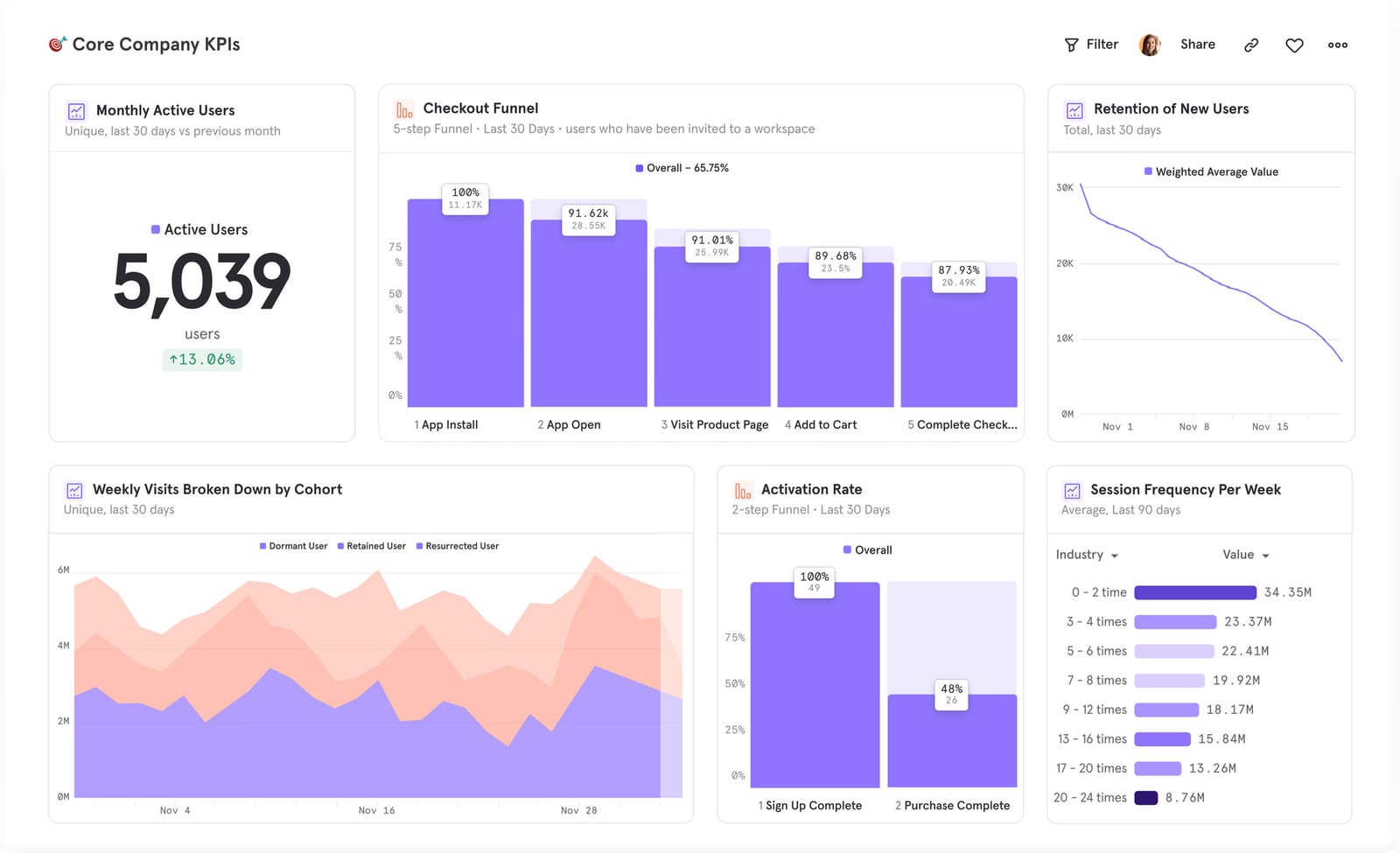
Mixpanel product interface.
Before diving deep, here is the high-level landscape:
- Data4 is a simple, globally accessible website analytics platform. It replaces Google Analytics with clear traffic reports, audience segmentation, and conversion tracking. Best for marketers and site owners who need actionable data without complexity.
- Contentsquare is an AI-powered experience intelligence platform. It captures every click, scroll, and hover, then surfaces insights through heatmaps, session replays, and journey analysis. Built for enterprise ecommerce, product, and UX teams.
- Mixpanel is a product analytics engine. It tracks events, funnels, and retention, giving product and growth teams the power to measure feature adoption and user behavior over time.
When Data4 Wins: Simple, Global Website Analytics
Data4 carves out a clear space for teams that find Google Analytics overwhelming. Its value sits in three areas where the other two platforms do not compete directly.
Ease of Use and Fast Setup
Data4 prioritizes a clean interface and quick onboarding. You add a tracking script and immediately see traffic sources, page views, and visitor geography. There is no need to define events, set up funnels, or configure complex dashboards before getting value. For a marketing manager who wants to check yesterday's campaign performance, Data4 delivers that in seconds.
Contentsquare and Mixpanel offer far more power, but that power demands setup. Mixpanel requires deliberate event tracking implementation. Contentsquare's full value often needs tag management and mapping. Data4 skips that entirely.
Global Reach and Multi-Language Support
Data4 explicitly serves an international audience with interfaces in Chinese, English, and Japanese, plus domain-specific localization. For businesses running sites across multiple regions and languages, this native multilingual support reduces friction. Neither Contentsquare nor Mixpanel emphasizes this level of global localization in their core analytics interface.
Straightforward Google Analytics Replacement
If your primary need is a privacy-conscious, simple traffic analytics tool that respects user data without endless configuration, Data4 fits. It handles the core GA4 use cases—traffic monitoring, campaign attribution, conversion tracking—without the steep learning curve. For small to mid-sized businesses, this simplicity saves time and training costs.
Contentsquare's Strengths: Complete Experience Intelligence
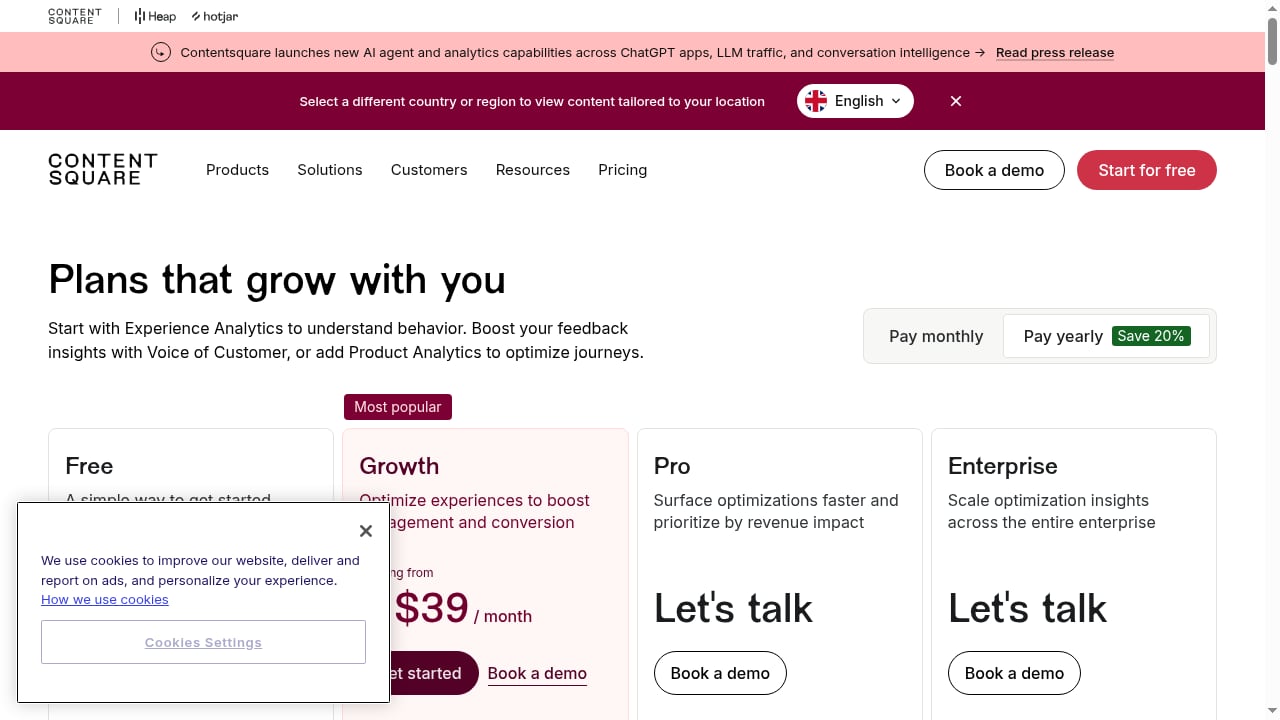
First viewport screenshot of Contentsquare Pricing: Pick the Plan That Suits Your Needs.
Contentsquare goes far beyond page views. It captures every user interaction and uses AI to tell you why conversions drop and where friction lives.
Auto-Capture and Visual Behavior Analysis
Contentsquare automatically captures all user actions—clicks, scrolls, hovers, rage clicks—without manual event tagging. Heatmaps and session replays let you watch real user sessions and see exactly where visitors struggle. This visual layer is something Data4 does not provide and Mixpanel only partially addresses with its newer session replay feature.
For a UX researcher trying to understand why a checkout page leaks users, Contentsquare shows the actual mouse movements and frustration signals. You see the problem, not just the metric.
AI-Powered Insights and Business Impact Quantification
Contentsquare's Sense AI analyst automatically surfaces anomalies, friction points, and optimization opportunities. More importantly, it quantifies business impact by connecting user behavior to revenue. You can estimate how much money a broken form field costs each month. Mixpanel measures conversion rates well, but linking those rates directly to dollar impact requires more manual work. Data4 tracks conversions but does not attempt this level of revenue attribution.
Journey Analysis Across Touchpoints
Contentsquare maps entire customer journeys across pages and sessions. You identify where users drop off between landing and purchase, then drill into why. Mixpanel offers funnel analysis, but Contentsquare's visual journey mapping and auto-capture make the analysis broader and less dependent on pre-planned events.
Mixpanel's Strengths: Deep Product and Retention Analytics
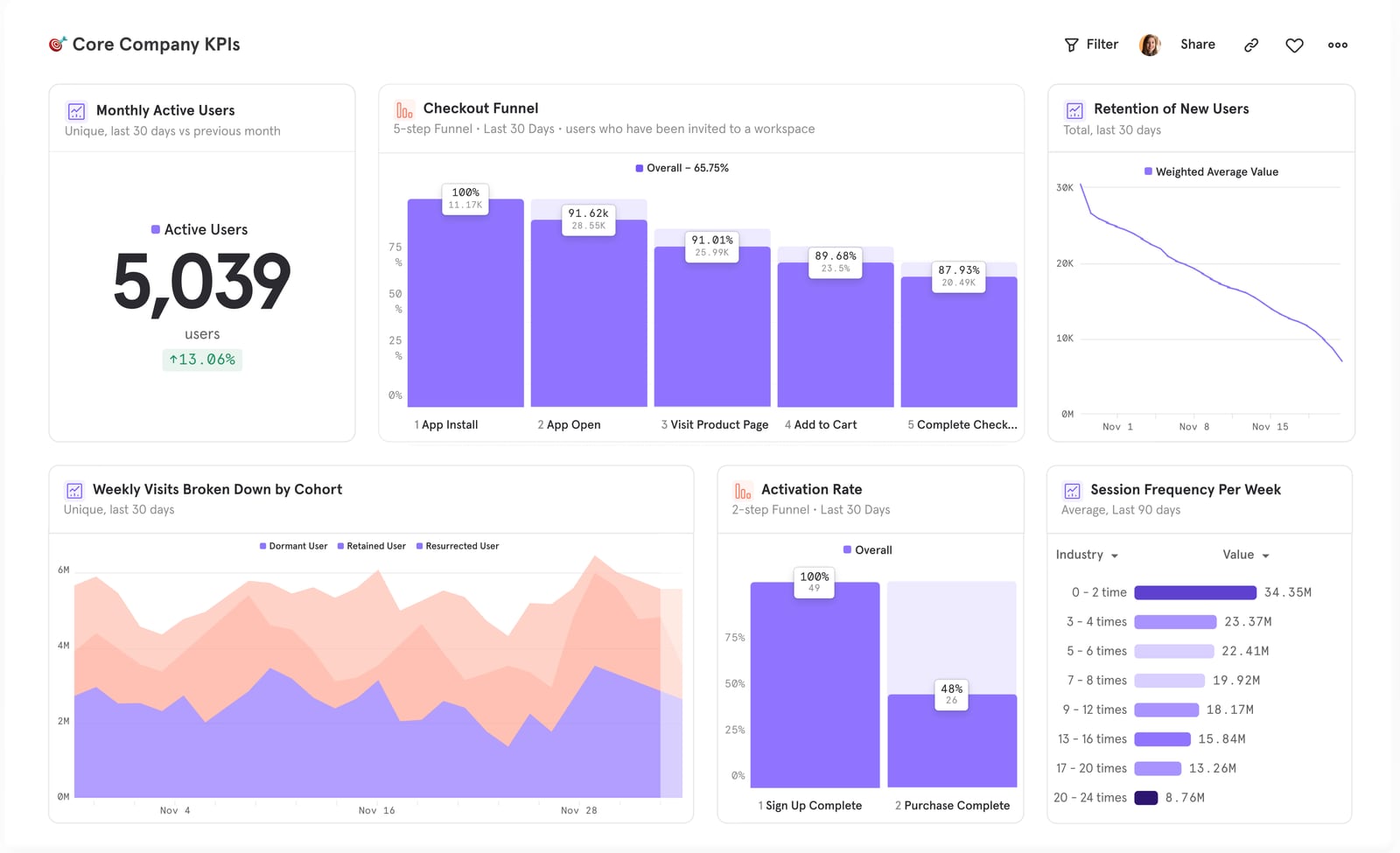
Mixpanel product interface.
Mixpanel is built for product teams that live in event data. Its core advantage is granular, self-serve behavioral analysis tied to user identity.
Event-Based Tracking and Funnel Precision
Mixpanel's event model lets you track any action users take—feature clicks, searches, shares, upgrades. You build funnels to see step-by-step conversion, then segment by user property to find patterns. This depth is essential for SaaS products measuring feature adoption or media apps tracking content engagement. Data4's traffic-level data cannot answer "How many users who signed up last week used the export feature twice?" Mixpanel can.
Retention Analysis and User Segmentation
Mixpanel's retention reports show how often users return and which behaviors predict long-term engagement. You can create cohorts based on any event or attribute, then compare their lifetime value. Contentsquare focuses more on session-level experience than long-term user retention. Data4 does not offer this capability at all.
A/B Testing and Feature Flags
Mixpanel includes built-in A/B testing and feature flags, letting product teams experiment and measure impact in one platform. You can roll out a feature to 10% of users, track how it changes conversion, and iterate. Contentsquare integrates with A/B testing tools but does not natively run experiments. Data4 is not designed for this use case.
Feature Comparison Table
| Capability | Data4 | Contentsquare | Mixpanel |
|---|---|---|---|
| Traffic & page analytics | Strong, simple | Strong, auto-captured | Light, event-focused |
| Heatmaps & session replay | Not available | Very strong | Available (newer) |
| Event tracking & funnels | Basic conversion tracking | Auto-captured interactions | Very strong, custom events |
| Retention & cohort analysis | Not available | Limited | Very strong |
| AI-driven insights | Basic reporting | Sense AI analyst | Proactive AI alerts |
| Revenue impact quantification | Not available | Strong | Moderate |
| A/B testing & feature flags | Not available | Via integrations | Built-in |
| Multi-language interface | Yes (CN, EN, JP) | Not emphasized | Not emphasized |
| Ease of setup | Very easy | Moderate | Moderate to complex |
How to Choose the Right Tool

First viewport screenshot of How ASICS Enhanced its Experimentation Program With Contentsquare.
Your decision hinges on who will use the tool and what questions they need to answer.
Choose Data4 if:
- You need a simple, fast Google Analytics alternative for website traffic.
- Your team lacks dedicated analysts and wants immediate, clear reports.
- You operate multilingual websites and value a localized interface.
- Your primary goals are monitoring traffic sources, page performance, and basic conversions.
Choose Contentsquare if:
- You run an enterprise ecommerce or high-traffic site and need to optimize user experience.
- You want visual tools like heatmaps and session replays to understand behavior.
- You need AI to surface insights and quantify revenue impact from UX issues.
- Your team spans UX, product, marketing, and analytics, all needing a shared view of the customer journey.
Choose Mixpanel if:
- You are a product, engineering, or growth team focused on feature adoption and retention.
- You need granular event tracking, funnel analysis, and cohort retention reports.
- You want built-in A/B testing and feature flags to experiment quickly.
- Your business model depends on understanding long-term user behavior, not just session-level traffic.
For many organizations, these tools can complement each other. A marketing team might use Data4 for daily traffic dashboards while the product team runs Mixpanel for feature analytics. An ecommerce brand could pair Contentsquare's experience insights with a simpler traffic tool. Evaluate your core use case first, then consider whether a second tool fills a genuine gap.
For more comparisons involving Data4 and other platforms, see our Data4 vs Plausible Analytics: Which Fits Your Site? or the broader Top 10 Website Analytics Platforms 2026: Expert Review. If product analytics is your focus, our Amplitude Review 2026: Strengths, Limits, and Who It’s For offers additional context.
Related reading
- HIPAA-Compliant Analytics Suite: How to Choose in 2026 - Compare HIPAA-compliant analytics suites from Piwik PRO to Freshpaint. Learn BAA essentials, PHI-safe tracking, and how platforms like Data4 fit into your privacy-first stack.
- Data4 vs Heap vs Clicky: Which Analytics Fits You? - Compare Data4, Heap, and Clicky on simplicity, autocapture, and real-time privacy. Find the best website analytics platform for your business needs.
Sources and further reading
- Choose Your Analytics Tool: Contentsquare vs Mixpanel - Compare Contentsquare with Mixpanel. See detailed feature comparisons, pricing, and why leading brands choose our experience intelligence platform.
- Contentsquare vs Mixpanel - 2026 Comparison - Contentsquare vs Mixpanel - See how these products stack up against each other with real user reviews, product feature comparisons and screenshots. Find out which one is best for your organization.
- Attention Required! | Cloudflare - This website is using a security service to protect itself from online attacks. The action you just performed triggered the security solution. There are several actions that could trigger this block including submitting a certain word or phrase, a SQL command or malformed data.
Frequently Asked Questions
Is Data4 a full replacement for Google Analytics 4?
Yes, for the core use cases of traffic monitoring, audience segmentation, and conversion tracking. Data4 emphasizes simplicity and global accessibility. It does not include the advanced event modeling or predictive metrics GA4 offers, but for most website owners, it covers essential reporting without the complexity.
Does Contentsquare require manual event tagging?
No. Contentsquare auto-captures all user interactions—clicks, scrolls, hovers—without manual setup. This is a key differentiator from Mixpanel, which relies on deliberate event tracking implementation to get granular data.
Can Mixpanel track website traffic like Data4?
Mixpanel can track page views as events, but it is not optimized for traditional website traffic analytics. It lacks the simple, out-of-the-box traffic reports, source/medium breakdowns, and geographic dashboards that Data4 provides. Mixpanel shines when you need to analyze specific user actions, not general page metrics.
Which tool is best for a small ecommerce site?
Start with Data4 if you need clear traffic and conversion data without a learning curve. As you grow and need to understand on-page behavior, session replays, and revenue impact from UX issues, Contentsquare becomes valuable. Mixpanel is typically overkill unless you have a complex product with feature-level analytics needs.
How do pricing models compare?
Data4 positions itself as an accessible Google Analytics alternative, typically with straightforward pricing. Mixpanel offers a generous free tier (up to 1M monthly events) and event-based pricing starting at $0.28 per 1K events. Contentsquare targets enterprise customers with custom pricing reflecting its comprehensive platform. Always check current vendor websites for up-to-date pricing.
Final Verdict
Data4, Contentsquare, and Mixpanel solve different problems. Data4 wins for simple, global website analytics that anyone can use. Contentsquare leads in experience intelligence, visualizing user behavior and quantifying business impact for enterprise teams. Mixpanel dominates product analytics, giving builders the event-level data and retention insights they need to improve features and grow engagement. Match the tool to your team's questions, not the feature list.