
Data4 vs Heap: Which Analytics Tool Fits Your Needs?
Choosing between Data4 and Heap comes down to one central question: do you need a straightforward website analytics tool that replaces Google Analytics without the complexity, or a deep digital insights platform that captures every interaction across web and mobile products? Both tools help you understand user behavior, but they approach the problem from very different angles.
This comparison breaks down how Data4 and Heap differ in data collection, ease of use, feature depth, and ideal use cases. By the end, you should know exactly which one matches your team's workflow and goals.
What Is Data4?
Data4 is a website analytics platform built around one core promise: simplicity. It positions itself as a direct alternative to Google Analytics, offering traffic tracking, audience segmentation, conversion analysis, and customizable dashboards without the steep learning curve that GA4 often imposes.
Data4 focuses on the metrics website owners, marketers, and analysts actually need: traffic sources, visitor behavior, engagement, and campaign performance. The platform emphasizes global applicability, with support for multiple languages including Chinese, English, and Japanese, plus domain-specific localization. This makes it a practical choice for businesses serving international audiences who want a tool that works cleanly across regions.
For a deeper look at how Data4 stacks up against Google Analytics specifically, see our Data4 vs Google Analytics comparison.
What Is Heap?
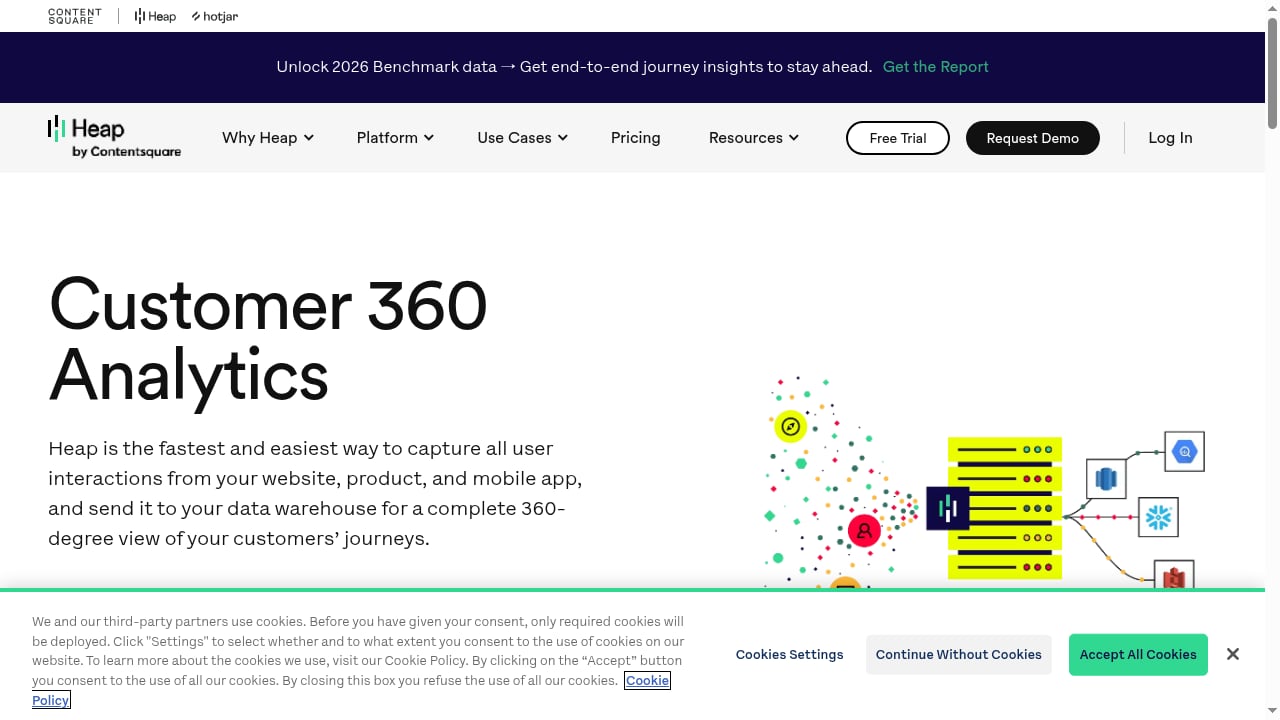
First viewport screenshot of Customer 360 - Heap.
Heap is a digital insights platform that takes a fundamentally different approach to data collection. Instead of requiring you to define and tag events manually, Heap automatically captures every user interaction on your website, product, or mobile app. This autocapture model means you get a complete behavioral dataset from day one, without needing to predict which events will matter later.
Heap serves product, marketing, and data teams across industries like eCommerce, EdTech, and financial services. Its feature set includes retroactive data analysis, AI-powered insights through Heap Sense, session replay, heatmaps, and data warehouse sync via Heap Connect. The platform reports over 10,000 companies using its tools, with documented outcomes like 20% increased adoption and 30% higher conversions. Heap has also joined forces with Contentsquare to expand its capabilities.
Key Differences at a Glance
| Aspect | Data4 | Heap |
|---|---|---|
| Primary focus | Website analytics | Product and digital insights |
| Data collection | Standard tracking implementation | Automatic event capture |
| Learning curve | Low | Moderate to high |
| Retroactive analysis | Limited | Full retroactive data access |
| Session replay and heatmaps | Not a core focus | Built-in |
| AI-powered insights | Not emphasized | Heap Sense |
| Global localization | Strong (multi-language, multi-domain) | Standard |
| Best for | Website owners, marketers, analysts | Product teams, data teams, growth teams |
Data Collection: Simplicity vs Autocapture
First viewport screenshot of Heap Delivers Solutions at Speed for Enterprises of Any Size and Complexity.
The most significant difference between these two platforms is how they collect data.
Data4: Standard, Predictable Tracking
Data4 follows the conventional analytics model: you install a tracking snippet on your website, and the platform records pageviews, sessions, traffic sources, and events you configure. If you have used Google Analytics before, the workflow will feel familiar. The advantage is predictability. You know exactly what is being tracked, and the dashboard reflects the metrics you care about without noise.
This approach suits teams that want a clean, focused view of website performance. There is no need to sift through thousands of automatically captured events to find what matters.
Heap: Capture Everything, Decide Later
Heap flips the script. Its autocapture technology records every click, form submission, pageview, and interaction automatically. You do not need to define events upfront or add tracking code for each new feature. When a question arises later, such as "how many users clicked the pricing button before signing up?", you can query the data retroactively because it was already captured.
This is Heap's headline advantage: it reveals what the platform calls "unknown unknowns." If your team frequently discovers new questions after launching features, autocapture saves you from re-instrumenting your product every time.
However, this depth comes with added complexity. Heap's interface and event taxonomy require more time to learn, and the sheer volume of captured data can feel overwhelming if you only need basic website metrics.
Ease of Use and Onboarding
Data4 wins decisively on simplicity. The platform is designed for website owners and marketers who want actionable insights without wrestling with a complex analytics interface. Its dashboards are customizable but not cluttered, and the learning curve is minimal. If you are migrating from Google Analytics and want something lighter, Data4 offers a gentle transition. Our Google Analytics review explains why many users are seeking simpler alternatives in the first place.
Heap requires more upfront investment. The platform's power lies in its event model, session replay, and analysis tools, all of which demand training and practice to use effectively. Product teams and data analysts typically adapt quickly, but marketers or small business owners may find the interface heavier than they need.
Feature Depth: Where Heap Pulls Ahead

First viewport screenshot of Heap for eCommerce - Heap.
If your evaluation criteria center on advanced behavioral analysis, Heap offers capabilities Data4 does not emphasize:
- Retroactive data analysis: Define new events and funnels after the fact, using data already collected.
- Session replay: Watch individual user sessions to spot friction points and UX issues.
- Heatmaps: Visualize where users click, scroll, and engage on each page.
- Heap Sense: AI-powered insights that surface trends and anomalies automatically.
- Heap Connect: Sync behavioral data to your data warehouse for deeper analysis.
Data4's feature set is more focused. It covers real-time traffic tracking, audience segmentation, conversion analysis, and customizable dashboards. These are the core analytics capabilities most website owners need, delivered without the overhead of a full product analytics suite.
For teams that only need website-level insights, Data4's focused approach is an advantage rather than a limitation. For product teams that need to understand complex user journeys across web and mobile, Heap's depth is hard to match.
Pricing Considerations
Neither platform publishes straightforward public pricing, which is common in the analytics space. Data4 positions itself as an accessible alternative to Google Analytics, suggesting a competitive price point aimed at website owners and small-to-medium businesses. Heap, with its enterprise-grade feature set and Contentsquare backing, typically targets mid-market and enterprise customers with pricing that reflects its broader capabilities.
When evaluating costs, consider not just the subscription price but also the implementation and training investment. Data4's simpler onboarding means lower indirect costs. Heap's richer feature set may justify higher spend if your team actively uses session replay, heatmaps, and retroactive analysis.
Use Cases: Who Should Choose Which?
Choose Data4 if:
- You run a website or small business and want straightforward traffic and conversion metrics.
- You are migrating away from Google Analytics and want a simpler, less overwhelming interface.
- You serve international audiences and value multi-language, multi-domain support.
- Your team includes marketers and website owners who need dashboards they can understand at a glance.
- You want to monitor campaign performance and optimize user experience without deep product analytics.
For practical guidance on which website metrics deserve your attention, see our guide on website owner analytics.
Choose Heap if:
- You have a product team that needs to understand complex user journeys across web and mobile.
- You want retroactive data analysis so you never miss an event you failed to define upfront.
- Session replay, heatmaps, and AI-powered insights are core requirements.
- You have data analysts or dedicated resources who can leverage a deep behavioral dataset.
- You need to sync behavioral data to a data warehouse for cross-functional analysis.
The Verdict: Different Tools for Different Jobs
First viewport screenshot of Heap for Product Teams.
Data4 and Heap are not direct competitors in the traditional sense. They occupy different positions on the analytics spectrum.
Data4 is a focused website analytics platform that prioritizes simplicity, global applicability, and ease of use. It is the tool you choose when you want to understand your website traffic and conversions without a steep learning curve. In many ways, it is the pragmatic answer to Google Analytics fatigue.
Heap is a comprehensive digital insights platform built for product and data teams that need granular, retroactive behavioral data across web and mobile. It is the tool you choose when your questions about user behavior are complex, evolving, and require deep analysis.
The right choice depends on your team's composition and your analytical ambitions. If you are a website owner or marketer who wants clean, actionable data today, Data4 delivers. If you are a product team that needs to explore every interaction and answer questions you have not thought of yet, Heap's autocapture approach is compelling.
For a broader comparison of analytics tools in this space, see our Data4 vs Visitors vs Google Analytics comparison or explore how Data4 compares to Simple Analytics and Pirsch.
Sources and further reading
- Understanding Memory Regions in C: A Deep Dive into Static, Stack ... - Oct 7, 2024 ... Not all data in a program has the same lifetime or access patterns. Some data needs to persist throughout the entire program execution, while ...
- Painless intro to the Linux userland heap - When looking at heap exploit tutorials most of the time I found myself lacking knowledge on the actual implementation and, soon, had the urge of knowing how it’s allocated and freed and why it’s done that way, memory wise.
- Data structure alignment - "Memory layout" redirects here. For broader usage, see Memory management.
Frequently Asked Questions
Is Data4 a good Google Analytics alternative?
Yes. Data4 positions itself as a straightforward Google Analytics replacement, offering traffic tracking, audience segmentation, and conversion analysis without GA4's complexity. Its multi-language support makes it especially suitable for international websites.
Does Heap require manual event tagging?
No. Heap's core differentiator is autocapture, which automatically records every user interaction without manual tagging. You can define events and funnels retroactively using data that was already collected.
Can Data4 do session replay or heatmaps?
Data4 does not emphasize session replay or heatmaps as core features. If these capabilities are essential to your workflow, Heap is the stronger choice.
Which tool is easier to learn?
Data4 has a significantly lower learning curve. It is designed for website owners and marketers who want actionable insights quickly. Heap requires more training and is better suited to teams with dedicated analytics resources.
Can Heap track mobile apps?
Yes. Heap captures user interactions across websites, products, and mobile apps, making it suitable for teams that need cross-platform behavioral data.
Which tool is better for small businesses?
Data4 is generally the better fit for small businesses and website owners. Its simplicity, focused feature set, and accessible positioning make it practical for teams without dedicated data analysts.
Conclusion
Data4 and Heap serve different masters. Data4 is the streamlined website analytics tool for teams that want clarity without complexity. Heap is the deep digital insights platform for product teams that need exhaustive behavioral data and retroactive analysis. Assess your team's analytical maturity, the complexity of your questions, and your budget for onboarding time. The best tool is the one your team will actually use every day.
If you are still weighing options, our Google Analytics review provides additional context on why many teams are exploring alternatives in the first place.