
Data4 vs Microsoft Clarity: Which Analytics Tool Fits You?
Choosing between Data4 and Microsoft Clarity comes down to one core question: do you need traditional website traffic analytics or visual user behavior analysis? These two tools solve different problems, yet many site owners compare them because both promise simpler insights than legacy platforms like Google Analytics. This guide breaks down what each tool actually does, where they overlap, and where one clearly outshines the other.
What Is Data4?
Data4 vs Microsoft Clarity: Which Analytics Tool Fits You? - What Is Data4?.
Data4 is a website analytics platform built as a straightforward, globally applicable alternative to Google Analytics. Its core promise is simplicity: real-time traffic tracking, audience segmentation, conversion analysis, and customizable dashboards without the learning curve that traditional analytics suites demand.
The platform serves website owners, marketers, and analysts who need to understand visitor behavior, traffic sources, and engagement metrics. Data4 positions itself as a reliable replacement for Google Analytics, with multi-language support including Chinese, English, and Japanese, plus domain-specific localization for international teams.
Key strengths of Data4 include:
- Traffic and source analysis: Understand where visitors come from and which channels drive results.
- Real-time tracking: Monitor live visitor activity as it happens.
- Conversion analysis: Track goals and measure campaign performance.
- Customizable dashboards: Build views that match your team's reporting needs.
- Global applicability: Multi-language and multi-domain support for international sites.
What Is Microsoft Clarity?
Data4 vs Microsoft Clarity: Which Analytics Tool Fits You? - What Is Microsoft Clarity?.
Microsoft Clarity is a free user behavior analytics tool focused on session recordings, heatmaps, and AI-powered insights. It helps site owners see how users interact with pages: where they click, how far they scroll, and where they get stuck. Clarity is used by over 2 million sites globally and offers GDPR and CCPA compliance.
Clarity's core features include:
- Session recordings: Watch anonymized replays of individual user visits.
- Heatmaps: Visualize click and scroll patterns across pages.
- AI-powered insights: Automatically surface unusual behavior and friction points.
- Free forever: No paid tier, no sampling limits on core data.
More recently, Clarity has expanded into AI visibility reporting, including citation dashboards, Topic Insights, and server-side bot activity tracking. These features target SEO practitioners, but they sit alongside rather than replace Clarity's core behavioral focus.
Data4 vs Microsoft Clarity: Feature Comparison
Data4 vs Microsoft Clarity: Which Analytics Tool Fits You? - Data4 vs Microsoft Clarity: Feature Comparison.
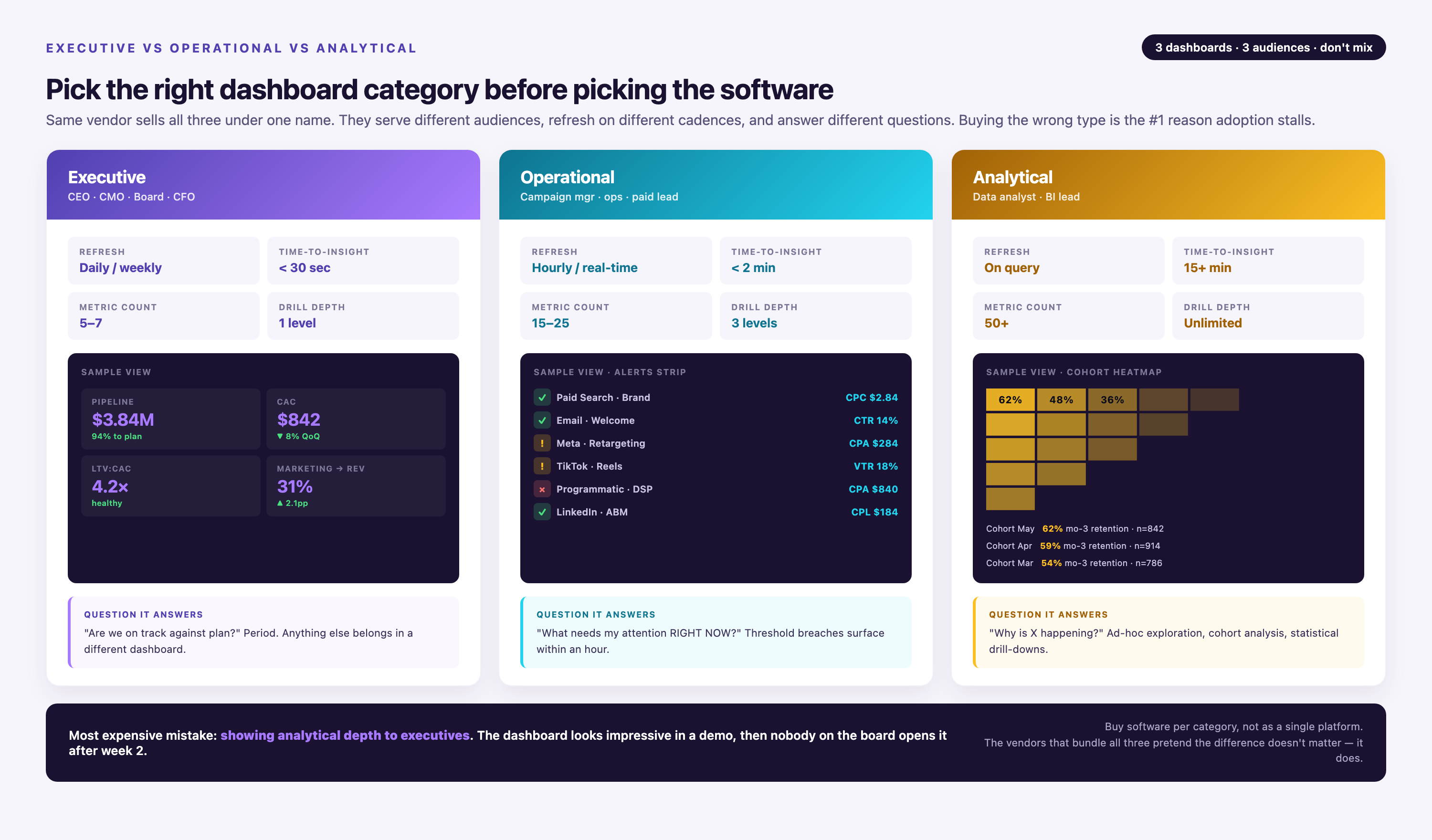
The most important distinction is that Data4 and Clarity answer different questions. Data4 tells you what is happening on your site. Clarity shows you how users behave once they arrive.
| Capability | Data4 | Microsoft Clarity |
|---|---|---|
| Traffic source analysis | Yes, core feature | Limited |
| Real-time visitor tracking | Yes | No |
| Conversion and goal tracking | Yes | Indirect, via behavior |
| Session recordings | No | Yes, core feature |
| Heatmaps and scroll maps | No | Yes, core feature |
| Audience segmentation | Yes | Basic, via filters |
| Customizable dashboards | Yes | Limited |
| Multi-language support | Yes (Chinese, English, Japanese) | English-focused interface |
| Pricing | Paid platform | Free forever |
| GDPR/CCPA compliance | Positioned as privacy-conscious | Yes |
Where Data4 Holds the Advantage
1. Traffic and acquisition analytics. Data4 is purpose-built for understanding where visitors come from, which campaigns perform, and how traffic trends change over time. Clarity does not offer meaningful traffic source analysis; it assumes you already know who arrives and focuses on what they do next.
2. Real-time monitoring. Data4's real-time tracking lets you watch live visitor activity, which is valuable for product launches, campaign rollouts, or diagnosing sudden traffic changes. Clarity processes recordings and heatmaps with some delay and is not designed for live monitoring.
3. Conversion and goal tracking. Data4 supports conversion analysis as a core workflow, helping you measure signups, purchases, or other goal completions against traffic sources. Clarity can show you where users drop off in a funnel, but it does not natively attribute conversions to acquisition channels.
4. Customizable reporting. Data4's dashboards can be tailored to specific reporting needs, making it easier to share relevant metrics with stakeholders. Clarity's dashboards are more fixed around behavioral views.
5. Global and multilingual teams. Data4's explicit support for Chinese, English, and Japanese interfaces and its domain-specific localization make it a stronger fit for international organizations. Clarity's interface and documentation are primarily English-centric.
Where Microsoft Clarity Holds the Advantage
1. Visual behavior analysis. Session recordings and heatmaps are Clarity's superpower. If you need to watch users struggle with a form, see where they click on a landing page, or identify rage clicks, Clarity delivers insights that traffic analytics alone cannot.
2. Cost. Clarity is free forever, which makes it an easy addition to any stack. Data4 is a paid platform, though its pricing is positioned competitively against enterprise analytics tools.
3. AI-powered friction detection. Clarity automatically flags sessions with excessive clicking, dead clicks, or rapid scrolling, saving you from manually reviewing hours of recordings.
4. GDPR and CCPA compliance out of the box. Clarity markets its compliance posture clearly, which matters for privacy-conscious teams. Data4 positions itself as privacy-conscious, but its compliance documentation is less prominent.
The Substitute's Weaknesses: Where Clarity Falls Short
Data4 vs Microsoft Clarity: Which Analytics Tool Fits You? - The Substitute's Weaknesses: Where Clarity Falls Short.
Microsoft Clarity is excellent at what it does, but it is not a complete website analytics solution. Understanding these limitations helps clarify when Data4 is the better primary tool.
No Real Traffic Source Attribution
Clarity does not tell you which marketing channel brought a visitor to your site. You cannot see whether a session came from organic search, paid ads, social media, or email. For campaign optimization and ROI measurement, you need a tool like Data4 that tracks acquisition sources.
Limited Conversion Tracking
While Clarity can show behavioral friction, it does not provide native goal conversion tracking tied to traffic sources. You can see where users drop off, but not which campaign drove the users who converted.
No Real-Time Monitoring
Clarity's value comes from post-hoc analysis of recorded sessions and aggregated heatmaps. If you need to monitor live traffic during a launch or diagnose a sudden drop in real time, Clarity is not the tool for that job.
English-Centric Interface
For international teams, Clarity's English-focused interface and documentation can create friction. Data4's multi-language support is a meaningful advantage for teams operating across Chinese, English, and Japanese markets.
AI Visibility Features Have Real Caveats
Clarity's newer AI visibility dashboards are impressive but come with documented limitations. According to SEO Handbook's analysis, the citation data is "a representative view of grounding and citation activity rather than a complete log," and share-of-authority figures "may lead to higher Share of authority values compared to broader calculations." Topic Insights runs simulations through Microsoft's own retrieval layer rather than measuring actual third-party AI platforms. Teams relying on Clarity for AI visibility measurement should treat these numbers as directional trends, not precise accounting.
When to Choose Data4
Choose Data4 as your primary analytics platform when:
- You need to understand traffic sources and campaign performance.
- You want real-time visitor monitoring.
- Your team requires conversion tracking and goal attribution.
- You operate a multilingual or international site.
- You are replacing Google Analytics and want a simpler, more focused alternative.
For a deeper look at how Data4 compares to other analytics tools, see our Data4 vs Statcounter vs Plausible comparison and Data4 vs Clicky guide.
When to Choose Microsoft Clarity
Choose Clarity when:
- You need session recordings and heatmaps to diagnose UX issues.
- You want a free behavioral layer to complement your existing analytics.
- Your primary goal is identifying user friction rather than measuring traffic.
- You are comfortable with English-only interfaces.
The Best Approach: Use Both Together
For many teams, the strongest setup is complementary rather than competitive. Data4 serves as the traffic analytics backbone, answering questions about acquisition, conversion, and campaign performance. Clarity adds a free behavioral layer that reveals how users interact with your pages once they arrive.
This combination mirrors the broader trend in analytics: no single tool covers every question well. Teams that treat analytics as a stack rather than a single purchase tend to make better decisions. If you are evaluating broader analytics options, our Data4 vs Google Analytics vs PostHog comparison explores how different tools fit together.
Privacy Considerations
Both tools operate in a privacy-conscious landscape. Clarity is explicit about GDPR and CCPA compliance, and its session recordings are designed to mask sensitive user input. Data4 positions itself as a privacy-friendly alternative to Google Analytics, though teams with strict compliance requirements should review its data processing documentation directly.
For practical guidance on meeting regulatory requirements, see our data privacy compliance checklist.
Related reading
- Pirsch Review: Privacy-Friendly Web Analytics Tested - In-depth Pirsch review covering setup, GDPR compliance, pricing signals, strengths, limitations, and who should choose this cookie-free analytics tool.
- How to Use Amplitude: A Practical Setup Guide - Learn how to use Amplitude step by step: set up projects, plan events, send data, build charts, and turn product analytics into decisions.
Sources and further reading
- Debunking the myth of plug-and-play MMM models - LinkedIn - There’s a common misconception about the open source marketing mix modeling (MMM) models that it’s a “plug-and-play” solution you can spin up overnight like a new GA4 dashboard.
The reality is:
They’re designed to give you a head start, but you still need deep knowledge and prior statistics experience to understand how they work.
MMM isn’t about simply generating a prettier dashboard or validating what you already believe.
It’s about building directional confidence to make strategic, high-stakes decisions across channels.
So why isn’t it plug-and-play?
- Data isn’t just clicks and conversions
MMM isn’t built on simple web metrics. Doing it right requires comprehensive data: spend, impressions, seasonality, promotions, brand equity, economic trends often across multiple years. Without this foundation, your outputs risk being directionally wrong rather than directionally helpful.
- You can’t fake statistical rigor
Building and interpreting MMM demands true statistical expertise: advanced regressions, handling multicollinearity, adjusting for lag effects, controlling for noise. This isn’t a task you can delegate to a quick template or a junior analyst without deep support.
- The illusion of precision can be dangerous
A poorly set up model can create false confidence, leading you to shift millions in budget based on flawed conclusions. The risk isn’t just wasted spend, it’s lost growth momentum that can take quarters (or longer) to recover.
——
A well-built model lets you simulate “what if” scenarios by predicting the impact of shifting spend between channels, increasing budgets, or launching new campaigns.
It’s in answering forward-looking questions like:
Where should we allocate the next $100K to drive the highest incremental return?
What happens to revenue if we scale back a channel or double down on another?
The value is in giving executives a decision-making framework to allocate millions in budget based on modeled outcomes, not gut feel or last-click reports.
Done right, MMM becomes the control tower for scenario planning, budget simulations, and high-stakes growth bets.
TAKEAWAY
You can’t shortcut your way to marketing clarity.
If you want to treat attribution and MMM as real growth levers (not just pretty reports), you need to invest not just in tools, but in expertise, patience, and the mindset to act on the insights.
- Ever struggle with he decision whether to use Excel or Power BI? - Ever struggle with he decision whether to use Excel or Power BI? Honestly, I think it matters less than some might think. Microsoft built them to work together, not compete, and there
Frequently Asked Questions
Is Microsoft Clarity a full replacement for Google Analytics?
No. Clarity focuses on user behavior (recordings, heatmaps, friction detection) and does not provide comprehensive traffic source attribution, conversion tracking, or real-time monitoring. It works best as a complement to a traffic analytics tool like Data4.
Does Data4 offer session recordings or heatmaps?
Based on available information, Data4 focuses on traffic analytics, audience segmentation, conversion analysis, and dashboards. It does not appear to offer session recordings or heatmaps, which are Clarity's core features.
Is Microsoft Clarity really free?
Yes. Clarity is free forever with no paid tier. Microsoft monetizes the broader ecosystem rather than charging for Clarity directly. However, some newer features like server-side Bot Activity may incur costs from your CDN provider for log access and data transfer.
Can I use Data4 and Clarity together?
Absolutely. Many teams run both: Data4 for traffic and conversion analytics, Clarity for behavioral insights. The two tools do not conflict and address complementary questions.
Which tool is better for e-commerce?
It depends on the question. Data4 is better for tracking traffic sources, campaign ROI, and conversion rates. Clarity is better for understanding why users abandon carts or struggle with checkout flows. Most e-commerce teams benefit from both.
Conclusion
Data4 and Microsoft Clarity are not direct competitors; they are complementary tools that address different layers of website analytics. Data4 excels at traffic acquisition, real-time monitoring, conversion tracking, and serving multilingual teams. Clarity excels at visual behavior analysis, session recordings, and friction detection at zero cost.
If you must choose one, choose based on your primary question: Where do my visitors come from and which campaigns convert? leads to Data4. What do visitors do on my pages and where do they struggle? leads to Clarity. For most teams, the smartest move is to run both and let each tool do what it does best.