
Fathom Analytics Review 2026: Privacy-First Analytics Tested
Fathom Analytics has carved out a distinct position in the web analytics market: a deliberately simple, privacy-first alternative to Google Analytics that refuses to collect personal data. Instead of trying to match GA4 feature-for-feature, Fathom focuses on answering the questions most website owners actually ask—how many people visited, where they came from, and which pages performed best—without cookies, consent banners, or data-sharing concerns.
This review examines what Fathom gets right, where it falls short, and who should actually pay for it based on real-world use cases, pricing signals, and feature analysis.
What Is Fathom Analytics?
A better Partners program.
Fathom Analytics is a cookie-free, privacy-focused web analytics platform launched in 2018 by Paul Jarvis and Jack Ellis. The product started from a simple premise: website analytics should not require harvesting visitor data to feed advertising networks.
The platform tracks essential website metrics—page views, unique visits, referrers, device types, countries, and custom events—using a lightweight script that loads in about 2 KB. Fathom does not use cookies, does not fingerprint visitors, and does not store personally identifiable information. This approach makes it GDPR-compliant by default in most configurations, eliminating the need for cookie consent banners tied to analytics.
Fathom positions itself as a sustainable, independent business rather than a venture-funded growth machine. The founders have publicly stated they charge a fair price and remain intentionally small, which informs both their product philosophy and their refusal to add features that would compromise privacy.
Who Is Fathom Analytics For?
First viewport screenshot of Database and speed improvements - Fathom Analytics.
Fathom is not trying to serve everyone. Understanding its ideal user profile is essential before evaluating the feature set.
Ideal Users
- Privacy-conscious founders and indie makers who want clean analytics without consent banners or legal overhead
- Content sites and personal blogs that need page-level performance data without GA4's complexity
- EU-focused businesses that want to minimize GDPR compliance burden
- Agencies managing multiple client sites who value unlimited domains and simple client reporting
- Teams that actually read their analytics weekly and prefer a dashboard that takes 30 seconds to scan
Less Ideal Users
- Growth marketers who need granular segmentation by referrer, device, or landing page dimensions
- Ecommerce teams requiring deep funnel analysis and revenue attribution across multiple touchpoints
- Teams heavily invested in Google Ads and Search Console who rely on GA4's native Google ecosystem integration
- Product analysts who need retroactive event analysis or user-level behavior paths
Fathom's own positioning acknowledges this divide. The company does not chase enterprise analytics buyers; it serves teams that value speed, clarity, and privacy over raw analytical depth.
Setup and Onboarding
Fathom's setup is genuinely fast. After creating an account, you add a single script tag to your website's header or use one of the official integrations for WordPress, Webflow, Shopify, Next.js, or other platforms.
The script is lightweight—roughly 2 KB—and loads asynchronously, so it has minimal impact on page speed. Unlike GA4, there is no need to configure data streams, set up consent mode, or verify domain ownership through a separate platform.
For developers, Fathom offers an API that enables custom integrations, including displaying page view counts on articles or pulling data into internal dashboards. The API has been upgraded over time with higher rate limits, making it more practical for production use.
One notable setup advantage: Fathom supports unlimited domains on a single account. Pricing is based on total monthly page views across all sites, not per-domain fees. This is a significant cost benefit for agencies or multi-project teams.
Core Features and Dashboard Experience
Saved Views.
Fathom's dashboard is intentionally minimal. The default view shows:
- Unique visits (roughly equivalent to sessions in GA4)
- Page views
- Average time on site
- Bounce rate
- Top pages with visit and view counts
- Top referrers including specific URLs
- Device type, browser, and country breakdowns
- Custom events and goals
Real-time data is available without the delays sometimes seen in GA4. You can view live visitor activity, which is useful during product launches or campaign pushes.
Event Tracking and Goals
Fathom supports unlimited goal creation triggered by link clicks, page loads, or form submissions. Custom events can be added with a small JavaScript snippet, allowing you to track signups, downloads, purchases, or any other conversion action.
Goal completions appear directly in the dashboard alongside traffic metrics, making it easy to see which pages and referrers drive conversions without building separate reports.
Bot Detection and Data Quality
Fathom includes bot detection to filter out automated traffic, aiming to show human-only data. The platform has also added advanced bot banning capabilities over time. This matters because inflated traffic numbers from bots can distort content decisions and conversion rates.
Saved Views and Reporting
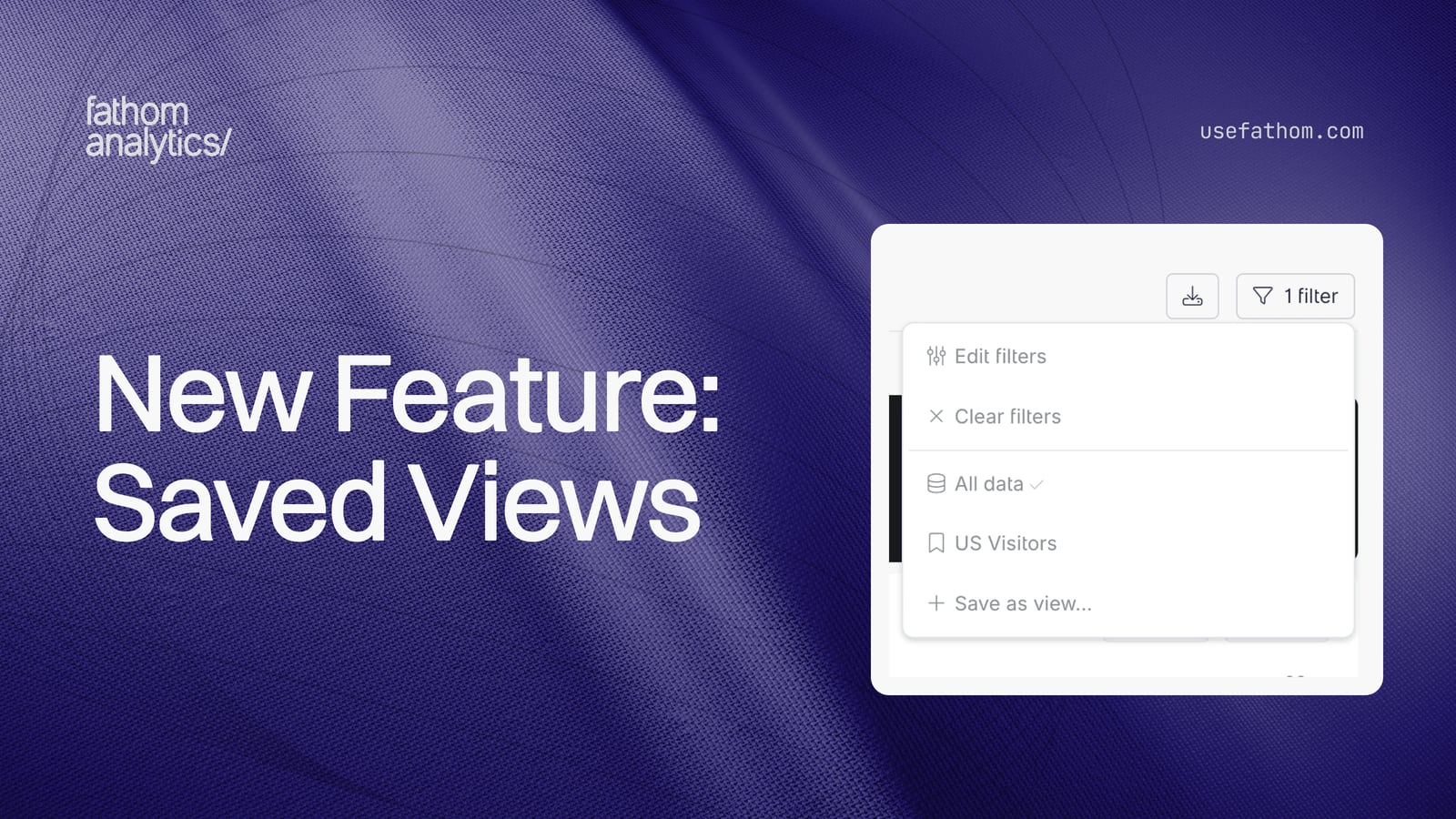
Recent updates added saved views, allowing you to create filtered dashboard views for specific sites, date ranges, or segments. Weekly and monthly email reports can be scheduled, and client-facing reports are available for agencies.
Pricing: What Does Fathom Cost?
Fathom uses straightforward tiered pricing based on monthly page views. Current pricing starts at $14 per month for up to 100,000 monthly page views, with higher tiers for larger traffic volumes. A 7-day free trial is available with no credit card required.
Key pricing signals:
- Unlimited domains on every plan
- No per-seat fees—team members can access the dashboard at no extra cost
- Predictable monthly cost without usage overage surprises
- Forever data retention included on all plans
Compared to GA4's free tier, Fathom is a paid product from day one. But the comparison is not purely financial. GA4's free tier comes with data retention limits, privacy configuration requirements, and the indirect cost of time spent navigating its interface. For many small teams, Fathom's $14–$30 monthly cost is justified by reduced setup time and faster daily reporting.
For context on how Fathom's pricing compares to other privacy-first options, see this Data4 vs Simple Analytics vs Google Analytics comparison and the Umami analytics review for another cookie-free alternative.
Strengths: What Fathom Does Well
1. Genuine Privacy by Design
Fathom does not use cookies, does not create user profiles, and does not share data with third parties. This is not a compliance mode bolted onto a tracking platform—it is the core architecture. For EU-based sites, this often removes the need for an analytics-related consent banner entirely.
2. Speed and Clarity
The dashboard loads quickly and answers common questions without drilling through nested menus. A founder checking "what happened this week" can get the answer in under a minute. This usability advantage compounds over time: teams that actually use their analytics make better decisions than teams that avoid an intimidating interface.
3. Forever Data Retention
Fathom retains your historical data indefinitely. GA4's default retention settings can limit data availability, which is a real problem for year-over-year trend analysis. For content and SEO teams tracking slow organic growth, long-term data access is a meaningful advantage.
4. Unlimited Domains
A single Fathom subscription covers all your websites. Agencies managing dozens of client sites pay based on aggregate page views, not per-domain fees. This pricing model is unusually generous compared to competitors that charge per site or per seat.
5. Transparent Company Culture
Fathom's founders have been explicit about their business model: charge a fair price, stay small, and remain profitable without venture capital pressure. This translates into product decisions that prioritize long-term sustainability over feature bloat or growth hacking.
Limitations: Where Fathom Falls Short
1. Limited Filtering and Segmentation
Fathom does not support filtering traffic by referrer, device type, browser, or country in the way GA4 does. You cannot, for example, see which pages a specific referring domain's visitors viewed, or compare bounce rates across device types. For marketers who rely on dimensional analysis to optimize campaigns, this is a significant gap.
2. No Page-Level Drill-Down
You cannot select a single page URL and see its referrers, device breakdown, country data, or goal completions. This limits your ability to answer questions like "which channels drove traffic to this specific blog post?" or "what is the bounce rate for my pricing page?"
3. No Landing Page Dimension
Fathom does not expose a landing page dimension equivalent to GA4's. You cannot analyze metrics by the first page of a visit, which is a standard technique for understanding which entry points perform best.
4. Lighter Audience Depth
Fathom intentionally collects less data about visitors. There are no demographic reports, no interest categories, and no cross-site behavior tracking. If your marketing strategy depends on audience insights beyond basic device and country data, Fathom will feel thin.
5. Limited Google Ecosystem Integration
GA4 integrates natively with Google Ads, Search Console, and BigQuery. Fathom does not offer this depth. Teams running Google Ads campaigns will need separate tracking and reporting workflows.
Fathom Analytics vs Google Analytics: Decision Criteria
First viewport screenshot of BIG database migration - Fathom Analytics.
The choice between Fathom and GA4 is not about which tool is "better"—it is about which trade-offs you accept.
| Criteria | Fathom Analytics | Google Analytics 4 |
|---|---|---|
| Privacy | Cookie-free, no personal data | Requires consent configuration |
| Setup time | Minutes | Hours to days |
| Dashboard clarity | High | Low for non-analysts |
| Segmentation depth | Basic | Extensive |
| Data retention | Forever | Limited by default |
| Google ecosystem integration | Minimal | Native |
| Pricing | $14+/month | Free tier, enterprise costs |
| Cookie consent banner | Usually not needed | Usually required |
Choose Fathom if: you value privacy, want fast daily reporting, and do not need granular segmentation or Google Ads integration.
Choose GA4 if: you need deep audience analysis, run complex Google Ads campaigns, or have a dedicated analytics team that can navigate the platform's complexity.
For teams evaluating other privacy-first options, this Data4 vs Pirsch comparison and Data4 vs Microsoft Clarity vs Plausible comparison provide additional decision frameworks.
Real-World Use Cases
Content Site Tracking
A content site with 50,000 monthly page views wants to know which articles drive traffic and which referrers send the most engaged readers. Fathom's top pages and referrer reports answer this in one screen. The forever data retention enables year-over-year comparisons that GA4's default retention settings complicate.
Agency Client Reporting
An agency managing 20 client websites uses Fathom on a single plan. Each client gets a saved view and scheduled email report. Setup takes minutes per site, and the agency avoids configuring GA4 properties, data streams, and consent settings for each client.
EU Ecommerce Store
A small ecommerce store selling to EU customers wants conversion tracking without cookie consent complexity. Fathom's goal tracking captures purchases via custom events, and the store avoids implementing a consent management platform solely for analytics compliance.
When Fathom Is Not Enough
A growth team running paid acquisition campaigns needs to segment landing page performance by ad campaign, device, and geography. Fathom's lack of dimensional filtering makes this analysis impossible. The team should use GA4 or a product analytics tool like Mixpanel or Heap instead.
Related reading
- Statcounter Real-Time Stats: How It Works and Alternatives - Learn how Statcounter real-time stats work, what the live visitor feed shows, and how tools like Data4 compare for live traffic monitoring.
Sources and further reading
- Fathom Analytics Reviews 2026: Details, Pricing, & Features | G2 - Users consistently praise Fathom Analytics for its ease of use and privacy focus, making it a reliable alternative to traditional analytics tools. The ...
- Fathom Analytics Review (From a Marketer) - The privacy-focused, Google hating, indie analytics company. Is it worth switching?
- Fathom Analytics: Is it the right choice for your website? - Explore the strengths and weaknesses of Fathom and Google Analytics, covering analytics power, data retention, ease of use, integration, pricing, and privacy.
Frequently Asked Questions
Is Fathom Analytics GDPR compliant?
Yes. Because Fathom does not use cookies, does not collect personal data, and does not create user profiles, it is designed to be GDPR-compliant by default in most configurations. Many sites using Fathom do not need an analytics-related cookie consent banner. However, you should always consult your own legal counsel for compliance decisions specific to your jurisdiction.
How much does Fathom Analytics cost?
Fathom starts at $14 per month for up to 100,000 monthly page views. Higher traffic tiers cost more. All plans include unlimited domains, unlimited team members, and forever data retention. A 7-day free trial is available.
Does Fathom Analytics slow down my website?
The Fathom script is approximately 2 KB and loads asynchronously, meaning it does not block page rendering. In practice, the performance impact is negligible for most sites.
Can Fathom Analytics replace Google Analytics?
For many small businesses, content sites, and privacy-focused teams, yes. Fathom covers the core metrics most people actually use: traffic, referrers, top pages, device types, and conversions. However, teams that need granular segmentation, Google Ads integration, or advanced audience insights will find Fathom insufficient as a full GA4 replacement.
Does Fathom offer an API?
Yes. Fathom provides an API for pulling analytics data into custom dashboards, displaying page view counts, or building internal reporting tools. API rate limits have been increased over time to support production use.
Does Fathom track individual users?
No. Fathom explicitly does not track individual users or create user profiles. It aggregates traffic data without cookies or fingerprinting. This is a core design principle, not a configuration option.
Final Verdict: Is Fathom Analytics Worth It?
Fathom Analytics is worth paying for if you value privacy, speed, and clarity over analytical depth. The product delivers exactly what it promises: essential website analytics without cookies, consent banners, or data-sharing concerns. The dashboard is genuinely pleasant to use, setup takes minutes, and the forever data retention is a meaningful advantage for long-term trend analysis.
The limitations are real, though. The lack of dimensional filtering, page-level drill-down, and landing page analysis will frustrate marketers who are accustomed to GA4's flexibility. Fathom is not a drop-in replacement for teams that rely on granular segmentation or Google ecosystem integration.
Ultimately, Fathom's value proposition is philosophical as much as functional. You are paying for a tool that respects your visitors' privacy and your own time. If that aligns with your values and your reporting needs are straightforward, Fathom is one of the best privacy-first analytics platforms available. If you need deeper analysis, consider pairing Fathom with a product analytics tool or evaluating alternatives that offer more analytical power while maintaining privacy-first principles.
For teams comparing privacy-focused options, the Umami review and Data4 vs Simple Analytics comparison provide useful context for evaluating the broader landscape of cookie-free analytics tools.