
Monitor Realtime Visitor Activity: Tools, Metrics & Setup
Realtime visitor activity monitoring shows you what is happening on your website right now: who is on which page, where they came from, what device they use, and what they do next. Unlike daily or monthly reports, a live feed turns traffic numbers into visible journeys you can act on while the visit is still in progress.
This guide explains what realtime monitoring actually includes, which metrics are worth watching, how to set it up, and how tools such as Data4, Plausible, and Statcounter approach live tracking differently.
What Realtime Visitor Activity Monitoring Means
Monitor Realtime Visitor Activity: Tools, Metrics & Setup - What Realtime Visitor Activity Monitoring Means.
Realtime visitor activity is the collection and display of website behavior within seconds or minutes of it happening. Instead of waiting for a scheduled report, you watch current visitors move through your site and see context attached to each visit.
A useful realtime view answers three questions immediately:
- How many people are on the site right now?
- Where did they come from? (search, ads, newsletter, social, direct)
- What are they viewing or doing? (pages, goals, conversions, exits)
This is different from aggregate analytics, which summarizes traffic over a period. Aggregate reports are better for trends and cohort analysis. Realtime monitoring is better for launches, campaigns, support, and troubleshooting.
Core Metrics in a Live Visitor Feed
Monitor Realtime Visitor Activity: Tools, Metrics & Setup - Core Metrics in a Live Visitor Feed.
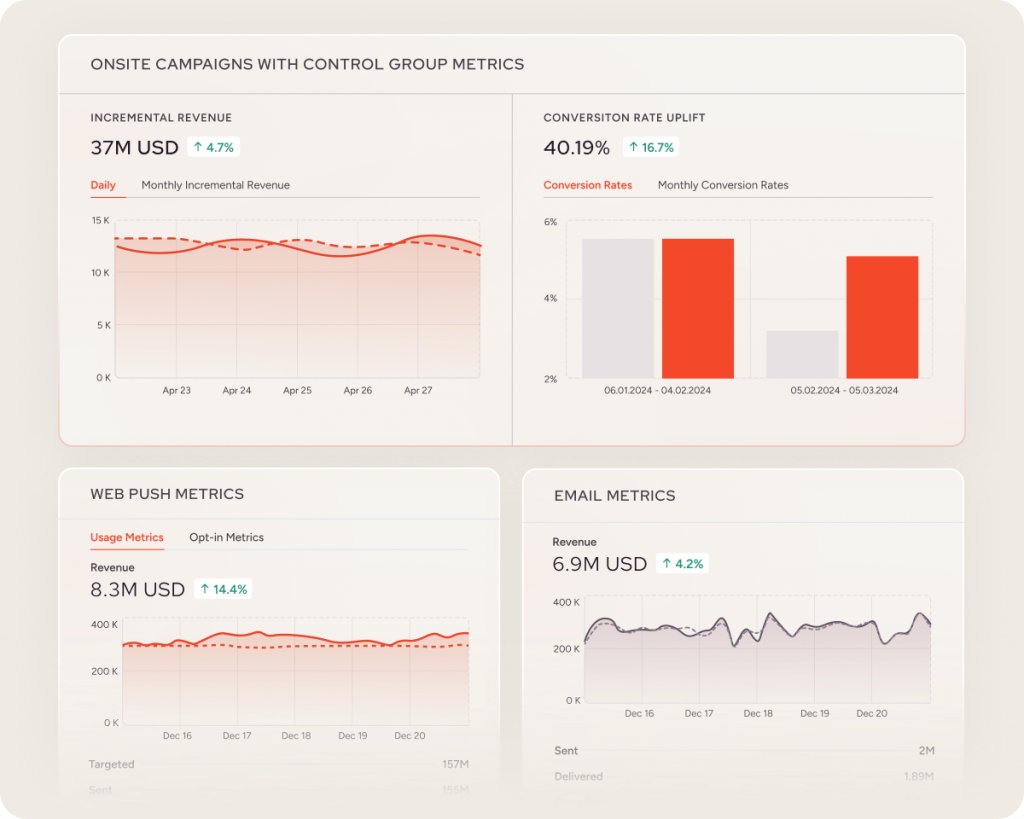
Not every live dashboard shows the same data. Here are the metrics that matter most when you monitor realtime visitor activity.
Active visitor count and current page
The most basic signal: how many visitors are active now, and which page each one is viewing. This is useful for verifying that tracking works and for spotting sudden spikes.
Entry page and navigation path
Seeing the sequence of pages in a visit helps you identify effective routes, confusing loops, and drop-off points. A visitor who lands on a pricing page, moves to a feature page, then leaves tells a different story than one who bounces immediately.
Traffic source and campaign context
Live referrers, UTM parameters, and campaign tags connect the click to the behavior that followed. This is essential during paid campaigns or newsletter sends, when you need to confirm that traffic is arriving from the expected source.
Device, browser, and approximate location
Device and location context helps you understand whether a live spike is coming from mobile users in one region or desktop users in another. It also helps you spot bot traffic that looks suspiciously uniform.
Returning visitor context
Recognizing repeat visits adds depth to a live feed. A returning visitor viewing a product page again may be closer to conversion than a first-time visitor.
Goals and conversions in real time
If your analytics tool supports goals, watch them live. Seeing a signup or purchase complete in the realtime view confirms that your funnel works end to end.
When Realtime Monitoring Is Most Useful
Monitor Realtime Visitor Activity: Tools, Metrics & Setup - When Realtime Monitoring Is Most Useful.
Live visitor data is valuable when someone on your team can act on it. Common scenarios include:
- Launching a blog post or product page: Watch visits arrive as soon as you publish and confirm that the page loads and tracks correctly.
- Monitoring a campaign: Filter the live view by UTM campaign or source to isolate that traffic and check conversions.
- Watching a traffic spike: When current visitors jump, filter by source or page to find the link, post, or search result behind it.
- Verifying tracking setup: Visit your own site in a separate browser and confirm the pageview appears in the live feed.
- Supporting customers: See the page and path behind a question so the conversation starts with context.
- Spotting unexpected referrers: A live view can surface a page that suddenly became popular or a referrer you did not know about.
For a broader look at how live analytics fits into a full measurement stack, see Data Warehouse Sync: How It Works, Use Cases & Limits.
How to Set Up Realtime Visitor Monitoring
Monitor Realtime Visitor Activity: Tools, Metrics & Setup - How to Set Up Realtime Visitor Monitoring.
Most analytics platforms follow a similar setup pattern. The exact steps vary, but the logic is consistent.
1. Choose a tool with a realtime view
Some platforms treat realtime as a separate report; others apply a live period to the same dashboard you already use. The second approach reduces context switching when speed matters.
2. Install the tracking script or integration
This is usually a JavaScript tag placed in your site's header, or a plugin/integration for platforms like WordPress, Shopify, or Google Tag Manager. Keep the script lightweight so it does not slow down the page you are trying to measure.
3. Verify the visit
Open your website in a separate browser window and check the live dashboard. A visible test visit confirms the tag is loading and sending data. If nothing appears, check for browser extensions, ad blockers, or excluded traffic rules.
4. Define what you will watch
Decide which pages, campaigns, goals, and segments your team will review. A live feed without a workflow becomes noise.
5. Connect signals to actions
Each live signal should map to a concrete response: help a prospect, investigate a broken path, confirm a campaign visit, or react when traffic changes.
How Data4, Plausible, and Statcounter Approach Realtime Tracking
Different tools emphasize different parts of realtime monitoring. Here is a practical comparison.
| Capability | Data4 | Plausible | Statcounter |
|---|---|---|---|
| Positioning | Simple, globally applicable Google Analytics alternative | Privacy-friendly, one-page realtime dashboard | Free invisible tracker with a live visitor feed |
| Realtime focus | Real-time traffic tracking with audience segmentation and conversion analysis | Realtime period applied to the same dashboard, refreshing every 30 seconds | Live feed of visitors with location, device, navigation path, and visit history |
| Privacy model | Varies by configuration | No cookies, no personal data, no individual profiles | Varies by configuration |
| Bot filtering | Depends on setup | Built-in multi-layered filtering | Depends on setup |
| Best for | Teams wanting straightforward analytics with actionable insights | Teams wanting simple, privacy-friendly live reporting | Site owners wanting a free, configurable hit counter and live stats |
Data4 is designed for website owners, marketers, and analysts who need to understand visitor behavior, traffic sources, and engagement without the complexity of traditional analytics tools. Its real-time traffic tracking, audience segmentation, and customizable dashboards make it a practical option for teams that want live visibility alongside longer-range reporting.
If you are comparing tools in more depth, see Data4 vs Pirsch vs Fathom Analytics: 2026 Comparison and Data4 vs Statcounter vs KISSmetrics: 2026 Analytics Comparison.
Realtime vs Aggregate Analytics: When to Use Each
Realtime and aggregate analytics answer different questions. Use both, but know which one fits the moment.
| Question | Realtime view | Aggregate report |
|---|---|---|
| Who is on the site now? | Yes | No |
| What did one visit do? | Yes | Requires configuration |
| What is the monthly trend? | No | Yes |
| Which campaign converts best over time? | Partial | Yes |
| Is tracking working right now? | Yes | Slow to confirm |
A common mistake is using realtime numbers to judge trends. Live data is a snapshot; it is not a representative sample. Use longer date ranges when you need to compare periods or make decisions based on statistical significance.
For more on choosing the right tool for your team, see Heap Alternative: How to Choose the Right Analytics Tool.
Common Pitfalls When Monitoring Live Traffic
- Ignoring bot traffic: Live counts can be inflated by crawlers and spam. Look for built-in bot filtering or configure exclusions.
- Reacting to noise: A single visitor doing something unusual is not a pattern. Watch for repeated behavior before changing your site.
- Forgetting privacy: Realtime does not mean you should identify individuals. Follow your privacy policy and consent setup.
- Watching without acting: A live feed is only useful if someone on your team can respond to it.
- Overloading the page: A heavy tracking script can slow down the site you are measuring. Prefer lightweight tags.
Sources and further reading
- Real-Time Visitor Tracking & Website Analytics | Hitsteps - Watch website visitors live, follow page-by-page journeys, compare traffic sources, and use heatmaps, visitor profiles, and chat. Start free with Hitsteps.
Frequently Asked Questions
What is realtime visitor activity monitoring?
It is the collection and display of website activity as it happens, organized around each visit rather than only aggregated into charts. It typically includes current page, entry page, session duration, traffic source, device, and approximate location.
Can realtime analytics tell me who an anonymous visitor is?
No. Realtime tools show visit-level context, not identity. A profile can be associated with a known customer only when your website legitimately supplies an identifier after a form, login, or purchase.
How is live visitor tracking different from Google Analytics realtime?
GA4 uses a dedicated, card-based Realtime report with documented processing and attribution limits. Some alternatives apply a realtime period to the same one-page dashboard, keeping sources, pages, locations, devices, and conversions together and filterable. For a deeper comparison, see Data4 vs Matomo vs Contentsquare: Which Analytics Tool?.
How often should a realtime dashboard refresh?
Many tools refresh every 30 seconds without a manual reload. Faster refresh rates are not always better; they can add load and create the illusion of precision.
Do I need realtime analytics if I already have aggregate reports?
They serve different purposes. Aggregate reports show trends and long-range measurement. Realtime monitoring shows current visitor visibility, journey investigation, support context, and fast website decisions.
Can I monitor realtime visitors without cookies?
Yes. Some platforms, such as Plausible, do not use cookies or build individual visitor profiles. Others, including Data4, vary by configuration. Check your tool's privacy model against your compliance requirements.
What should I watch first in a live feed?
Start with current visitor count, top pages, and top sources. Then add goals and conversions if your tool supports them. This gives you the fastest read on whether traffic is arriving and what it is doing.
Conclusion
Monitoring realtime visitor activity turns a traffic number into a visible journey. It helps you verify tracking, watch launches, investigate spikes, support customers, and act while the visit is still happening.
The key is to use realtime data for what it is good at: current context and fast decisions. Pair it with aggregate reporting for trends, and choose a tool whose realtime view matches how your team actually works. Whether you pick Data4, Plausible, Statcounter, or another platform, the goal is the same: see what is happening now, and know what to do about it.
For official documentation on realtime reporting limits, see Google Analytics realtime documentation and Plausible's realtime analytics page. For a free, configurable live tracker, see Statcounter.