
Real-Time Blog Traffic Monitoring: Tools, Metrics, and Setup
A blog post can go viral, get picked up by a newsletter, or crash under a sudden traffic surge — and standard daily reports will not tell you until it is too late. Real-time blog traffic monitoring closes that gap by showing who is on your site right now, which pages they are reading, and where they came from.
This guide explains what real-time monitoring actually measures, how it differs from historical reporting, which tools fit different needs, and how to set up a live view that helps you act instead of just watch.
What Real-Time Blog Traffic Monitoring Actually Means

Real-Time Blog Traffic Monitoring: Tools, Metrics & Setup - What Real-Time Blog Traffic Monitoring Actually Means.
Real-time monitoring means your analytics platform processes visitor activity within seconds of it happening, rather than in hourly or daily batches. When someone lands on a post, scrolls, clicks a link, or leaves, the dashboard updates almost immediately.
That speed matters for three situations in particular:
- Launch moments. You publish a post, send a newsletter, or run a paid campaign. You need to know within minutes whether traffic is arriving and whether the landing page is holding attention.
- Spikes and anomalies. A sudden jump in visitors can mean a mention on a large site, a social post taking off, or bot traffic. Real-time data lets you tell the difference while the event is still happening.
- Breakages. If traffic drops to zero on a normally busy blog, something is wrong — a broken redirect, an expired certificate, or a tracking script that stopped firing.
Historical reports answer "how did last month go?" Real-time monitoring answers "what is happening right now, and should I do something about it?"
The Metrics Worth Watching Live

Real-Time Blog Traffic Monitoring: Tools, Metrics & Setup - The Metrics Worth Watching Live.
Not every metric needs a live view. These are the ones that change decisions in the moment.
Active visitors and pageviews per minute
The core real-time metric is the number of people currently on your site, usually defined as visitors active in the last 5 minutes. Pair it with pageviews per minute to see whether a spike is broad (many people, many pages) or narrow (one page getting hammered).
Top live pages
When a post takes off, you want to know which one. A live top-pages list shows your current most-read URLs, which is useful for pinning a related post, adding an email signup, or checking that the page loads quickly under load.
Live traffic sources and referrers
Real-time referrer data tells you whether visitors are arriving from search, social, a newsletter, or a specific forum thread. This is the fastest way to confirm that a campaign link is working — or that a mention you did not plan for is driving traffic.
Engagement signals in the moment
Scroll depth, time on page, and outbound clicks show whether live visitors are actually reading. A traffic spike with near-zero engagement is often a sign of low-quality or automated traffic, not a win.
Conversions and key events
If your blog has a newsletter form, a lead magnet, or affiliate links, watch those events live during a spike. A surge in visitors with no signups usually means the offer or placement needs attention.
Real-Time vs. Historical Analytics: When to Use Each
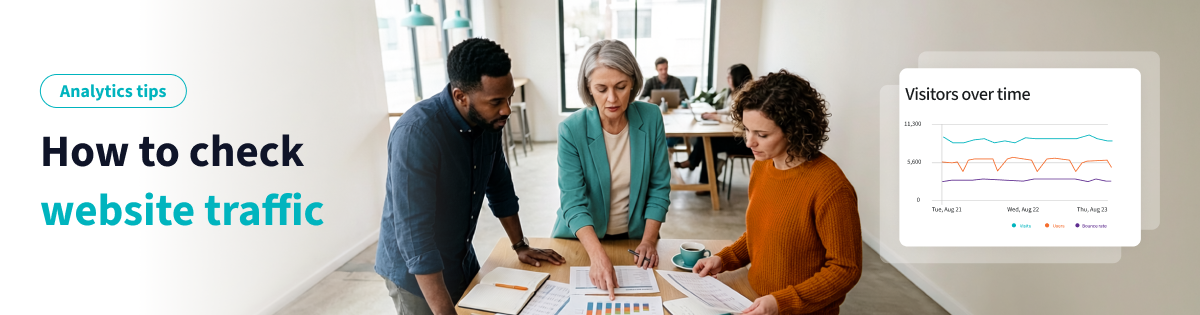
Real-Time Blog Traffic Monitoring: Tools, Metrics & Setup - Real-Time vs. Historical Analytics: When to Use Each.
Real-time and historical analytics are not competitors; they answer different questions.
| Question | Best view |
|---|---|
| Is my new post getting traffic right now? | Real-time |
| Which channel drove the most traffic this quarter? | Historical |
| Did the site go down or lose tracking? | Real-time |
| Which content themes perform best over time? | Historical |
| Should I promote this post while it is hot? | Real-time |
| What should I write next month? | Historical |
A practical workflow is to use real-time data for reaction and historical data for strategy. If you are comparing how different platforms handle both views, the breakdown in Data4 vs Pirsch vs Google Analytics covers setup, privacy, and reporting depth side by side.
Choosing a Real-Time Monitoring Tool for a Blog

Real-Time Blog Traffic Monitoring: Tools, Metrics & Setup - Choosing a Real-Time Monitoring Tool for a Blog.
The right tool depends on how much complexity you want to manage and what you need to do with the data.
Free and general-purpose options
Google Analytics 4 includes a real-time report that shows active users and recent events. It is capable, but the interface and event model have a learning curve, and many bloggers find the real-time view limited for day-to-day reading. Google Search Console is a useful companion for query-level performance, though it is not a live tool. You can read more about how it fits into a broader measurement stack in this overview of blog performance monitoring tools.
Simple, focused analytics platforms
If you want a live dashboard you can read at a glance without configuring events, a simpler platform is often the better fit. Data4 is a website analytics platform built as a straightforward alternative to Google Analytics, with real-time traffic tracking, audience segmentation, and customizable dashboards. For a blog, that means opening one screen and seeing current visitors, top live pages, and traffic sources without digging through menus.
Data4 also supports multiple domains and languages, which matters if you run more than one blog or publish in more than one market. If you need live numbers inside your own tools rather than a browser tab, the Data4 API for real-time data access explains how to pull analytics into your own dashboards and reports.
Competitor and market research tools
Tools like Semrush and SE Ranking estimate traffic for any domain, which is useful for benchmarking your blog against others in your niche. Their website traffic checker and traffic estimation tools are built for market research rather than monitoring your own site in real time, so treat them as a complement, not a replacement.
Quick decision guide
- You want the simplest possible live view: a focused analytics platform such as Data4.
- You need deep event modeling and free is non-negotiable: GA4, accepting the setup time.
- You want to benchmark competitors: Semrush or SE Ranking alongside your own analytics.
- You need live data in your own systems: an analytics API, such as the Data4 API.
How to Set Up Real-Time Monitoring on Your Blog
A working setup takes less than an hour and pays off the first time something unusual happens.
- Install one tracking script. Avoid running two full analytics platforms on the same pages unless you have a clear reason; duplicate scripts slow the page and create conflicting numbers.
- Define your key events. At minimum, track newsletter signups, outbound link clicks, and any download or form submission. These are the actions you will want to watch during a spike.
- Build a live dashboard. Keep it to one screen: active visitors, top pages, top sources, and key events. Anything more becomes noise during a busy moment.
- Set threshold alerts. Configure notifications for unusual patterns — traffic above or below a normal range, or zero visitors during hours you normally get traffic.
- Check the live view after every publish. A two-minute check confirms the post is reachable, tracked, and attracting early readers.
If your blog runs paid campaigns, connect the live view to your campaign tracking so you can separate paid from organic arrivals instantly. The marketers campaign tracking guide walks through UTM parameters and dashboard setup for that workflow.
Practical Examples: What Real-Time Data Looks Like in Action
A post gets shared in a large community. Active visitors jump from 20 to 400 in minutes. The live top-pages view shows one URL. You check engagement: average time on page is healthy, so you add a related-posts link and a newsletter call-to-action while the traffic is still arriving.
A spike with no engagement. Active visitors rise sharply, but time on page is near zero and all traffic comes from one referrer with an unusual pattern. This is likely bot traffic. You note it so it does not distort your monthly reporting.
A silent outage. Active visitors drop to zero at 10 a.m. on a weekday, which never happens. You check the site and find a broken redirect. Real-time monitoring caught it in minutes instead of at the end of the day.
A campaign that is not working. You launch a paid campaign and the live source breakdown shows almost no arrivals from the campaign tag. You fix the UTM parameters before spending the rest of the budget.
Common Mistakes to Avoid
- Staring at the dashboard. Real-time data is for decisions, not entertainment. Check it around events, not constantly.
- Judging content by live numbers. A post can start slowly and grow for months. Use historical data for content evaluation.
- Ignoring privacy and consent. If you collect analytics data from visitors in regulated regions, your tracking setup should align with your consent approach. This guide to choosing a consent management platform covers how analytics and consent fit together.
- Skipping alerts. Nobody watches a dashboard 24/7. Alerts are what make monitoring reliable.
Related reading
- Data4 vs Heap vs Mixpanel: Which Analytics Tool Fits? - Compare Data4, Heap, and Mixpanel on setup, tracking depth, reporting, and pricing to choose the right analytics tool for your website or product team.
- Data4 vs Umami vs KISSmetrics: Which Analytics Tool Fits? - Compare Data4, Umami, and KISSmetrics on privacy, ease of use, reporting depth, and pricing to choose the right website analytics tool.
Frequently Asked Questions
What is real-time blog traffic monitoring?
It is the practice of tracking visitor activity on your blog as it happens, typically with a delay of a few seconds. It shows active visitors, live pageviews, current top pages, and traffic sources in the moment.
How is real-time data different from regular analytics reports?
Regular reports aggregate data over hours, days, or months and are best for trends and strategy. Real-time data is a live snapshot used for immediate reactions: confirming a launch worked, spotting a spike, or detecting an outage.
Do I need a paid tool for real-time monitoring?
Not necessarily. Google Analytics 4 offers a free real-time report. Paid or dedicated platforms such as Data4 are often chosen for simpler interfaces, cleaner live dashboards, and easier setup for non-specialists.
How quickly should real-time analytics update?
Most platforms update within seconds to a minute. If your dashboard lags by more than a few minutes, it is closer to near-real-time and may be too slow for launch monitoring.
Can real-time monitoring detect bot traffic?
It can help you spot it. Bots often appear as sudden visitor spikes with very low engagement, short session times, and unusual referrers. Real-time views make these patterns visible while they are happening.
What should I track live on a blog?
Keep it minimal: active visitors, top live pages, traffic sources, and your most important conversion event, such as a newsletter signup. Everything else is better suited to historical reports.
Conclusion
Real-time blog traffic monitoring is less about watching numbers and more about catching moments: a post taking off, a campaign failing, a site going down. Set up one tracking script, define the few events that matter, build a single-screen live dashboard, and add alerts so you do not have to watch it yourself.
If you want a live view you can read at a glance, Data4 offers real-time traffic tracking, audience segmentation, and customizable dashboards as a simpler alternative to Google Analytics — and its API lets you push that live data into the tools you already use.