
Data Warehouse Sync: How It Works, Use Cases, and Limits
Data warehouse sync moves a full copy of your product data into a warehouse or BI tool so you can query it your own way. It is powerful, but it is not live analytics — and most teams learn that the hard way after a launch-day dashboard shows yesterday's numbers.
This guide explains how warehouse sync works, the two directions data can flow, the limitations you should plan around, and when a lightweight analytics tool is the better fit.
What data warehouse sync actually does
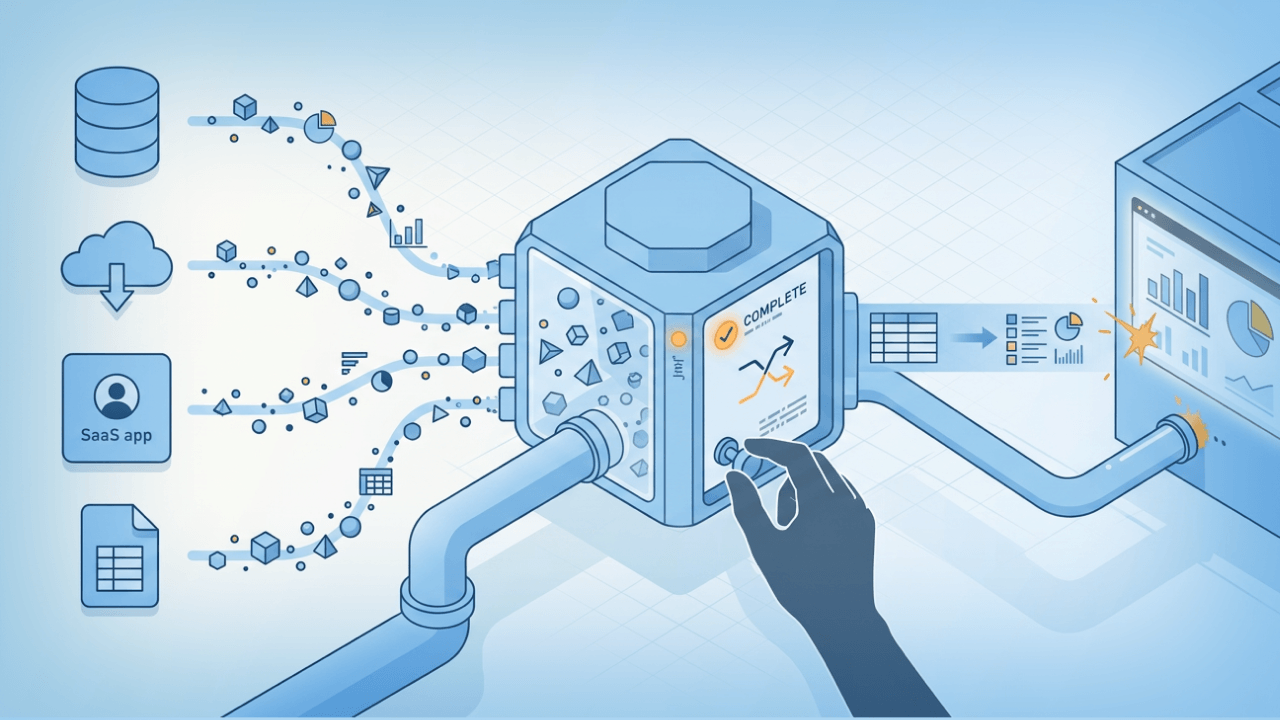
Data Warehouse Sync: How It Works, Use Cases & Limits - What data warehouse sync actually does.
At its core, warehouse sync gives you credentialed access to a copy of your raw data, hosted in a cloud storage or warehouse layer. You extract that copy on a schedule, load it into your own infrastructure, and report on it however you like.
A typical setup looks like this:
- An admin enables sync in the source platform's settings and picks a sync time.
- The platform issues access keys or a dedicated database role.
- Your team connects that store to a BI tool or your own warehouse.
- A full copy lands on a fixed cadence — often once every 24 hours.
- You join, model, and visualize the data on your side.
That last point matters: in most implementations, the vendor does not host or manage your extracted data. You own the copy, the storage cost, and the refresh pipeline.
The two directions of sync
Warehouse sync is not one feature — it is two, and they solve opposite problems.
- Data out (warehouse as destination): the platform exports your raw records to your warehouse or cloud storage. This is the classic "get my data out" model used for BI reporting and compliance archives.
- Data in (warehouse as source): often called reverse ETL, this pulls user and event data from your warehouse into a tool so it can be used for personalization, governance, or predictions without rebuilding your existing data infrastructure.
If you are evaluating a vendor, confirm which direction they actually support. Many pages use the same phrase for both.
Common use cases

Data Warehouse Sync: How It Works, Use Cases & Limits - Common use cases.
Warehouse sync tends to make sense for a specific kind of team. The strongest fits:
- Joining data across systems. Combining product data with a CRM, HRIS, or billing system to build a single view.
- Highly specialized reporting. Building reports that no off-the-shelf dashboard can produce.
- De-identified or anonymized reporting. Producing compliance, privacy, or security reports from a controlled copy.
- Feeding a prediction or personalization pipeline. Ingesting warehouse data into a tool that scores or segments users.
- Long-term retention. Keeping a queryable archive independent of the source platform's retention window.
Notice the pattern: every use case assumes you already have a reporting infrastructure and someone who can write SQL. If neither exists, warehouse sync creates work rather than removing it.
Limitations you should plan around

Data Warehouse Sync: How It Works, Use Cases & Limits - Limitations you should plan around.
These constraints show up across nearly every implementation, so treat them as design assumptions rather than edge cases.
No live or direct queries
You generally cannot query the synced store directly. You must copy the data into your own warehouse or BI tool first. That adds a hop, and each hop adds latency and failure surface.
Fixed refresh cadence
A 24-hour refresh is common. Some tools sync as often as every minute, others every 15 minutes, but the ceiling is still a schedule — not a stream. Warehouse sync is therefore unsuitable for activity tracking or real-time analytics.
You host and manage the data
Once extracted, the data is yours to store, secure, and govern. That includes access control, retention policy, and cost.
Credential handling is one-shot
Access keys are often displayed exactly once. Lose them and you regenerate rather than recover. Store them in a secrets manager, not a shared doc.
Reporting is built elsewhere
Warehouse sync is a retrieval mechanism, not a reporting layer. If you need charts and dashboards, you either build them in your BI tool or use the source platform's built-in explorer.
Sync frequency compared

Data Warehouse Sync: How It Works, Use Cases & Limits - Sync frequency compared.
| Approach | Typical freshness | Best for |
|---|---|---|
| Daily warehouse sync | 24 hours | BI reporting, archives, cross-system joins |
| Frequent reverse ETL | 1–15 minutes | Personalization, segmentation, scoring |
| Live analytics tool | Seconds | Traffic monitoring, campaign checks, UX debugging |
The right row depends on the decision the data supports. If a human is reading a monthly report, 24 hours is fine. If a marketer is checking whether a campaign is working right now, it is not.
Troubleshooting a sync that will not connect
Most connection failures fall into five buckets:
- Firewall blocks. Corporate networks often block outbound connections. Your IT team needs to open the relevant ports and protocols.
- Unstable connectivity. A flaky connection on the machine running the extract will fail mid-copy.
- Wrong credentials. Re-check the keys or role against what was issued at setup.
- Missing parameters. Workgroup, catalog, and region values are account-specific and easy to mistype.
- Driver-level auth errors. Some BI tools need a custom properties file to connect properly.
If the error is not on that list, the vendor of your BI tool or warehouse is usually the right escalation path — not the source platform.
Warehouse sync vs live website analytics
This is the decision most teams actually face, and it is not either/or.
Choose warehouse sync when you need raw data ownership, cross-system joins, custom models, or long retention, and you have the engineering capacity to run it.
Choose a live analytics tool when you need to see traffic, sources, and engagement as they happen, without standing up a pipeline. A platform like Data4 fits this side of the split: it is built for straightforward website tracking and reporting, positioned as a simpler alternative to Google Analytics, with multi-language and multi-domain support for international teams. It will not replace your warehouse, and it is not meant to.
Many teams run both: a warehouse for the deep, modeled, cross-system questions, and a lightweight analytics layer for day-to-day monitoring. If you are weighing tools on that second layer, comparisons like Data4 vs Pirsch vs Fathom Analytics and Data4 vs Clicky vs Simple Analytics break down setup, privacy, real-time tracking, and pricing side by side.
One practical note if you run both: your analytics script and your sync pipeline may be governed by different security rules. If tracking gets blocked, see this Content-Security-Policy analytics setup guide for fixing blocked scripts without loosening your policy.
A short implementation checklist
Before you enable sync, confirm:
- You have a named owner for the pipeline, not a shared team inbox.
- Your warehouse or BI tool is already provisioned and reachable.
- You know the required refresh cadence and have accepted the lag.
- Credentials are stored in a secrets manager with rotation planned.
- You have a documented escalation path for connection failures.
- You know which questions the warehouse answers and which need live data.
For deeper background on how vendors structure these integrations, the Lever Data Warehouse Sync documentation and mParticle's Warehouse Sync guide are useful references, as is Customer.io's overview of warehouse sync and reverse ETL.
Related reading
- Heap Alternative: How to Choose the Right Analytics Tool - Compare the best Heap alternatives by tracking model, session replay, governance, and pricing. Find the right analytics tool for your team in 2026.
- Data4 vs Pirsch vs Amplitude: Which Analytics Tool Fits? - Compare Data4, Pirsch, and Amplitude on setup, privacy, real-time tracking, product analytics depth, and pricing to pick the right tool for your site.
- Highly Configurable Hit Counter: Setup, Options & Best Tools - Learn what makes a hit counter highly configurable, compare display and tracking options, and choose the right setup for your site in 2026.
FAQ
Is data warehouse sync the same as ETL?
Not exactly. Classic ETL transforms data before loading it into a warehouse. Warehouse sync typically extracts a raw copy and leaves transformation to you. Reverse ETL runs the other way, pushing warehouse data back into operational tools.
Can I use warehouse sync for real-time dashboards?
No. Synced data refreshes on a schedule, commonly every 24 hours, so it cannot support real-time activity tracking. Use a live analytics tool for that layer.
Who hosts the synced data?
In most implementations, you do. The source platform makes a copy available; your team copies, stores, and manages it in your own warehouse or BI environment.
How often should I sync?
Match the cadence to the decision. Daily is fine for reporting and archives. If a workflow depends on fresh user attributes, look for a tool that supports minute-level reverse ETL.
What if I lose my access keys?
They are usually shown once and cannot be recovered. You regenerate new keys from the same settings page and update every downstream connection.
Conclusion
Data warehouse sync is the right tool when you need raw data ownership, cross-system joins, and custom reporting — and you have the infrastructure and people to run it. It is the wrong tool when you need to know what is happening on your site right now.
Start by naming the decision each dataset supports, then pick the layer that matches its freshness requirement. Most mature teams end up with both: a warehouse for depth, and a simple analytics platform for speed.