
Data4 vs Clicky vs PostHog: Which Analytics Tool Fits Your Needs?
Choosing an analytics platform often means deciding between simplicity, real-time visibility, and product-depth capabilities. Data4, Clicky, and PostHog each take a distinct approach to answering the same core question: what are your visitors actually doing? This comparison breaks down where each tool excels, where it falls short, and how to match the right platform to your workflow.
Data4 positions itself as a straightforward, globally accessible replacement for Google Analytics. Clicky focuses on privacy-conscious, real-time web analytics with granular visitor logs. PostHog goes far beyond page views, offering a full product analytics and AI-powered development platform. The right choice depends on whether you need a lean traffic dashboard, instant visitor-level detail, or a complete product operating system.
Quick Comparison at a Glance
PostHog 3000.
| Criteria | Data4 | Clicky | PostHog |
|---|---|---|---|
| Primary focus | Simple website analytics | Real-time, privacy-friendly web analytics | Product analytics and AI-powered development |
| Real-time tracking | Supported | Core strength with live visitor logs | Supported across product events |
| Privacy stance | Privacy-conscious alternative to GA | Anonymized, GDPR-compliant by default | Configurable, self-hostable |
| Session replay | Not a core focus | Not available | Built-in with masking controls |
| Feature flags & experiments | Not available | Not available | Built-in A/B testing and flags |
| Best for | Marketers and site owners wanting simple dashboards | Website owners needing instant visitor detail | Engineers and product teams building features |
Clicky: Real-Time Visitor Detail Without the Bloat
Clicky has served over one million websites by staying focused on one thing: showing you exactly who is on your site right now and what they are doing. Its real-time visitor log is the heart of the product, offering individual visitor and action tracking that many larger platforms bury beneath aggregated reports.
Where Clicky Excels
True real-time granularity. Clicky updates its dashboard as events happen, not minutes later. You can watch a visitor land, click through pages, and convert in a live log. For site owners who need immediate feedback on campaign launches or content changes, this immediacy is hard to match.
Privacy by default. Clicky anonymizes data collection and is GDPR-compliant out of the box. It also includes aggressive bot and referrer spam detection, which keeps your traffic numbers cleaner than many alternatives. The platform's reverse proxy tracking captures visitors who use ad blockers, recovering data that other tools simply miss.
Custom data logging. Clicky lets you attach usernames, emails, or custom identifiers to sessions. This bridges the gap between anonymous traffic data and known-user behavior, which is useful for support teams and small SaaS businesses that want to see what a specific customer did before contacting them.
AI traffic categorization. As AI chatbots increasingly crawl the web, Clicky separates that traffic from human visits. This prevents inflated pageview counts and gives you a clearer picture of genuine audience engagement.
Where Clicky Falls Short
Clicky is not a product analytics tool. It lacks session replay, feature flagging, experimentation, and funnel analysis at the depth that product teams require. Its segmentation is basic compared to dedicated product platforms. If your goal is understanding feature adoption, retention cohorts, or running A/B tests, Clicky will not replace a product analytics stack.
PostHog: The Product Analytics and AI-Powered Platform
PostHog Web.
PostHog takes a fundamentally different approach. Instead of focusing on page views and traffic sources, it treats analytics as part of the product development lifecycle. Over 500,000 teams use PostHog, including companies like ElevenLabs and Hasura.
Where PostHog Excels
All-in-one product tooling. PostHog bundles product analytics, web analytics, session replay, feature flags, experiments, surveys, error tracking, and a managed data warehouse into a single platform. This consolidation eliminates the need to stitch together five different tools and maintain separate data pipelines.
AI-powered automation. PostHog's AI capabilities go beyond reporting. The platform can automatically diagnose problems, fix bugs, and generate pull requests without prompting. For engineering teams, this "self-driving" approach reduces the manual work of investigating issues and shipping fixes.
Generous free tier and transparent pricing. Over 90% of companies use PostHog for free, thanks to a usage-based model with a substantial free allowance. Spike detection helps prevent surprise bills when traffic or event volume unexpectedly increases — a common pain point with usage-based pricing.
Deep integration ecosystem. With 120+ external source integrations and a context warehouse for unified data querying, PostHog fits into existing data stacks rather than operating as an isolated silo.
Where PostHog Falls Short
PostHog's power comes with complexity. The platform is built for engineers and product teams, not marketers who want a quick traffic overview. Setting up event tracking, configuring feature flags, and interpreting product analytics requires technical familiarity. For a simple website owner who just wants to know how many visitors came from Google this week, PostHog is overkill.
Data4: Simple, Global Website Analytics
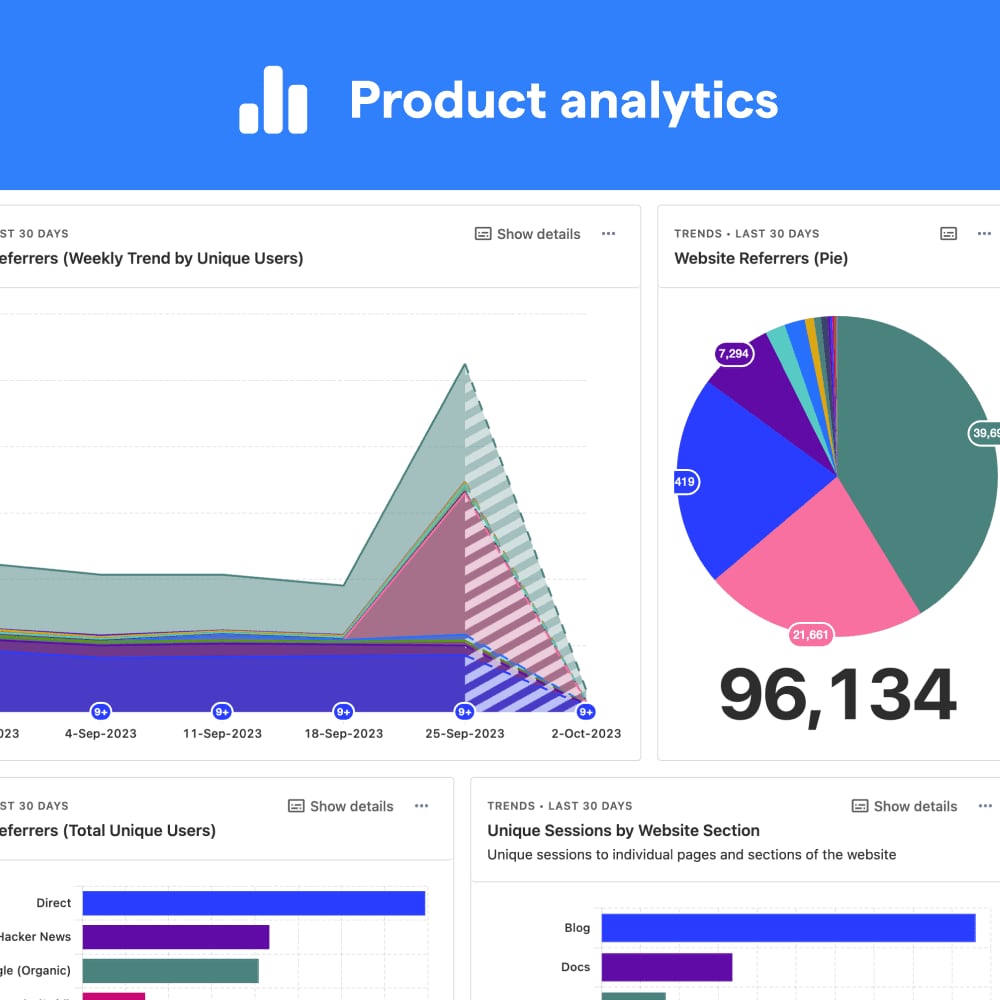
Product analytics.
Data4 targets a specific audience: website owners, marketers, and analysts who want clear traffic insights without the learning curve of enterprise analytics suites or the technical depth of product platforms.
Where Data4 Excels
Simplicity as a feature. Data4 emphasizes ease of use and actionable insights. Its dashboards are designed to answer common questions — where is traffic coming from, which pages perform best, how engaged are visitors — without requiring custom event setup or SQL queries. For teams migrating away from Google Analytics who feel overwhelmed by GA4's complexity, this straightforward approach is the core appeal.
Global and multilingual support. Data4 is available in Chinese, English, and Japanese, with domain-specific localization. This international focus makes it a practical choice for businesses serving audiences across multiple regions and languages, particularly in markets where localized analytics interfaces are rare.
Reliable Google Analytics replacement. Data4 positions itself explicitly as a GA alternative, which matters for organizations that need continuity in their reporting. Traffic source tracking, audience segmentation, conversion analysis, and customizable dashboards cover the essential use cases that most website owners actually rely on.
Where Data4 Has Limitations
Data4 does not offer the visitor-level real-time detail that Clicky provides, nor the product analytics depth of PostHog. Session replay, feature flags, experiments, and AI-powered automation are outside its scope. Teams that need those capabilities should evaluate PostHog directly or consider pairing Data4 with a specialized tool.
Head-to-Head: Choosing the Right Tool
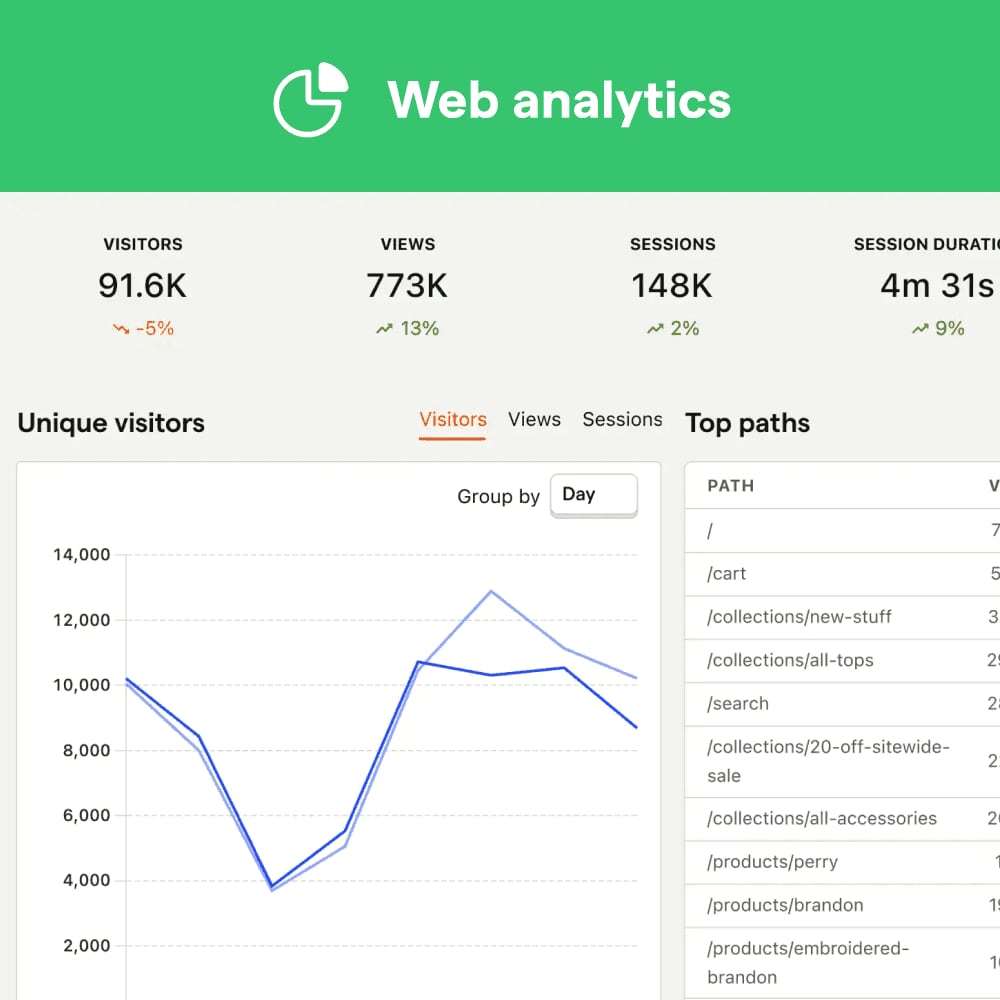
Web analytics.
Real-Time Monitoring
If you need to see individual visitors as they browse, Clicky is the clear winner. Its live visitor log and action tracking provide immediate, granular visibility. PostHog offers real-time event tracking but is oriented toward product events rather than raw visitor streams. Data4 supports real-time traffic tracking as a dashboard feature, but it does not emphasize visitor-level logs the way Clicky does.
For teams that need to monitor site performance and respond to issues as they happen, understanding real-time performance monitoring fundamentals helps clarify which metrics matter most.
Privacy and Compliance
Clicky and Data4 both position themselves as privacy-conscious alternatives to Google Analytics. Clicky anonymizes data by default and is GDPR-compliant, with strong bot filtering. PostHog offers configurable privacy controls, including input masking and page-level session replay exclusions, and can be self-hosted for full data ownership. Data4's privacy stance aligns with the broader movement toward cookieless, consent-friendly analytics, though its specific privacy features are less documented than Clicky's.
Product Analytics and Experimentation
PostHog is the only tool in this comparison that offers feature flags, A/B testing, session replay, and AI-powered debugging. If your team ships product features and needs to measure adoption, retention, and experiment results, PostHog is the obvious choice. Clicky and Data4 are website analytics tools, not product analytics platforms.
Ease of Use and Onboarding
Data4 and Clicky both prioritize simplicity. Clicky's interface is straightforward, with a focus on live visitor data and traffic reports. Data4's dashboards are designed for non-technical users who want answers without configuration. PostHog has a steeper learning curve, but its documentation and free tier make it accessible to teams willing to invest time in setup.
Pricing Considerations
Clicky uses a freemium model with paid tiers (Pro, Pro Plus, Pro Platinum, Custom) that scale by website and pageview limits. A 21-day free trial of premium features is available without a credit card. PostHog's usage-based pricing means most small teams pay nothing, with costs scaling as event volume grows. Data4's pricing is not publicly detailed in the same way, so teams should request a quote or trial to evaluate fit.
When to Choose Each Tool
Choose Clicky if: You run a content site, blog, or small business website and want instant visibility into visitor behavior. You value privacy-friendly tracking, need to see individual visitor actions in real time, and want to capture adblock users that other tools miss. Your team does not need product analytics features like funnels, retention, or experiments.
Choose PostHog if: You are an engineer or product team building software. You need session replay, feature flags, A/B testing, error tracking, and AI-powered debugging in one platform. You are comfortable with event-based tracking and want a generous free tier with usage-based scaling. For a deeper look at how PostHog stacks up against other product analytics tools, see this PostHog comparison guide.
Choose Data4 if: You are migrating from Google Analytics and want a simpler, more approachable dashboard. You serve a multilingual or international audience and value localized interfaces. Your analytics needs center on traffic sources, page performance, and campaign tracking rather than product-level behavioral analysis.
Practical Example: Tracking a Campaign Launch
Imagine you are launching a marketing campaign across social media, email, and paid search. Here is how each tool would support that workflow:
With Clicky: You watch the live visitor log as campaign traffic arrives. You see individual visitors from each source, track which pages they view, and identify bot traffic that inflates your numbers. Custom data logging lets you tag sessions with campaign identifiers for later analysis. For a deeper dive into campaign effectiveness measurement, Clicky's real-time data provides immediate feedback on which channels are driving genuine engagement.
With PostHog: You set up event tracking for campaign landing pages, configure funnels to measure signup conversion, and run an A/B test on two landing page variants. Session replay shows you exactly where visitors drop off. AI-powered insights flag unexpected behavior patterns automatically.
With Data4: You monitor campaign performance through customizable dashboards that show traffic by source, conversion rates, and audience segments. The multilingual interface is useful if your campaign targets multiple regions. For teams focused on tracking marketing campaign performance, Data4's straightforward reporting keeps the core metrics accessible.
Related reading
- Real-Time User Engagement: Strategies, Metrics & Tools - Learn what real-time user engagement is, why it matters, and how to measure and improve it with practical strategies, metrics, and analytics tools.
- Behavioral Triggers: Types, Examples & How to Use Them - Learn what behavioral triggers are, the main types, real-world examples, and how to use them to improve engagement and conversions on your website.
- Data4 vs Fathom Analytics vs Simple Analytics Compared - Compare Data4, Fathom Analytics, and Simple Analytics on privacy, ease of use, traffic insights, and pricing to find the right website analytics tool.
Sources and further reading
- Process Management for Learning from Professional Source Code: Cultivating Experts in the Age of AI - Background and Context: Today’s software industry increasingly values intricate conceptual knowledge (e.g., sufficient expertise to fix AI-generated code). Though program comprehension and scaffold...
- SarafuPay — Lipa kwa urahisi - Create a payment collection page for weddings, events, groups, and projects in Tanzania. Accept mobile money, bank, and card payments through a simple, shareable link.
- ChottuLink - Data Protection Policy - Data Protection Policy for ChottuLink deep linking service. Learn how we protect your personal data.
Frequently Asked Questions
Is Clicky a good Google Analytics alternative?
Yes. Clicky is explicitly positioned as a privacy-friendly alternative to Google Analytics, with real-time visitor logs, bot filtering, and adblock recovery that GA4 does not offer. It is particularly strong for content sites and small businesses that want simpler reporting.
Can PostHog replace Google Analytics for website traffic?
PostHog includes web analytics as part of its broader platform, so it can track page views, traffic sources, and visitor behavior. However, it is designed primarily for product analytics. Teams that only need website traffic data may find PostHog more complex than necessary.
Does Data4 offer session replay or heatmaps?
Data4's core focus is website traffic analytics, including real-time tracking, segmentation, and conversion analysis. Session replay and heatmaps are not highlighted as core features. PostHog offers both session replay and heatmaps as part of its product analytics suite.
Which tool is best for privacy compliance?
Clicky anonymizes data by default and is GDPR-compliant, with strong bot and spam filtering. PostHog offers configurable privacy controls, including input masking, page-level replay exclusions, and self-hosting options. Data4 positions itself as a privacy-conscious GA alternative, though its specific compliance features are less detailed publicly.
How much do these tools cost?
Clicky has a free plan with paid tiers starting at accessible price points, plus a 21-day premium trial. PostHog offers a generous free tier with usage-based pricing, and over 90% of companies use it for free. Data4's pricing requires direct inquiry, as public pricing details are limited.
Can I use more than one of these tools together?
Yes. Many teams pair a simple website analytics tool like Data4 or Clicky with a product analytics platform like PostHog. The website tool handles traffic reporting and marketing insights, while PostHog manages feature adoption, experiments, and session replay for the product itself.
Conclusion
Data4, Clicky, and PostHog serve different needs within the analytics landscape. Clicky wins for real-time, privacy-friendly website analytics with granular visitor detail. PostHog dominates for product teams that need experimentation, session replay, and AI-powered automation. Data4 fills the gap for organizations seeking a simple, multilingual Google Analytics replacement that keeps traffic reporting accessible.
The best choice depends on your team's technical depth and what questions you need answered. Marketers and site owners will find Clicky or Data4 more approachable. Engineers and product managers will get far more value from PostHog's comprehensive platform. Evaluate your actual analytics needs — not just the feature list — and choose the tool that answers your most important questions with the least friction.